
Failed to install agent on Linux machine
Issue Description
Customer feedback unable to install Endpoint Secure agent on Linux machine.
Prompts error "IP cant be connected" and "IP can’t be connected, please check your network"
Error/Warning Information
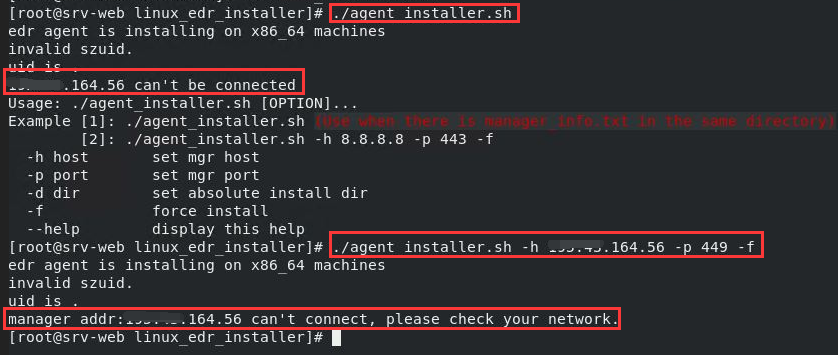
Handling Process
- MGR can be access from public access without problem.
- Check on the installer script to identify what triggers the error message.
- Found that ping failure will trigger this error message and halt the installation.

- Try ping to MGR from the Linux machine, fail.
5.After verify with customer, we found that customer environment has firewall disabled ping request.
Root Cause
- Installation script unable to do ping test, and halt installation.
Solution
- Temporarily allow ping to MGR.