
Failed to install Windows vulnerability patch
Issue Description
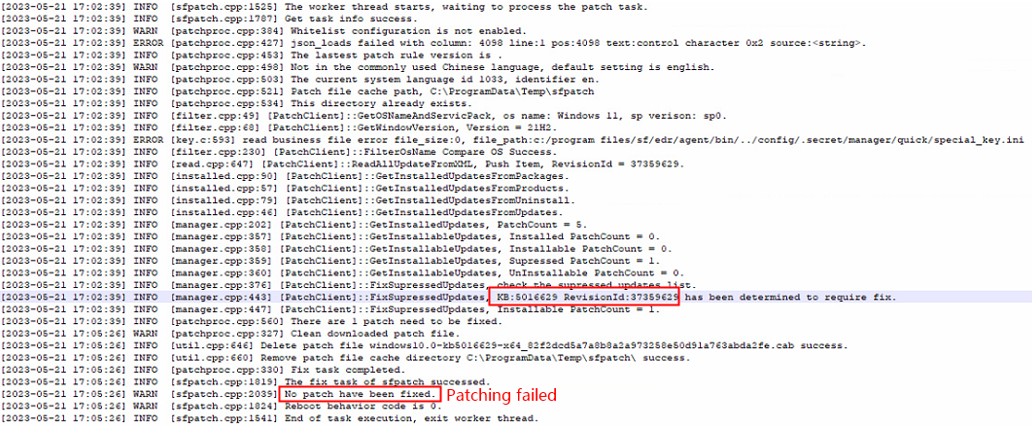
ES Manager shows that the endpoint requires a patching (KB 5016629), but when clicked on Patch it shows "Patching failed"
Error/Warning Information

Handling Process
We can refer to several logs when troubleshooting vulnerability patching issues.
-
Download Log – This is the log where we can see the agent downloads particular KB patch from the download server.
C:\Program Files\SF\EDR\agent\var\log\sfpatch\patch\down\

-
Install Log – Here we can see the agent tries to install the downloaded .cab patch using Windows built-in DISM tool.
C:\Program Files\SF\EDR\agent\var\log\sfpatch\patch\install\

-
Patch log – This is a general log that briefly shows the combination of download and installation of the KB patch.
C:\Program Files\SF\EDR\agent\var\log\sfpatch\patch
-
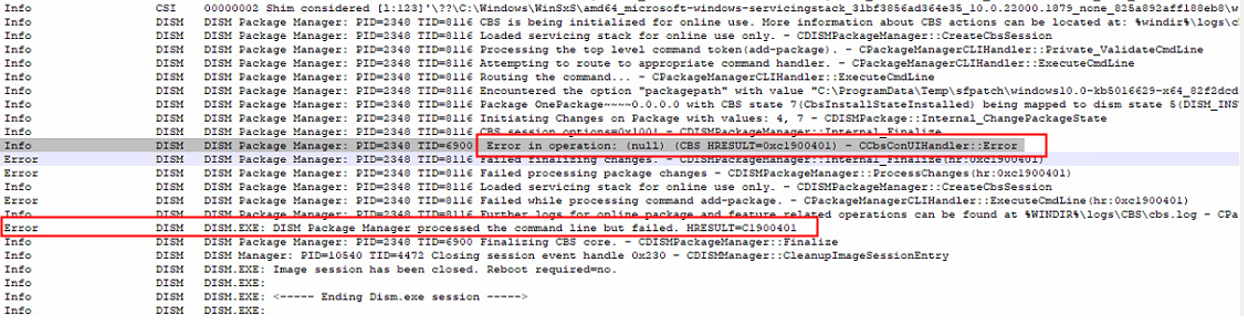
DISM log – The agent installs patch using the Windows DISM command.
C:\Windows\Logs\DISM\
-
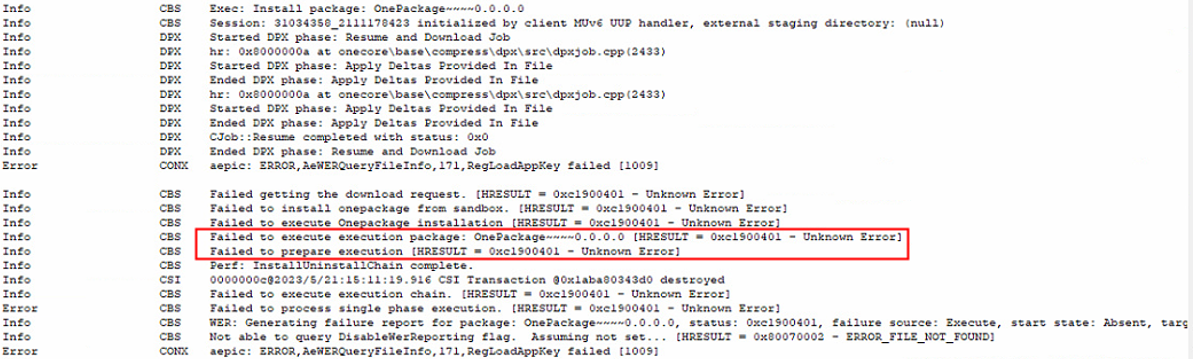
CBS Log – This log shows all the changes made on the Windows system file.
C:\Windows\Logs\CBS\CBS.log
-
Download the patch installer (.msu) from Microsoft Catalog portal and try to install manually but failed.
-
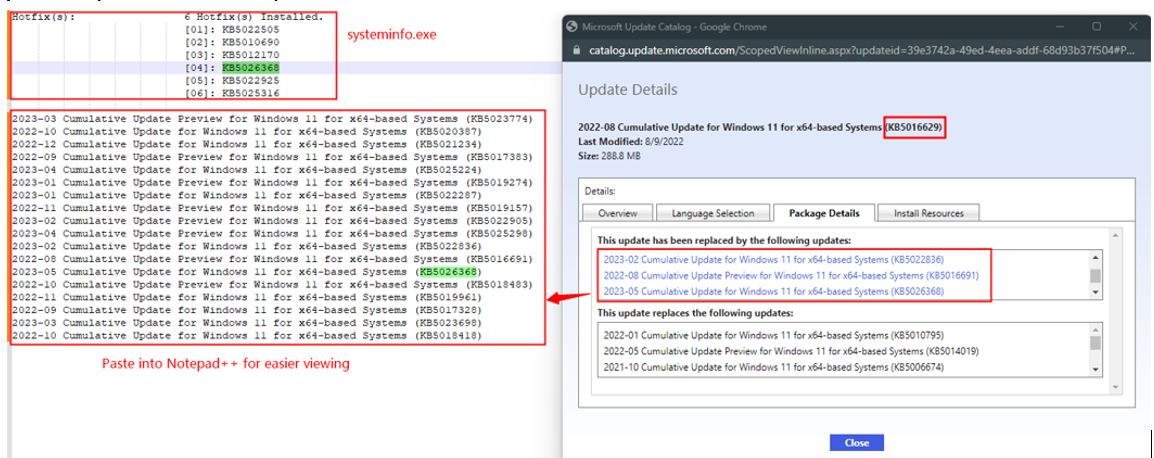
Retrieve the currently installed patch details (cmd > systeminfo.exe) and compare with the patch details on MS Catalog.
-
Confirmed that the PC had already installed a newer KB patch (KB 5026368) that had replaced the patch (KB 5016629).
Root Cause
PC had already installed a newer KB patch (KB 5026368) that had replaced the patch (KB 5016629)
Solution
-
Windows default logs does not provide a clear error message when the patch failedto install due to existing patch had replaced the patch shown in ES Manager.
-
ES Mgr is not aware of the newer patch released by Microsoft that has replaced the older patch.
-
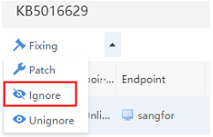
In this case, mark the vulnerability as ‘Ignore’ as the patch is no longer required.
Suggestions
Link to MS Catalog:
https://www.catalog.update.microsoft.com/