
Failed to integrate NGAF with ES
Issue Description
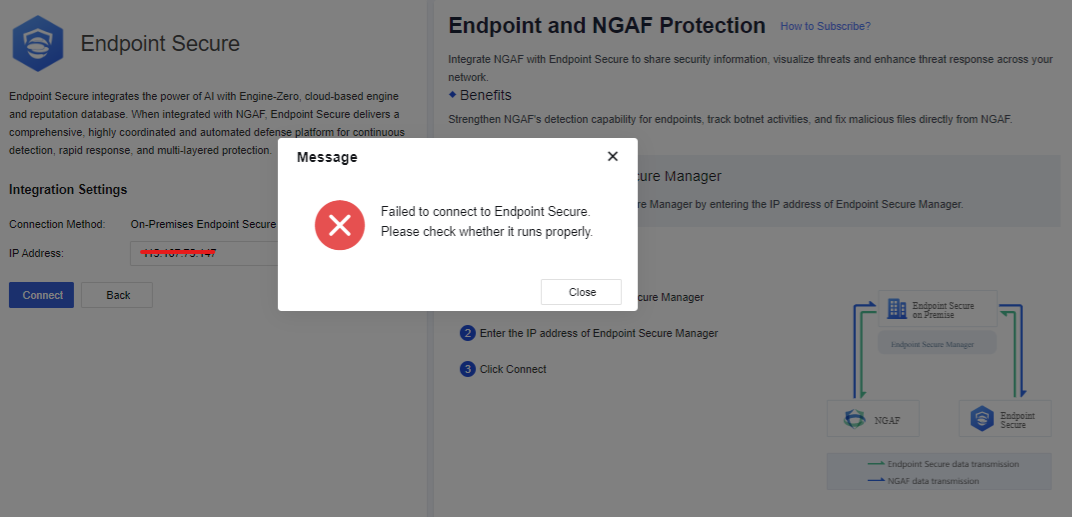
Customer wants to integrate/correlate NGAF with ES but failed with the following error "Failed to connect to Endpoint Secure. Please check whether it runs properly"
Error/Warning Information
Handling Process
- Check whether able to access the ES management console on port 443 normally.
- Verify when was the ES deployed because newly deployed takes time to load. It was deployed 3 weeks ago.
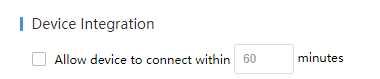
- Check whether [Device Integration] is enabled on ES.
Root Cause
The [Device Integration] needs to be enabled in order to allow the access for devices integration. Otherwise, it cannot be integrated.
Solution
- Go to [System]-[System]-[General]-[Device Integration] and enable.
- Proceed to integrate within the configured minutes.
Suggestion
Applicable for ES version 3.2.21 and above.