
Failed To Start Remote Support Tool
Issue Description
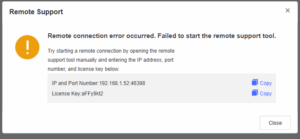
6.0.4R4 ES unable to start remote support tool.
Error/Warning Information
Handling Process
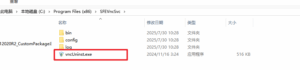
- Uninstall the current remote support tool via
C:\Program Files (x86)\SFEVncSvc\Uninst.exe
Root Cause
Due to the calculation of VNC in R2 is different with R4, therefore it will cause issue.
Solution
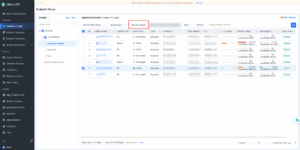
Reinstall latest version of remote support tool via ES Manager by simply clicking Remote Support.
Reference
https://support.sangfor.com.cn/cases/list?product_id=16&type=1&category_id=33951&isOpen=true