
Malware Security Events Number shows abnormal at the Events Page
Issue Description
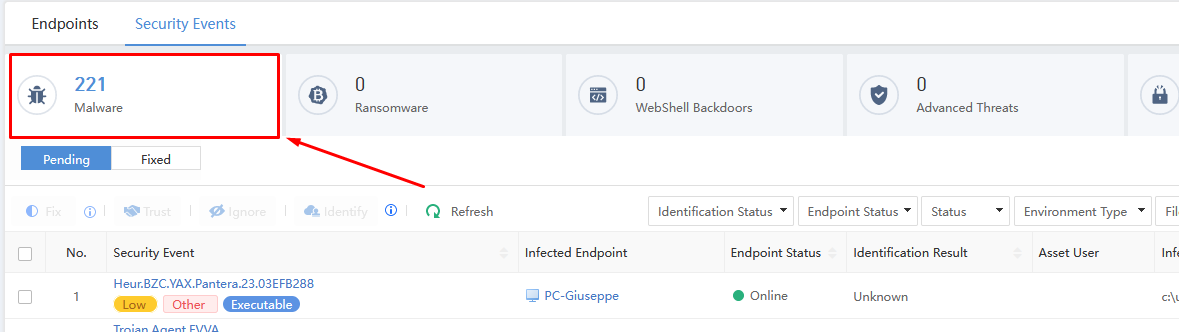
Shows different numbers when view other tab and current tab.
May refer to the image below.
Error/Warning Information

Handling Process
Follow the Easy Troubleshooting Steps Below:
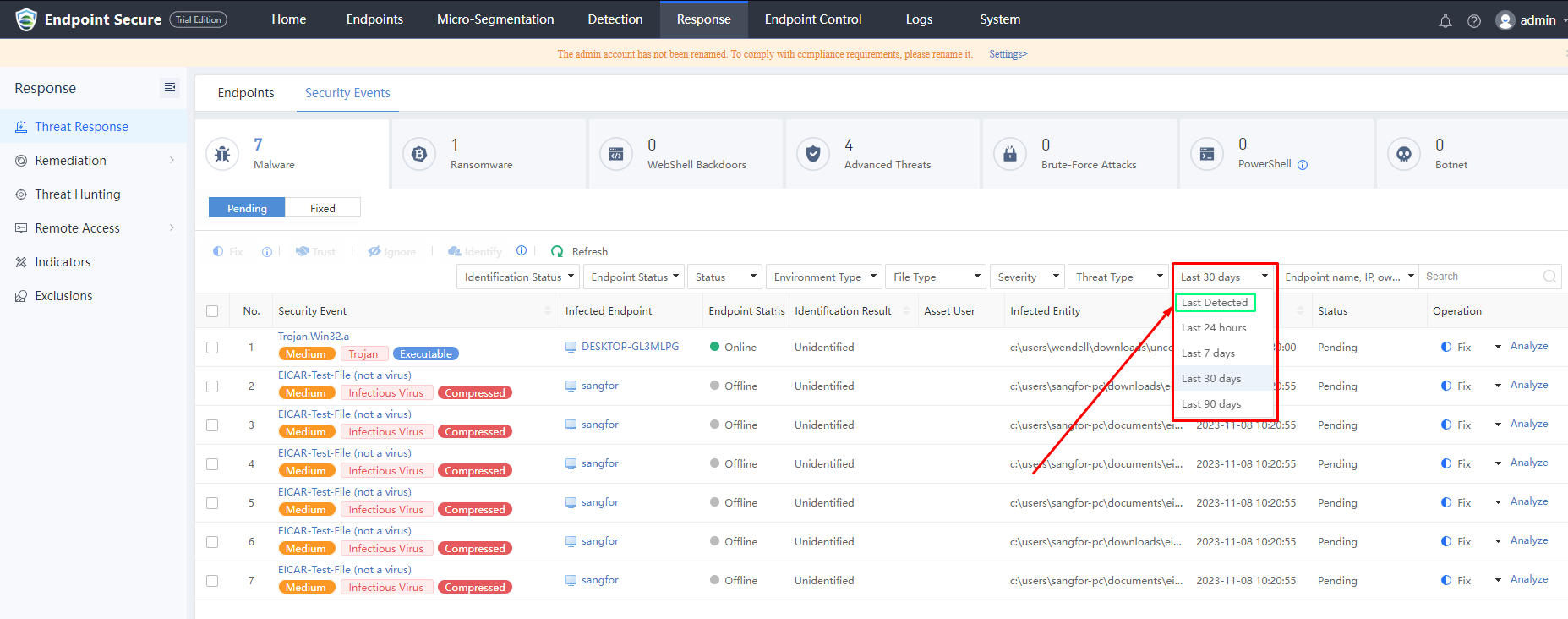
- Switch the date to Last Detected, and if the numbers still abnormal proceeed to next stage.
- Check the ES firmware version and check is there any patch installed previously.
- Stop then Start the sampled services from backend, and repeat Step 1 again does it solved the issue.
Stop sampled services
/sf/edr/manager/bin/eps_services stop sampled
Start sampled services
/sf/edr/manager/bin/eps_services start sampled
If Easy troubleshooting method didn’t not solved the issue.
Proceed to the Deeper troubleshooting method.
Root Cause
Endpoint Secure internal calculation errors.
Solution
Temporaily solution
Deeper troubleshooting method below:
Note*
-
sampled file located at
/sf/edr/manager/bin/sampled -
Customized Sampled file is provided below.
sampled -
Stop sampled services
-
Perform backup for the sampled file.
-
Replace the current sampled file to the customized sampled file.
-
Add execute permission to the sampled file.
chmod +x /sf/edr/manager/bin/sampled -
Run sampled services. Return to Easy Step 1.
Permanent Solution
Patch is available for version 3.7.12R2