Replace SSL Certificate on ES Manager
Issue Description
User wishes to change the SSL certificate on their ES Manager.
Error/Warning Information
None.
Handling Process
[Required Files]
- The ssl certificate in .crt format. (If it is in different format, you may find a way to convert it or download the proper format.)
- Private key. (Private key information is hold by the user. It can also be found on the CSR file.)
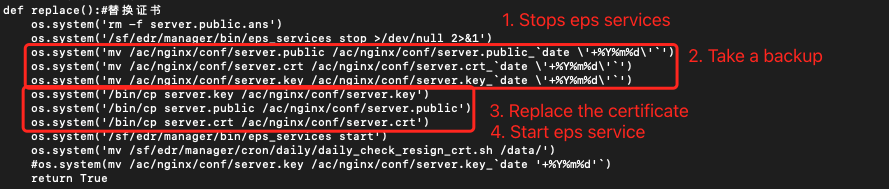
- Script file to perform the certificate replacement. (Can be download from here)
[Steps]
-
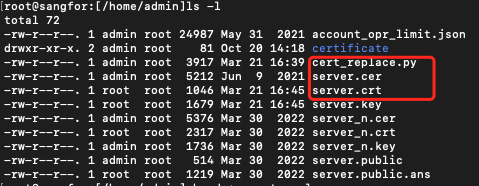
Upload the 3 files (server.crt , server.key , cert_replace.py) into the ES manager under /home/admin directory.
-
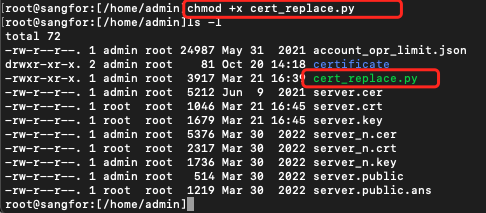
Change the script permission.
Command :chmod +x cert_replace.py
-
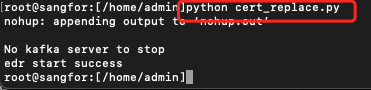
Execute the replacement script.
Command:python cert_replace.py
-
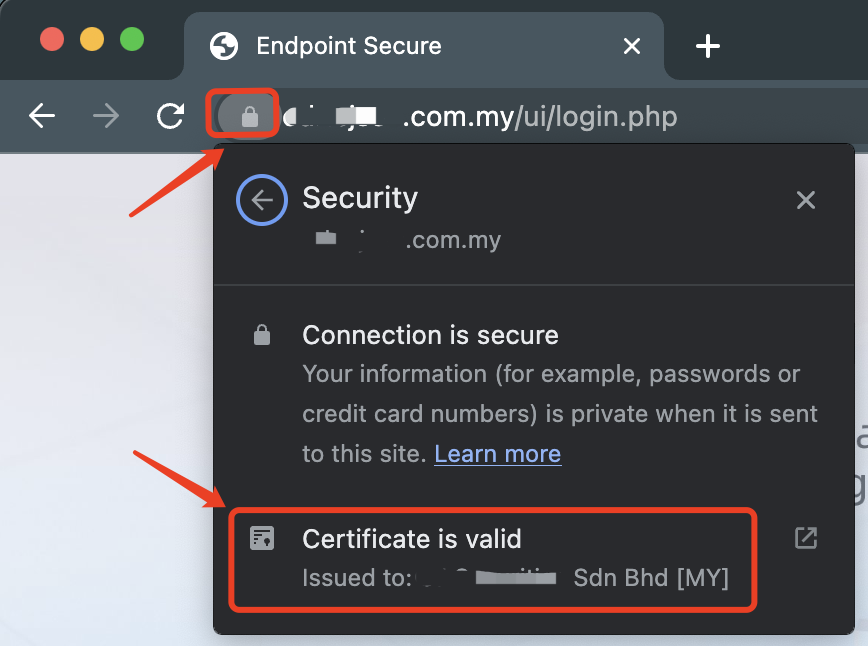
WebUI will be temporarily unavailable for 1-2minutes, refresh the browser again and you can see the certificate had been changed.
-
You can further verify the changes from browser by accessing the ES Manager from Internet.
Root Cause
Does not supports uploading SSL Certificate from webui, must operate from backend.
Solution
Follow the [Steps] above.
Suggestions
Note:
1.The filename for certificate and private key must be renamed to server.crt and server.key.
2.In case you wish the revert the changes to previous SSL Certificate, you may retrieve the certificate files under /ac/nginx/conf/ with today’s date.
Example:
/ac/nginx/conf/server.crt_20230321
/ac/nginx/conf/server.key_20230321
[Logic of the SSL Cert Replacement]