
Server cannot access Internet and not able to ping
Issue Description
Customer feedback server cannot access Internet and not able to ping by LAN PC after enable Agent.
Handling Process
- Check micro segmentation policy, found that customer not enable.
- Disable the Agent, then RDP to the server.
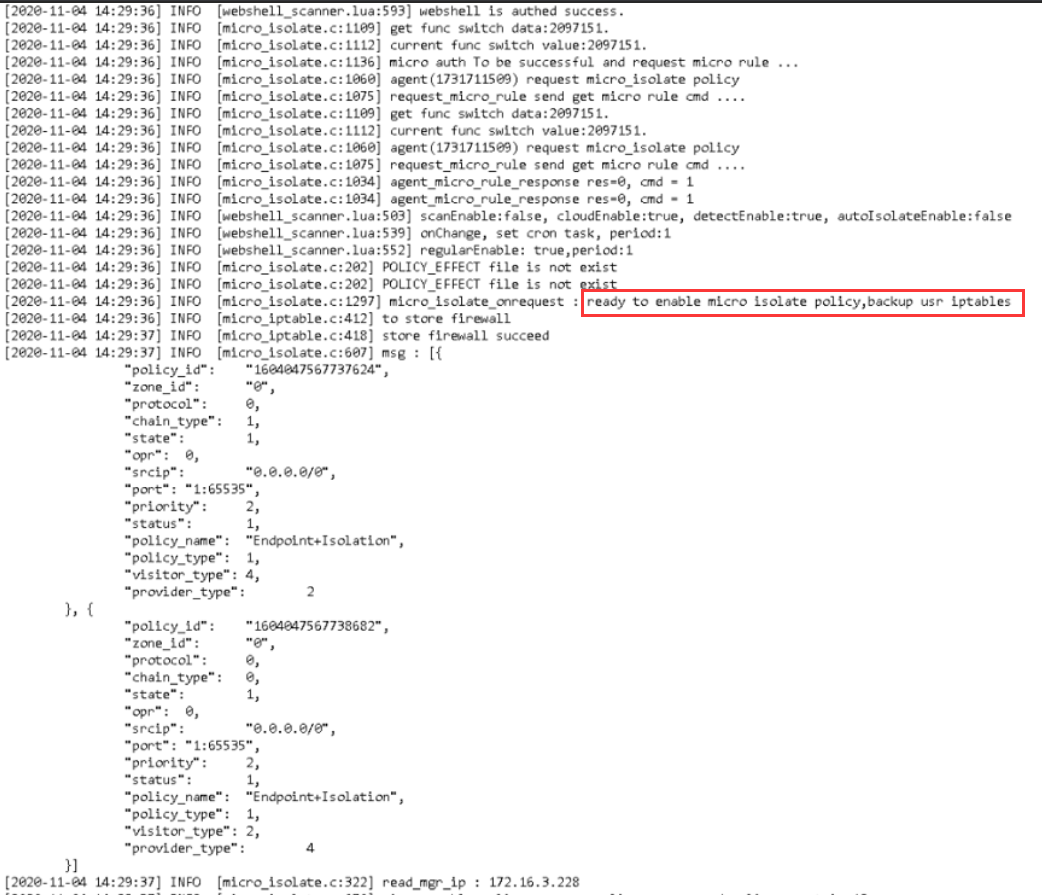
- Check the latest agent log(Y:\Program Files\Sangfor\EDR\agent\var\log\agent), found that there is micro segment policy push from MGR:
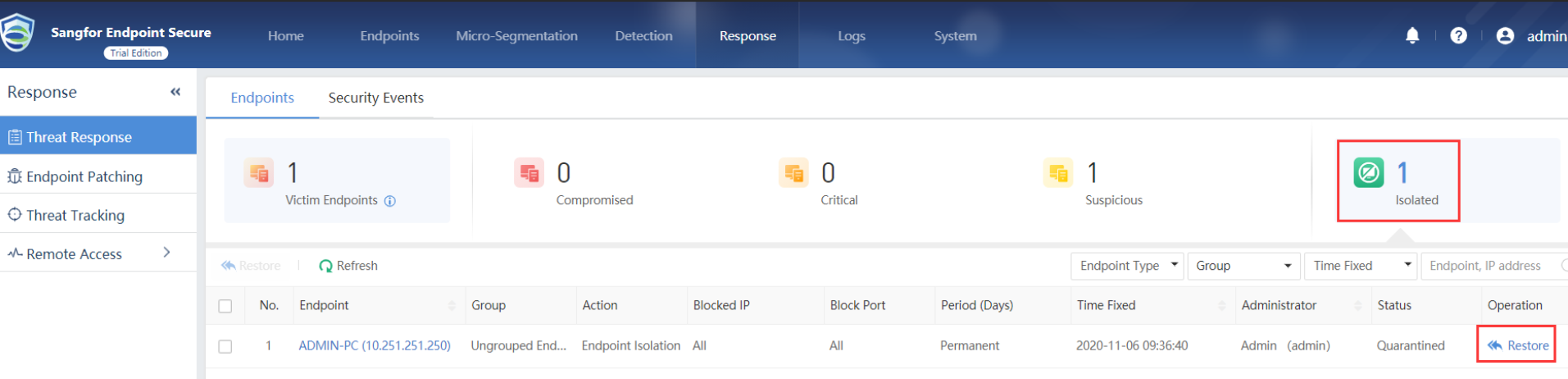
- Access MGR, go to Response and found that there is 1 server been Isolated.

Root Cause
The server been Isolated, so the server connection will be block by Agent.
Solution
Restore the server from Isolated list.
Suggestion
Can check with customer why the server been isolated, make sure the server not infected by ransomware else the virus might split across network.