
[SIP] Branch module not displayed in asset awareness
Problem Description
Branch modules are not displayed in SIP asset awareness.
Alarm Information
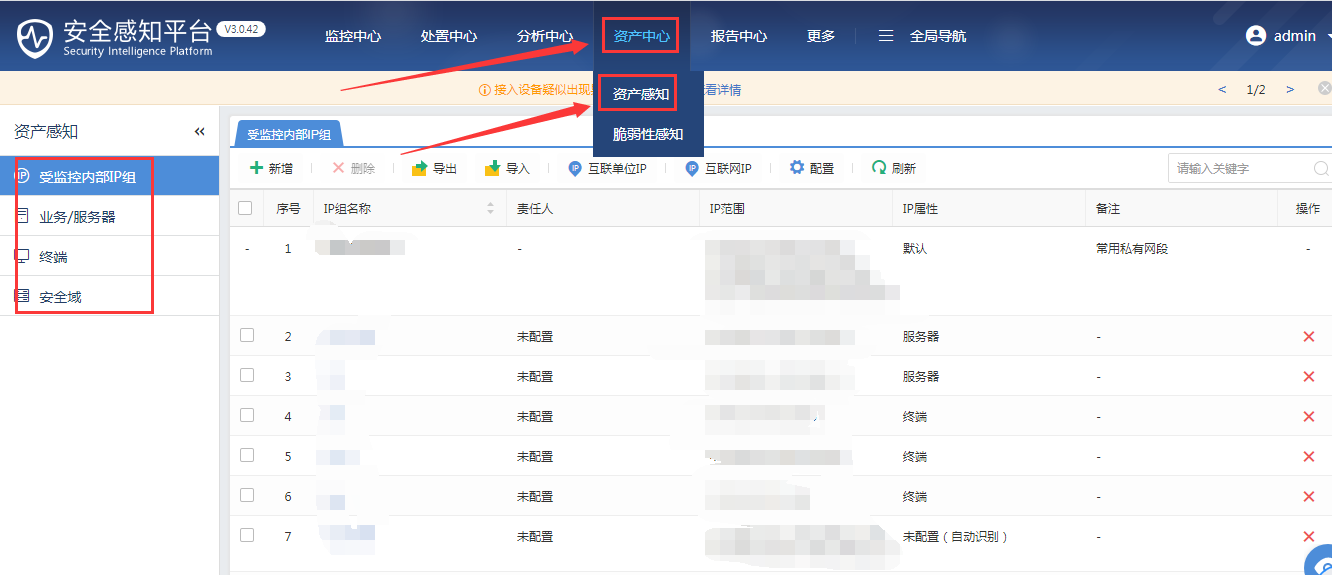
155265e4a186c1f0c3.png (84.39 KB)
Process –
- Switch to a different browser to log in and find that the branch module is still not displayed.
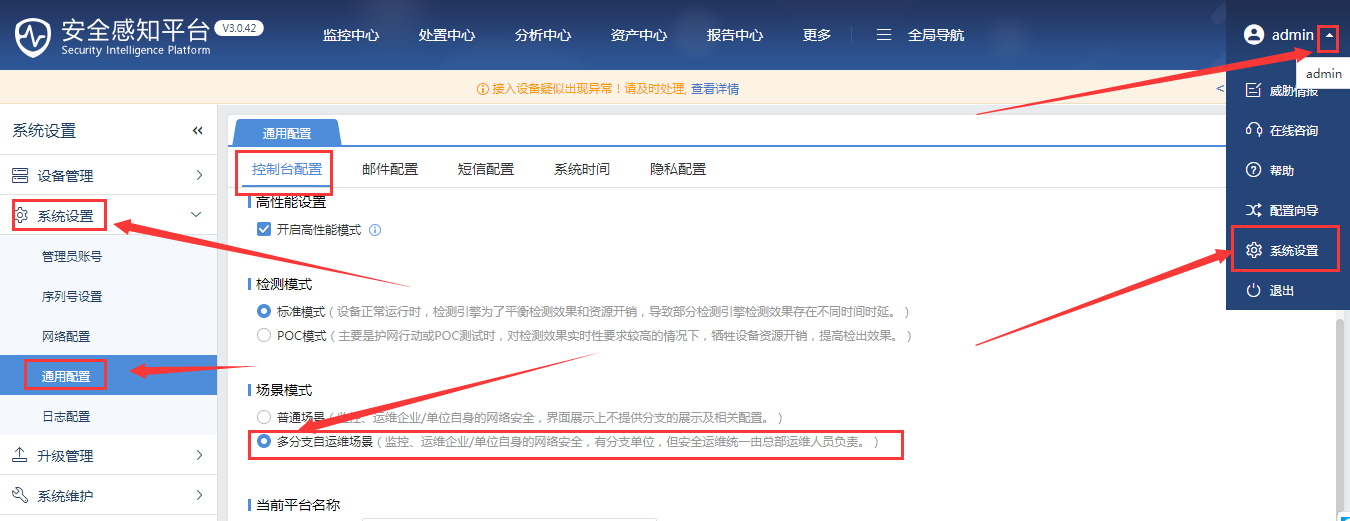
- In the dropdown menu next to "admin", select "System Settings", then in the pop-up box, select "System Settings" – "General Settings" – "Console Settings" – select "Multi-branch self-operated scene" in "Scene Mode", and click "OK".
103455e4a19315ff3c.png (94.43 KB)
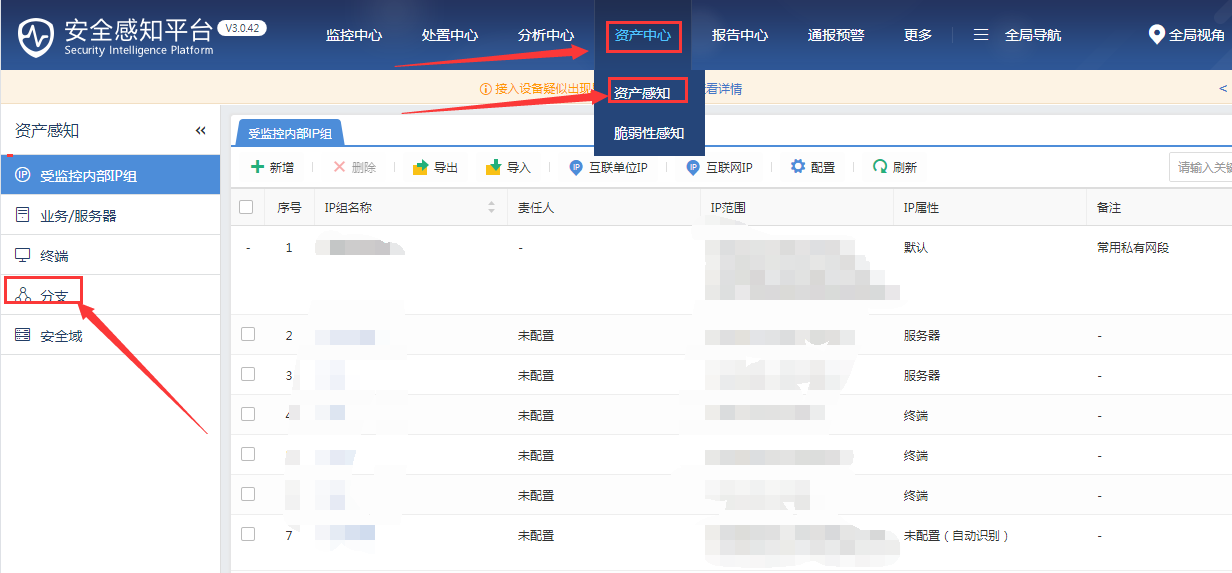
- After selecting the "Multi-branch self-operated scenario", log in again to the SIP console and find that the branch module has already been displayed.
338025e4a1a76dc2e1.png (79.14 KB)
Root Cause
In normal scenarios, there are no branch modules, only when switching to the multi-branch self-operated scenarios will the branch modules appear.
Solution
Manually switch to the multi-branch self-operated scenario, and then log in to the SIP console again.
Suggestions and Summary
It is recommended to use Google Chrome to log in to the console.
Original Link
https://support.sangfor.com.cn/cases/list?product_id=16&type=1&category_id=2494&isOpen=true