
The CentOS operating system firewall version is too low to install the ES platform.
Problem Description
Due to the lack of virtualized environment, the ES image cannot be imported, and a new installation of the ERP platform is required. The client is required to set up a CentOS7 or higher operating system on their own. After the ES installation package and installation script are uploaded, the script execution cannot proceed with the installation.
Alarm Information
The installation of the ES platform prompts: The firewall version does not meet the requirements.
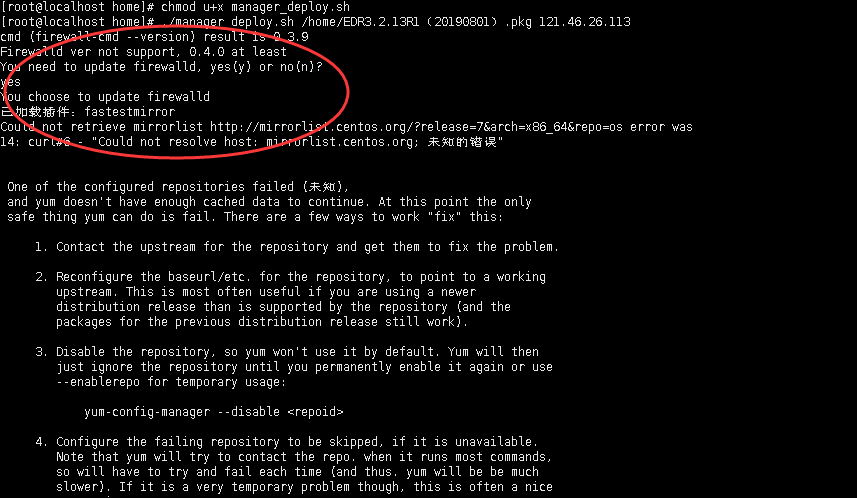
1.png (29.6 KB)
Process –
- The firewall version is 0.3.9, and the minimum required version for installing ES is 0.4.X.
firewall-cmd –version

2.png (4.74 KB)
- Update the local firewall.
yum update firewalld If the following error occurs, it means there is a problem with the yum source.
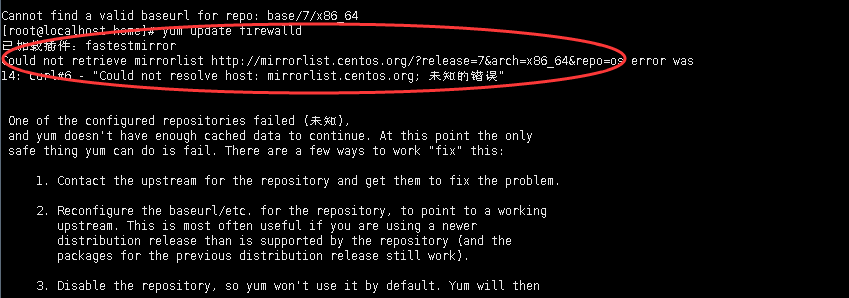
I'm sorry, but the given text cannot be translated as it appears to be a file name or description. Please provide a text that can be translated.
Root Cause
ES requires the local firewall to be version 0.4.x or above, while the local firewall is version 0.3.9.
The default yum source on this machine is not available, causing the firewall to be unable to update.
Solution
Overall summary:
- Replace the available yum source to update the firewall.
- Backup yum repository.
cd /etc/yum.repos.d/
mv CentOS-Base.repo CentOS-Base.repo.ba

I'm sorry, but the given text cannot be translated as it appears to be a file name and size.
- Download the aliyun yum repository:
wget -O /etc/yum.repos.d/CentOS-Base.repo http://mirrors.aliyun.com/repo/Centos-7.repo

I'm sorry, but the given text cannot be translated as it appears to be a file name and size.
- Clear cache and generate new cache:
yum clean all
rm -rf /var/cache/yum
yum makecache
yum repolist
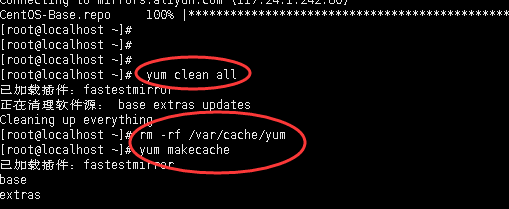
I'm sorry, but the given text "6.png (9.23 KB)" cannot be translated as it appears to be a file name and size. It does not contain any text to be translated.
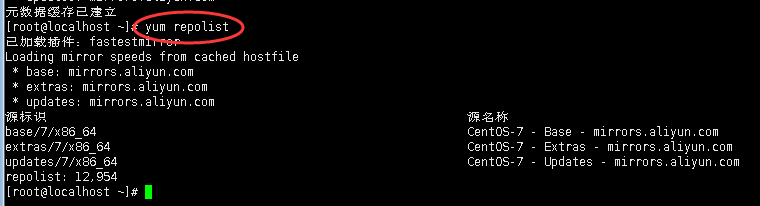
7.png (9.36 kilobytes)
- Update the firewall (the firewall update has already started).
# yum update firewalld
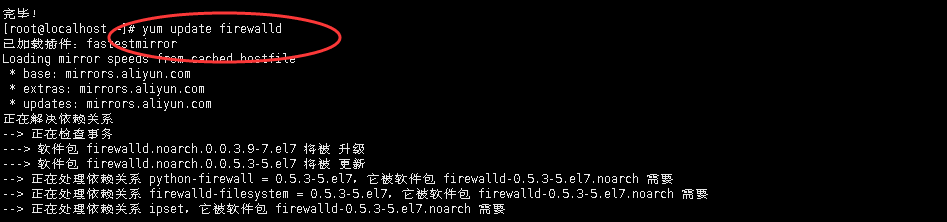
10.png (13.37 KB)
- Check if the firewall version has been updated successfully (the firewall version has been updated to 0.5.3).
firewall-cmd –version

11.png (3.68 KB)
- Reinstall the ES platform (firewall check is OK, installation did not report any errors).

12.png (6.37 KB)
Suggestions and Summary
- The system firewall installed directly on CentOS 7.5 and above is already version 0.4.4, so there is no need to update the firewall.
- Installing the ES platform from scratch is relatively simple, just pay attention to the version of the system firewall.
- The above content is only applicable to virtual machines that can access the internet.
Original Link
https://support.sangfor.com.cn/cases/list?product_id=16&type=1&category_id=2487&isOpen=true