
The number of licenses used does not match the actual license usage
Issue Description
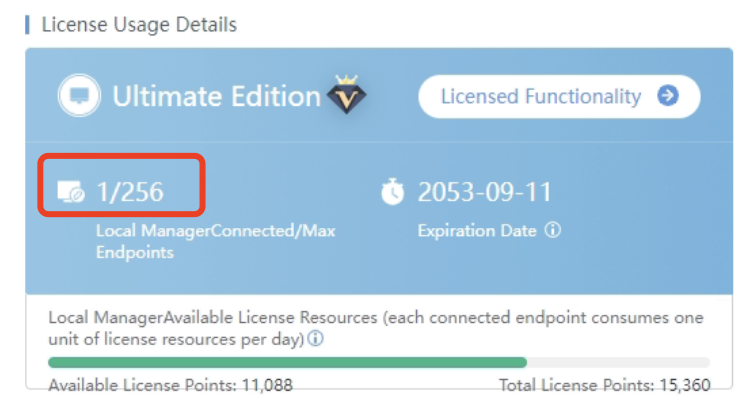
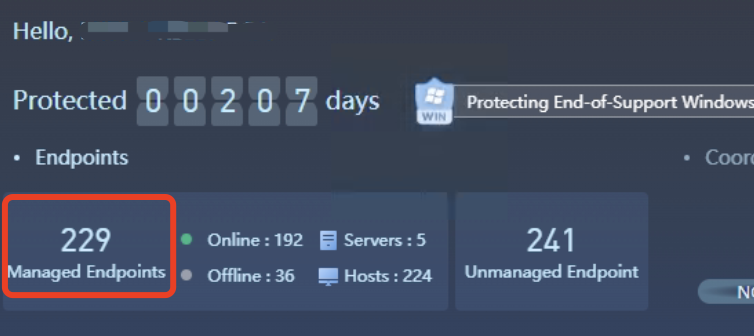
Customer feedback that the Licensed usage Details showing only 1 endpoint is license (1/256) meanwhile on the Home we can see there are 229 Managed Endpoints.
Error/Warning Information
Handling Process
-
Access backend to check the status of the authorization process.
Command:ps auxf |grep auth_mgr -
The time has not been updated, and it has been stuck since April 20.

-
Kill the EDR authorization process, it will automatically start again.
Command:kill -9 `pidof auth_mgr`

Note: Must be a root to execute kill commands. -
The EDR authorization process time updates normally.

-
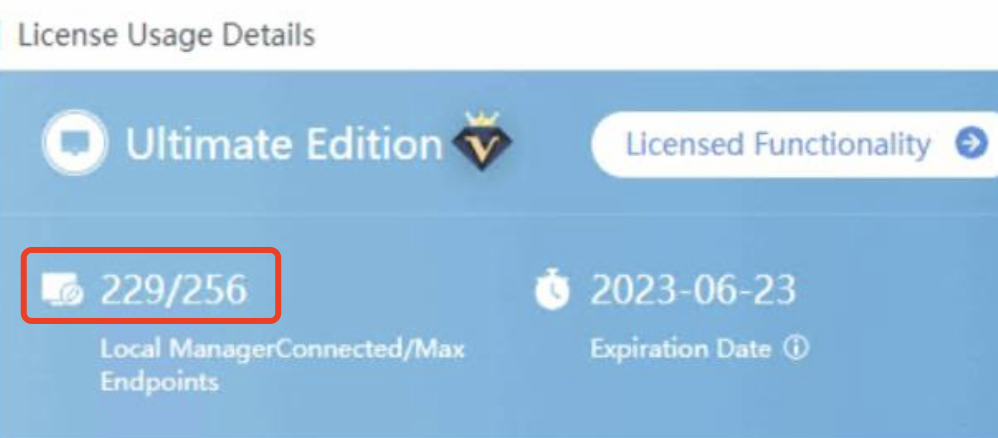
Check on the License usage Details, it is displaying normally.
Root Cause
The EDR authorization process is stuck, resulting abnormal display of authorization information on the interface.
If the customer needs to find the cause of the process stuck, preserve the problem phenomenon and coordinate with specialist / R&D for analysis.
Solution
Restart the authorization service process to recover.