
Unable to access Endpoint Secure MGR when installed on VMware Workstation
Issue Description
Endpoint Secure MGR deployed on VMware Workstation with Bridge Network unable to be accessed
Error/Warning Information
Handling Process
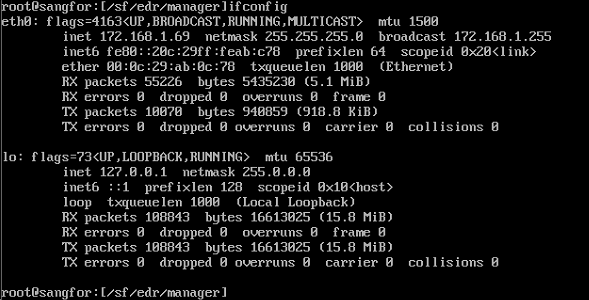
- Windows PC/Server IP same with MGR IP.
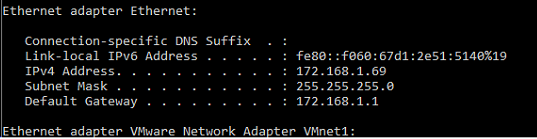
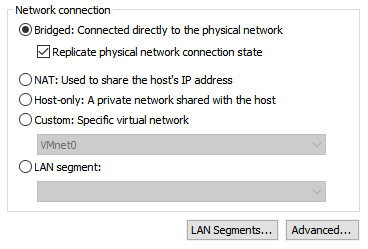
- VM network connection configured as Bridge: Connected directly to the physical network without checked Replicate physical network connection state.
- Check the Replicate physical network connection state.
- Configure new IP for MGR VM/ get new IP from DHCP server
- Execute (service network restart) to restart the network in order for the configuration totake effect.
Root Cause
Solution
- Replicate physical network connection state to let MGR VM has standalone IP address