Upgrade ES failed
Issue Description
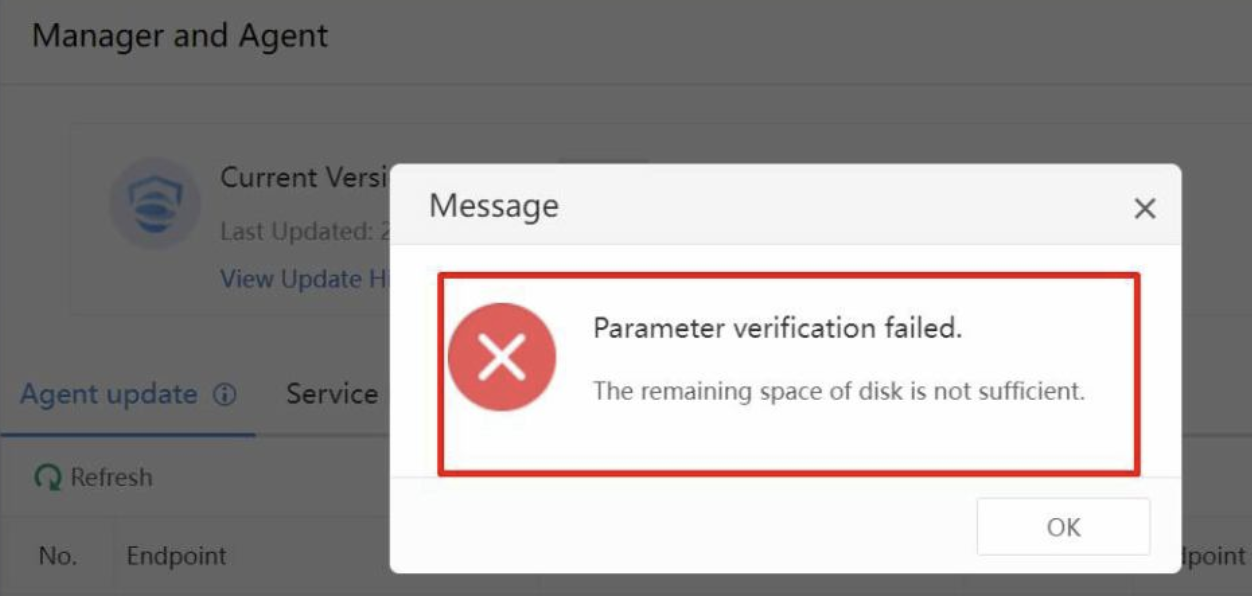
When user imports the upgrade packege, ES manager prompts "Parameter verification failed. The remaining space of disk is not sufficient".
Error/Warning Information
Handling Process
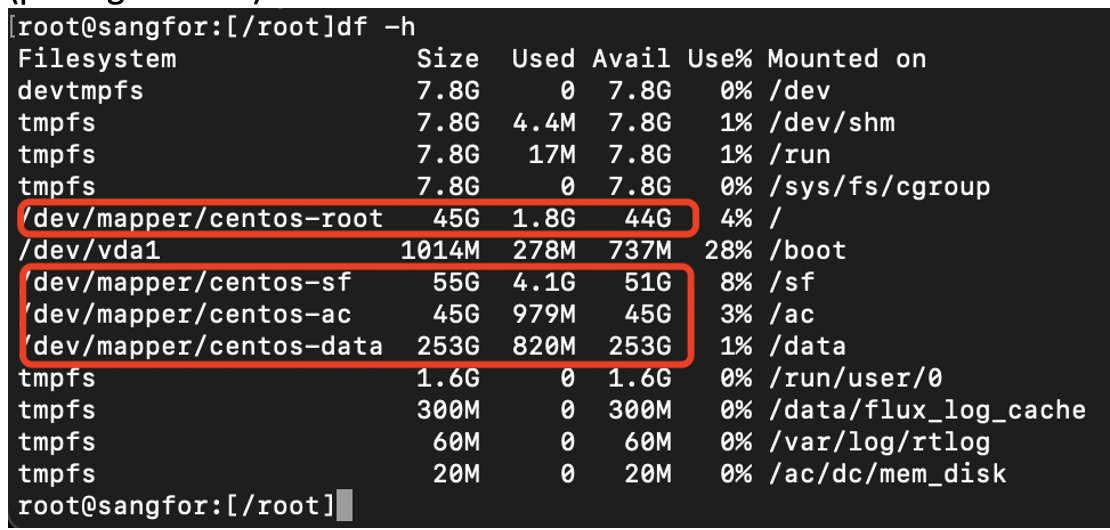
To solve this, we need to expand the virtual disk size and extend the partitions of (/ , /sf, /ac, /data) from ES backend.
Root Cause
Some older version of ES template has smaller partition size. User may have deployed the ES Manager using small disk capacity.
Solution
Important: Take a snapshot before performing any modifications!
-
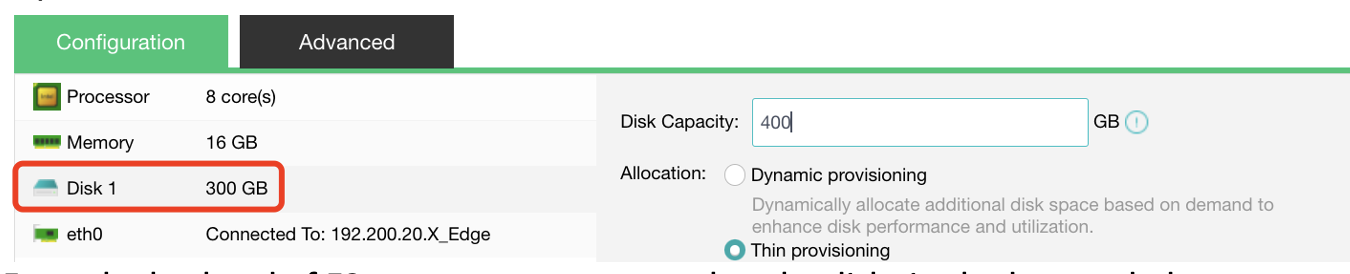
Expand the virtual disk size on the virtual platform, in our case we increase the disk size on HCI.
-
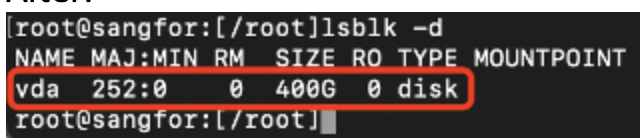
From the backend of ES manager, we can see that the disk size had expanded.
Before:
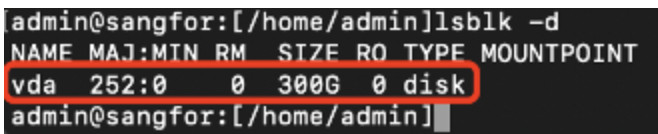
After:
-
Now that the disk had been expanded, we need to extend the following logical volume.
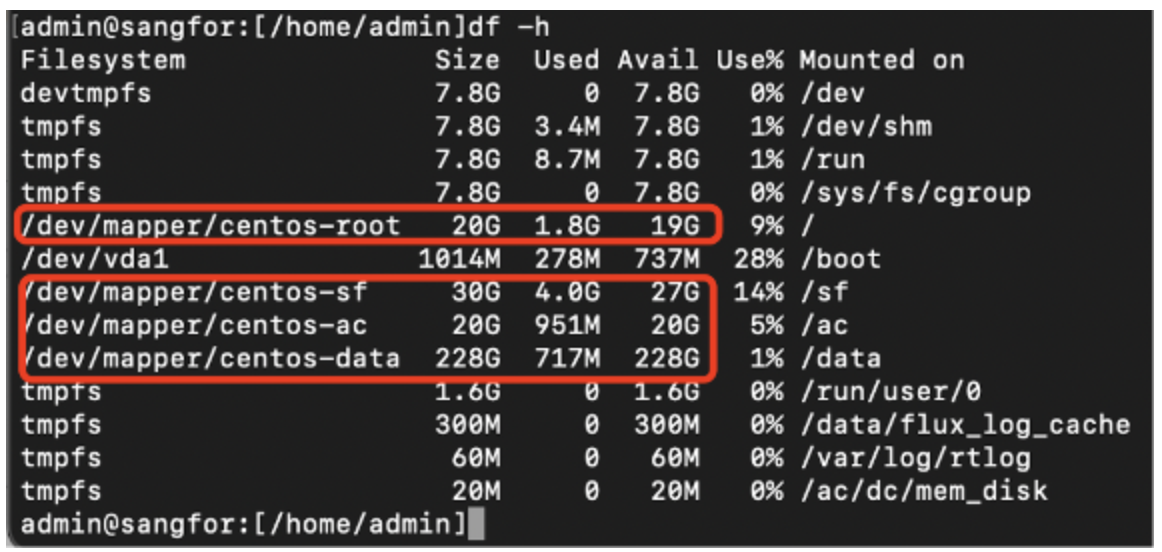
Note: The above directory available size must be higher than the size of package x3. -
Create a new partition using fdisk command by following the example shown below.
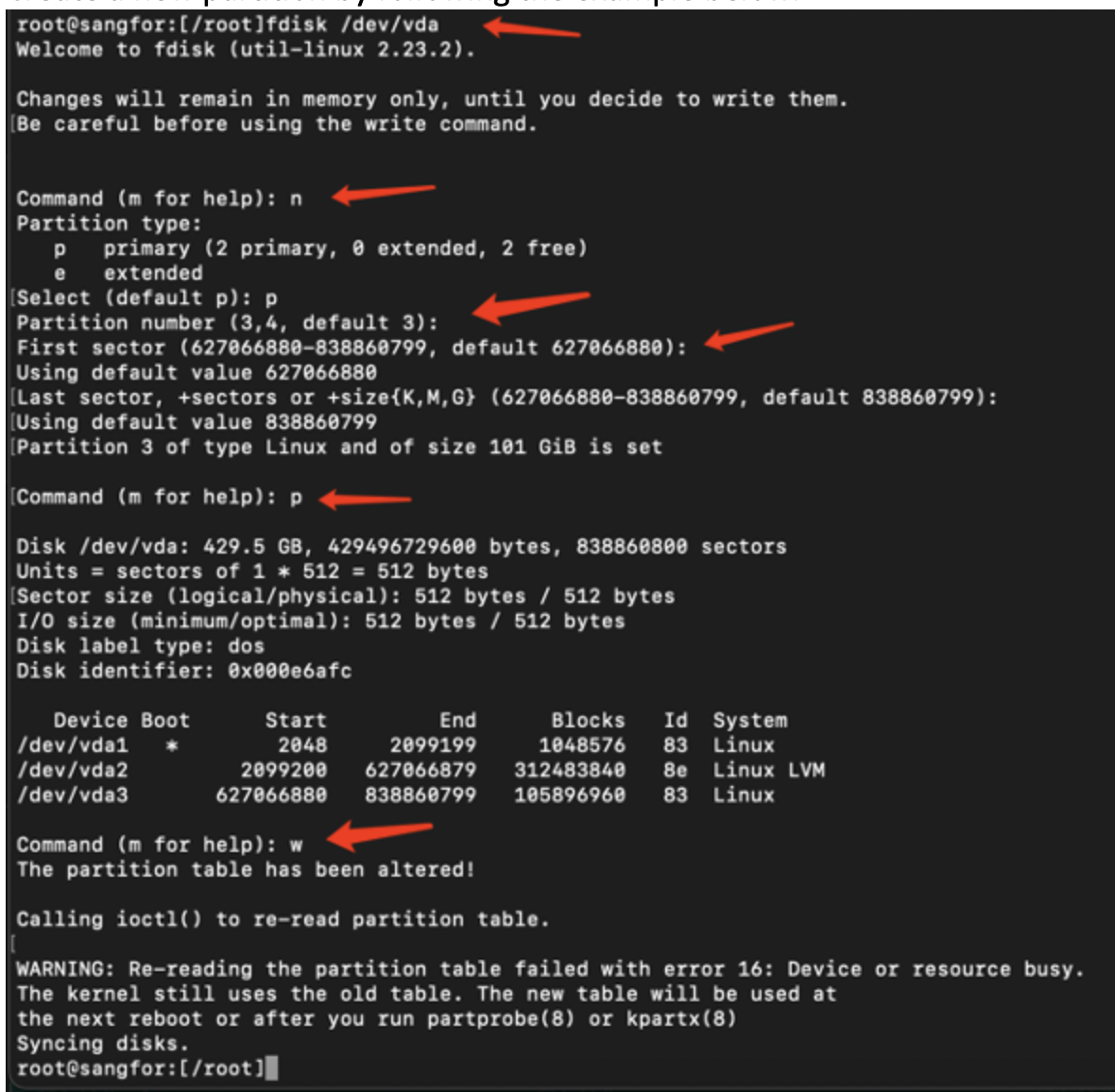
Assign the remaining space on /dev/sda to the newly created /dev/sda3 -
Refresh the partition and create a physical volume using command partprobe and pvcreate as shown below.

-
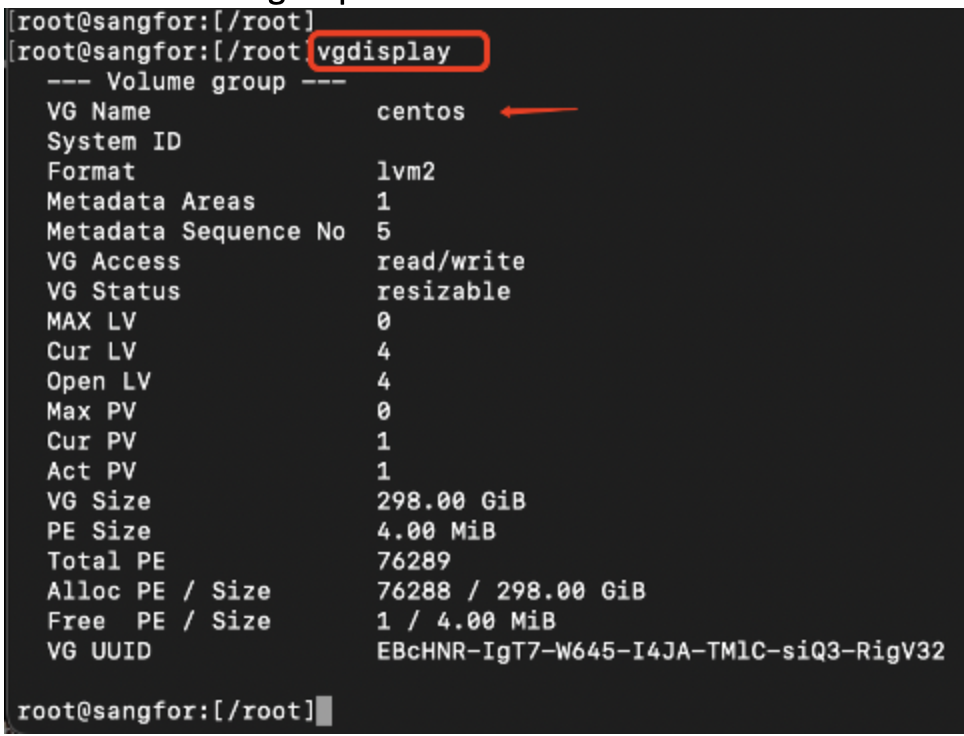
View the volume group name using the command vgdisplay.
-
Extend the physical volume vda3 on the volume group centos using the command vgextend.

-
Extend the free space on volume group to the specific partitions using the commnd lvextend and xfs_growfs.
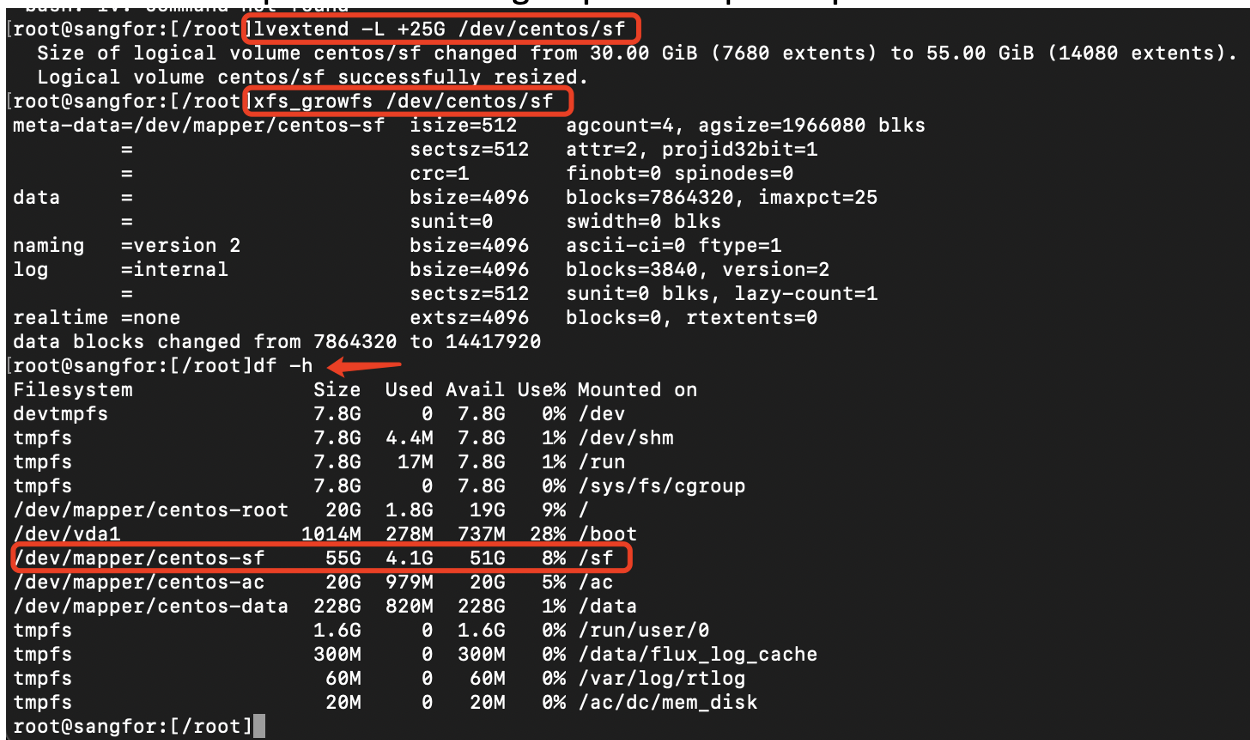
Note:
a)Use lvextend -L +20G to extend specific size.
Example: lvextend -L +20G /dev/centos/data
b)Use lvextend -l +100%FREE to extend the entire remaining space.
Example: lvextend -l +100%FREE /dev/centos/data -
The following partition size had been extended successfully, available space are more than (package size x3).