
[WebUI abnormal] /ac partition is full
Issue Description
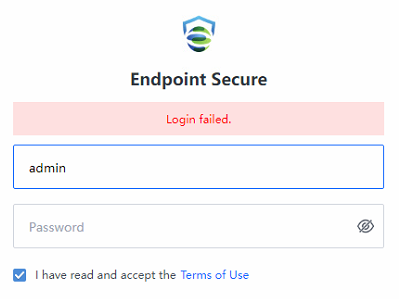
Enter username and password to login, but prompted with "Login failed"
Error/Warning Information
Handling Process
-
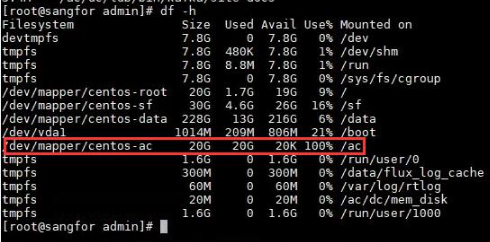
Check the disk usage using df -h and found that the /ac partition is full.
-
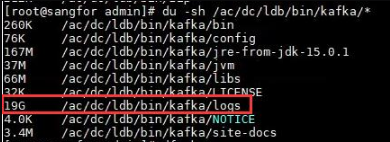
Use the command du -sh /ac/dc/ldb/bin/kafka/logs/* and found it is occupied by log files.
Root Cause
The lower version of ES does not have a script to automatically delete the log, causing the log to be full.
Solution
-
Download the script file and place it under /home/admin.
-
Then execute the following command to move this script to proper directory.
Command:cp /home/admin/kafka_oplogs_cleaner.sh /sf/edr/manager/cron/hourly/ -
Change permission of the script file.
Command :chmod 755 /sf/edr/manager/cron/hourly/kafka_oplogs_cleaner.sh -
Finally execute the script to clean up the log.
Command:/sf/edr/manager/cron/hourly/kafka_oplogs_cleaner.sh
Suggestions
This KB is valid for ES version 3.5.2 and below only. Newer version has included the script.
Note:
1.If port 443 is not in Listening state, try restarting all services.
Command: /sf/edr/manager/bin/eps_services restart
kafka_oplogs_cleaner.sh
MD5 : DA9E2EC8D03ECD431DC2E91632F0E3CA