
WebUI abnormal after firmware upgrade
Issue Description
User unable to access the Endpoint Secure Manager after the firmware upgrade.
The ES Manager IP is pingable and able to ssh.
Handling Process
Login to ES Manager backend for further checking.
Note:
If backend ssh is not possible, access via VM console / serial connection.
-
Check whether sangfor_waf process is running.
Command :ps auxf |grep sangfor

-
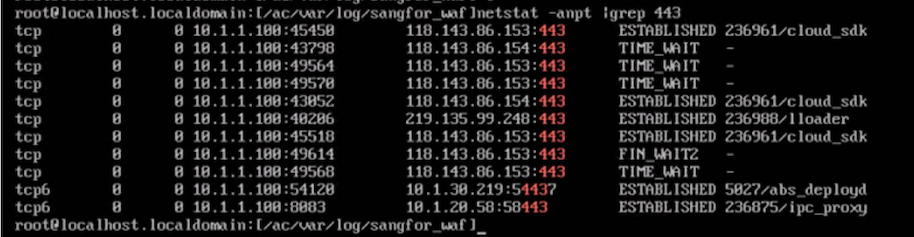
Check whether the sangfor waf is listening on port 443
Command:netstat -anpt |grep 443
-
Try to start sangfor_waf service.
Command:/sf/edr/manager/bin/eps_services restart sangfor_waf

-
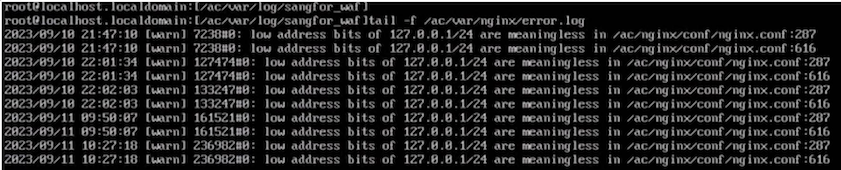
Check on ngix logs, did not found any errors.
-
Check whether the SSL certificates has valid permission.

-
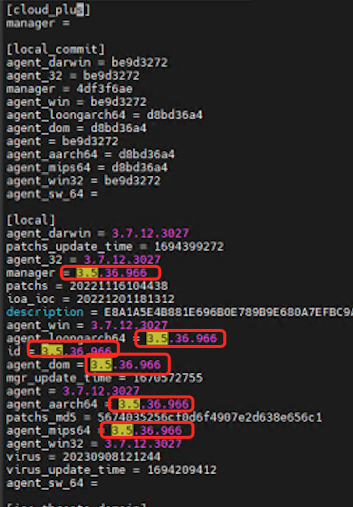
Found that the version info has some parts not updated.
-
Suspect that the upgrade did not complete successfully and ES Manager had been shutdown halfway or other reasons such as power loss.
-
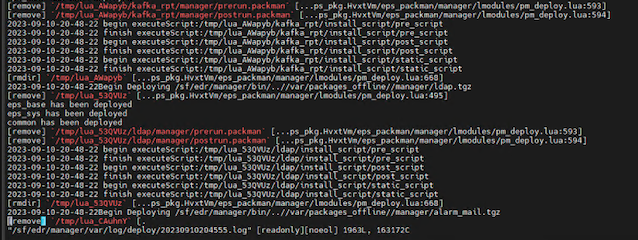
Check on the upgrade logs, found that there is no record of ‘Upgrade Success’.
Log path:/sf/edr/manager/var/log/deploy/
Root Cause
Upgrade is not complete as it has been interrupted halfway. (User had restarted the ES Manager virtual machine)
Solution
There is 2 solution for this, ES Platform migration or perform upgrade from backend.
Option A: Upgrade from backend (preferred)
- Download the upgrade package and upload into ES Manager backend.
- Upload to /tmp/ if other directory does not have sufficient space or permission.
- Use the following command to perform upgrade from backend.
Command:/sf/edr/manager/bin/deploy.mgr [pkgname]
Option B: ES Platform migration.
Refer:
https://kb.sangforsupport.com/support-center/endpoint-securees/knowledge-base-endpoint-securees/es-manager-migration/