
Windows host installation of ES client prompts: Installation failed, current installation package file is missing.
Problem Description
Windows host installation of ES client prompts: Installation failed, current installation package file is missing. The ES client installation failed.
Alarm Information
Installation failed. The current installation package file is missing. It is recommended to close or uninstall other antivirus software first to avoid any impact on the installation of the ES client.

Effective Troubleshooting Steps
- Check if the Windows host operating system is supported by the ES client version, and ensure that the communication between the host and the central server is normal.
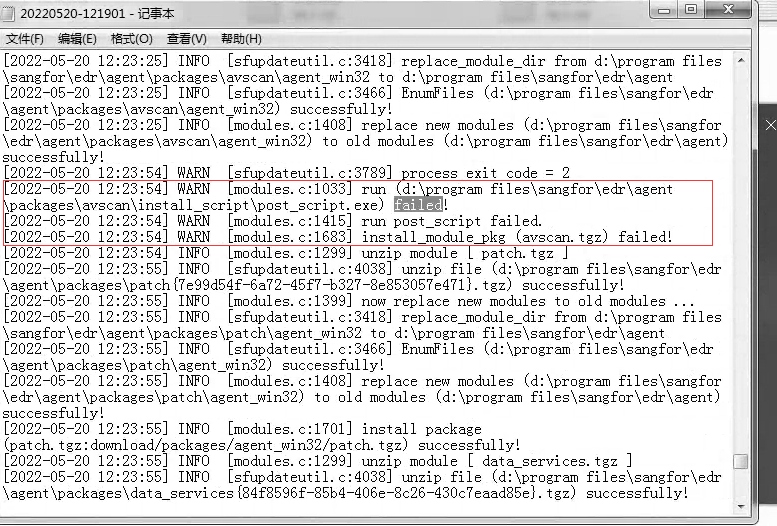
- View the installation log file, which indicates that the post_script.exe script installation has failed, as shown in the following image.
Installation log path:
Windows XP and 2003 installation log path: C:\Documents and Settings\AllUsers\Application Data\Sangfor\ES\log\sfupdate
Other Windows installation log path: C:\ProgramData\Sangfor\ES\log\sfupdate
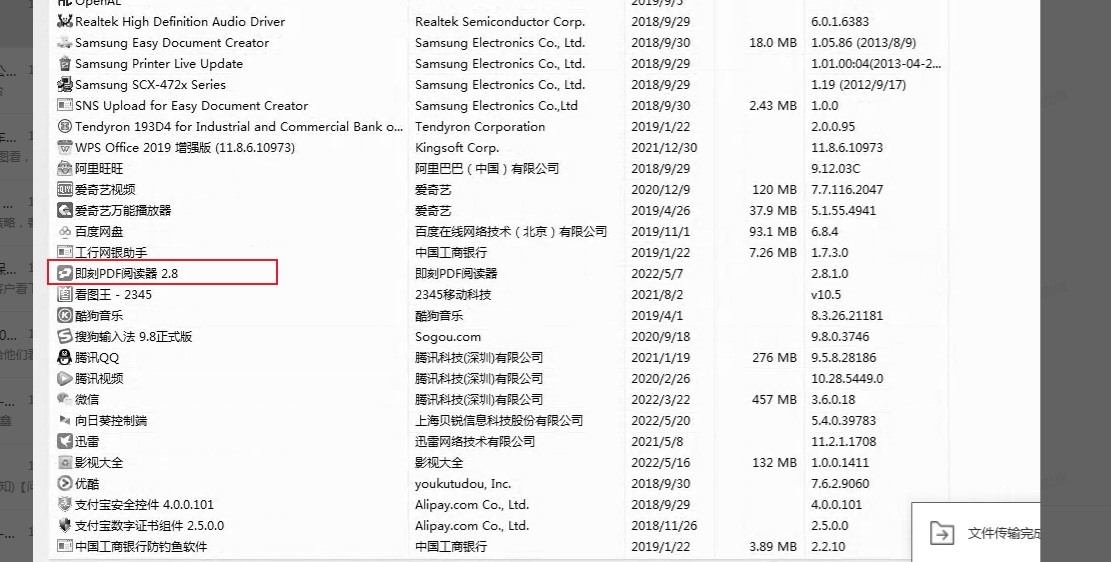
- Check if there is an Instant PDF Reader installed on the host, if so, communicate with the customer to uninstall the software and reinstall it again.
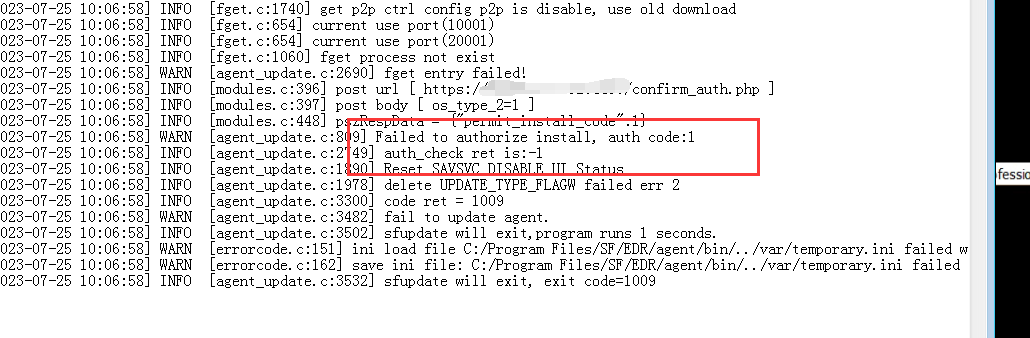
- If the installation log displays an error as shown in the following figure, it means that the authorization verification has failed. Please check if the authorization on ES Manager is sufficient.
Root Cause
There is a conflict between the Instant PDF Reader and the ES client.
Solution
Reinstall the ES client after uninstalling the Instant PDF reader.
Scope of Operation Impact
Uninstall the Instant PDF Reader on the client's host.
Original Link
https://support.sangfor.com.cn/cases/list?product_id=16&type=1&category_id=2574&isOpen=true