
【ES】Release Notes_V6.0.2
New Features
1.Ransomware Backup
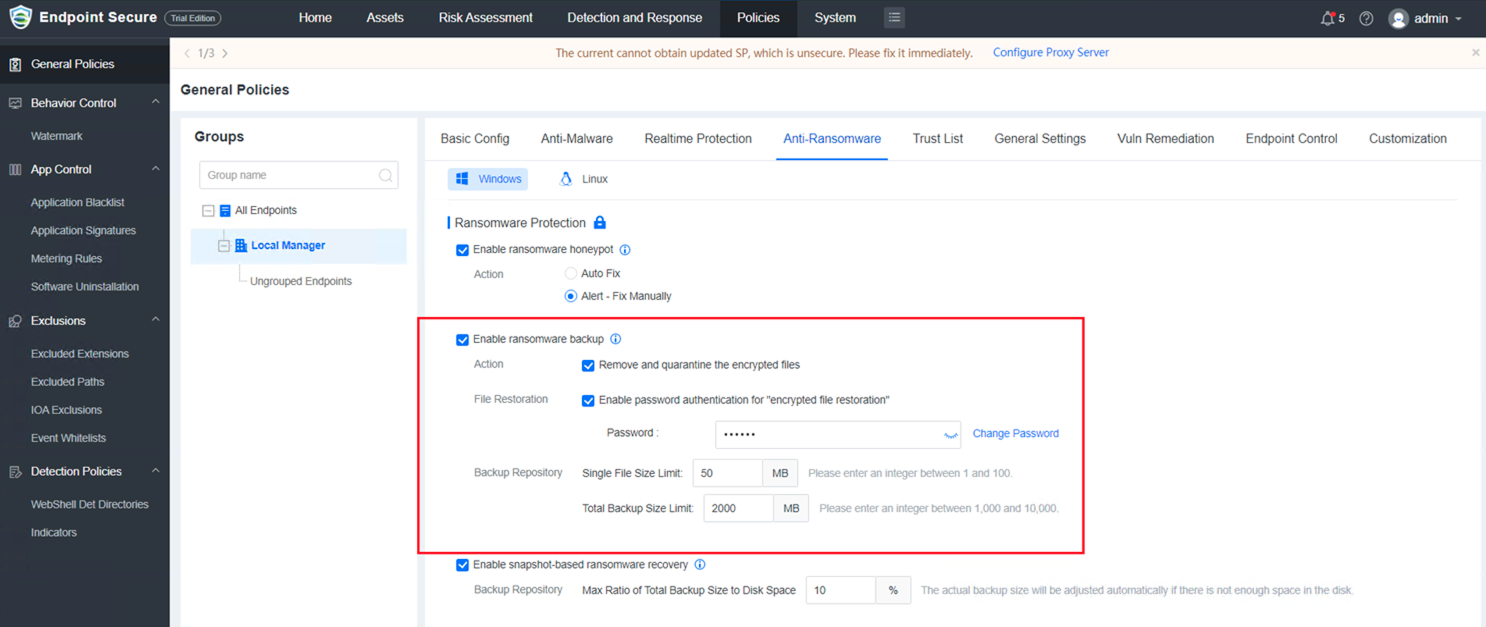
a. Remove and quarantine the encrypted files: It is enabled by default (the removed files can be restored). If this function is not enabled, no actions will be taken for encrypted files.
b. Enable password protection for "encrypted file restoration": It is enabled by default.
c. Backup Repository:
Supports configuring the Single File Size Limit (must be an integer between 1 and 100). The default value is 50 MB.
Supports configuring the Total Backup Size Limit (must be an integer between 1,000 and 10,000). The default value is 2,000 MB.
You must first enable the Ransomware Honeypot to enable the Ransomware Backup.
2.Snapshot-Based Ransomware Recovery(VSS)
Helps users restore files and data from snapshots even when ransomware bypasses the detection mechanism to minimize the impact of ransomware-encrypted files on business operations.
Note: Windows PCs (excl. Windows XP) and servers (excl. Windows Server 2003) back up snapshots once a day at noon (backup duration is less than 10 seconds, and the disk space usage is less than 10%).
For servers, users can restore encrypted files from the latest snapshot taken at noon. For PCs, users can restore encrypted files using shadow copies.
Rollback is not supported for Windows PCs.*
a. Manager:
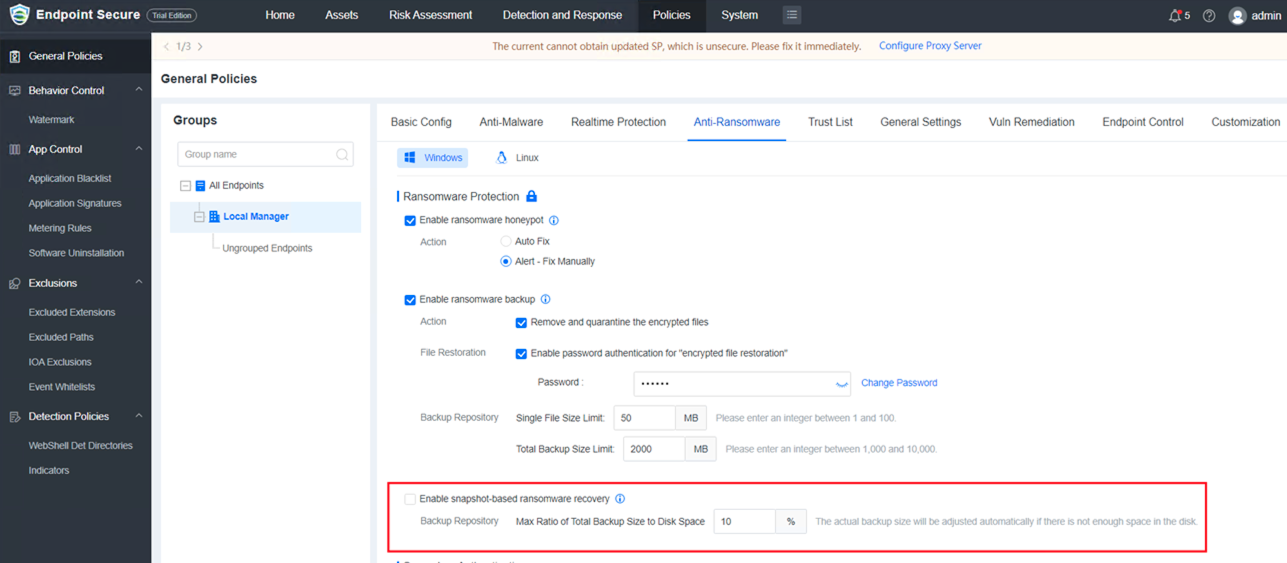
Added Enable snapshot-based ransonware recovery in General Policies > Anti-Ransonware which is disabled by default.
b. Agent:
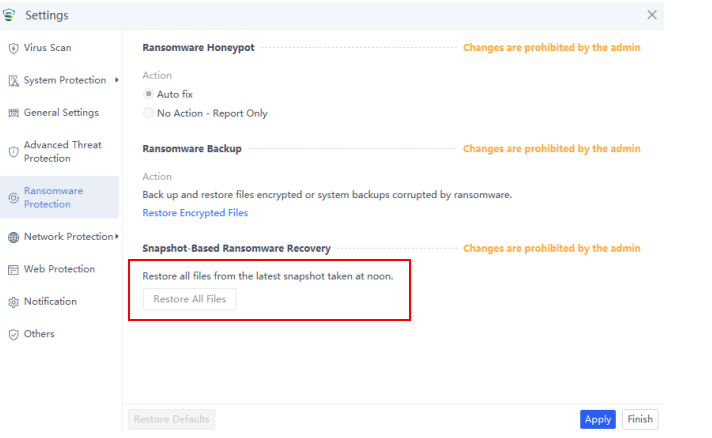
Added Snapshot-Based Ransonware Recovery. Users can click Restore All Files to restore all files from the latest snapshot.
Note: This is only displayed for Windows 2003 and later.
3.Software Metering Rule
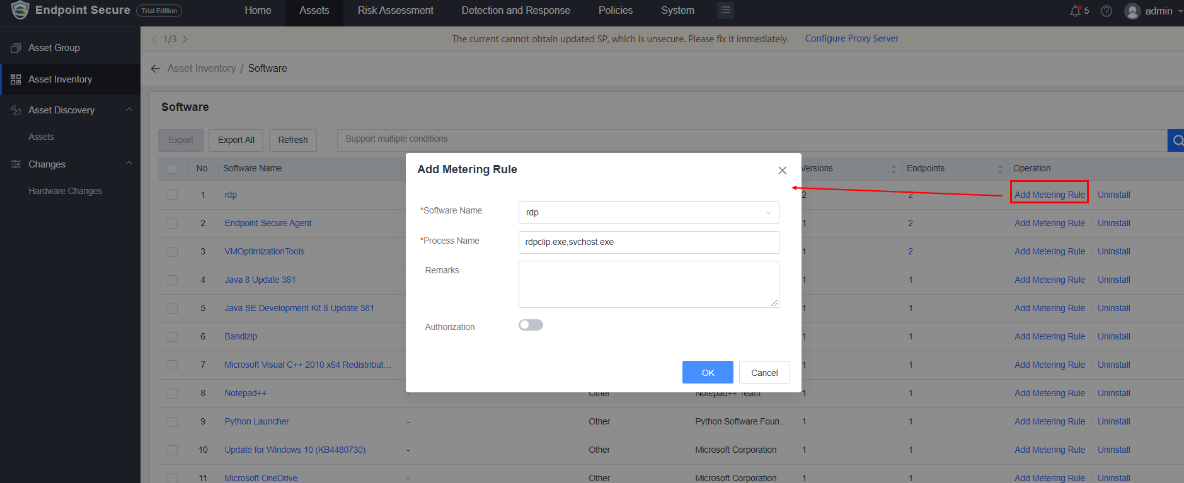
a. Supports configuring metering rules for licensed software and managing the usage of metered software.
b. Supports configuring notification policies so that emails will be sent when the licenses are insufficient, over-used, or about to expire.
4.Software Uninstallation
Administrators can remotely uninstall non-compliant software and manage software effectively.
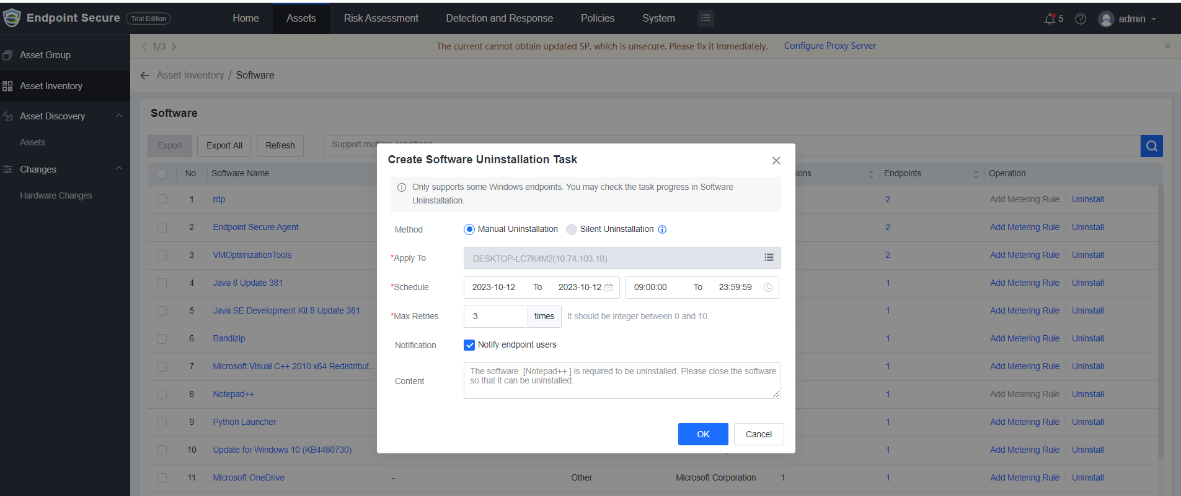
Uninstallation method includes Manual Uninstallation and Silent Uninstallation.
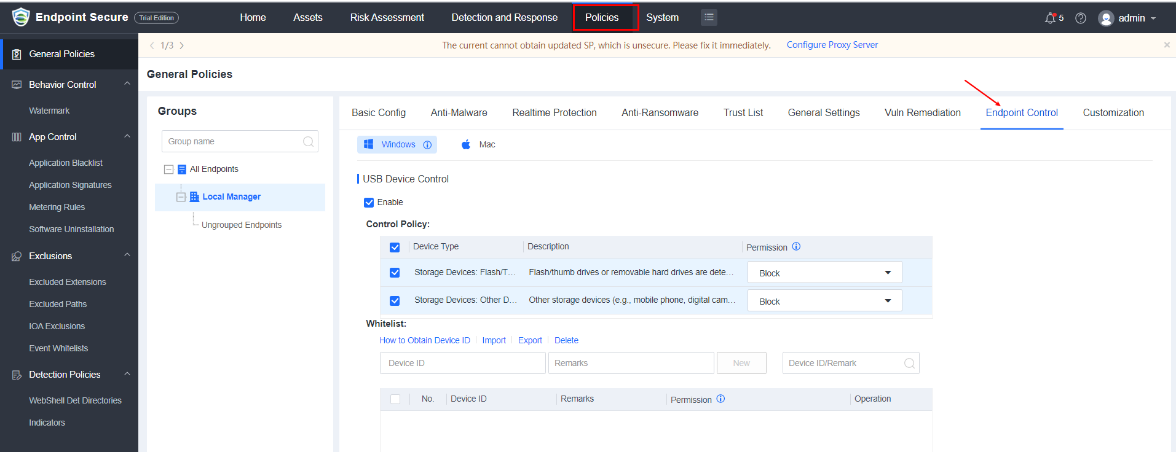
5.USB Device Control
Optimizes USB device control for Windows endpoints to meet different configuration needs. Supports setting permissions (e.g., Read, Read & Execute, and Block) for different types of USB devices or specified devices.
6.Lightweight Protection
To enhance system and application security and stability, addressing security threats that standard antivirus functions may not mitigate is crucial. An automatic real-time protection mechanism can help identify and neutralize such threats. Additionally, it provides users with relevant information for decision-making.
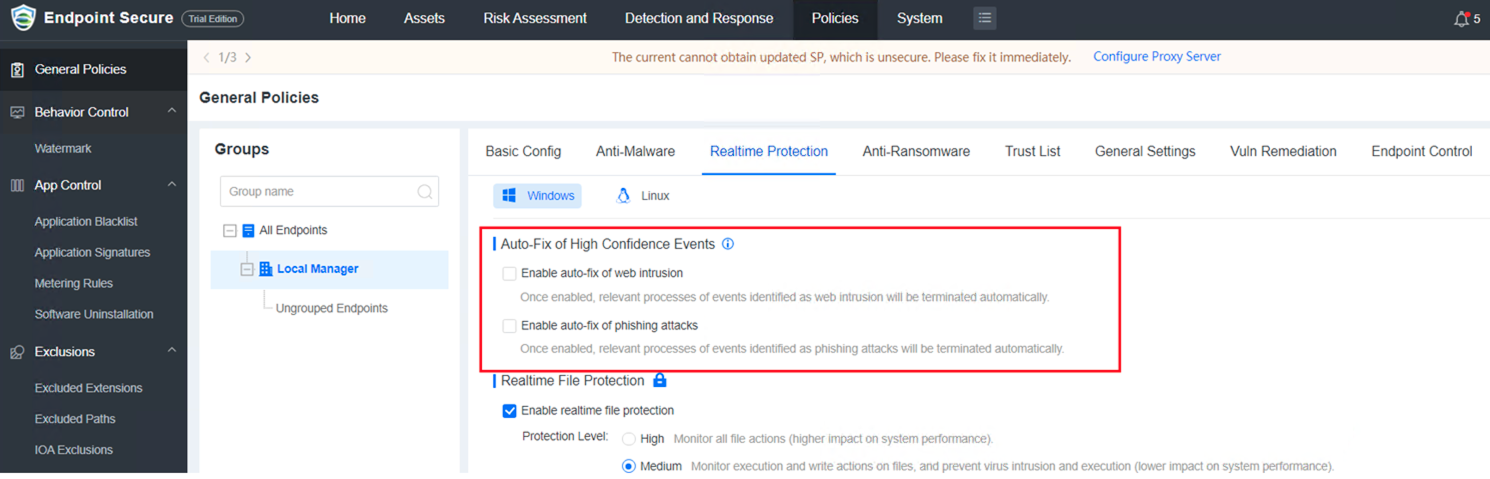
Added Auto-Fix of High Confidence Events in Policies > General Policies > Realtime Protection. It is disabled by default.
Added two filters (Phishing Attack and Web Intrusion) and Realtime Protection in Detection and Response > Intrusion Detection > Advanced Threats > Event Mode.
7.Agent Deployment Speedup
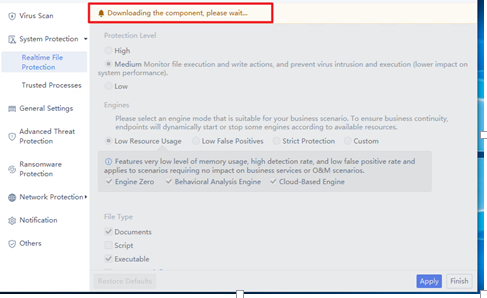
Agent installation is divided into two stages to improve efficiency and user experience.
a. Basic agent components will be installed first, and others will be downloaded gradually.
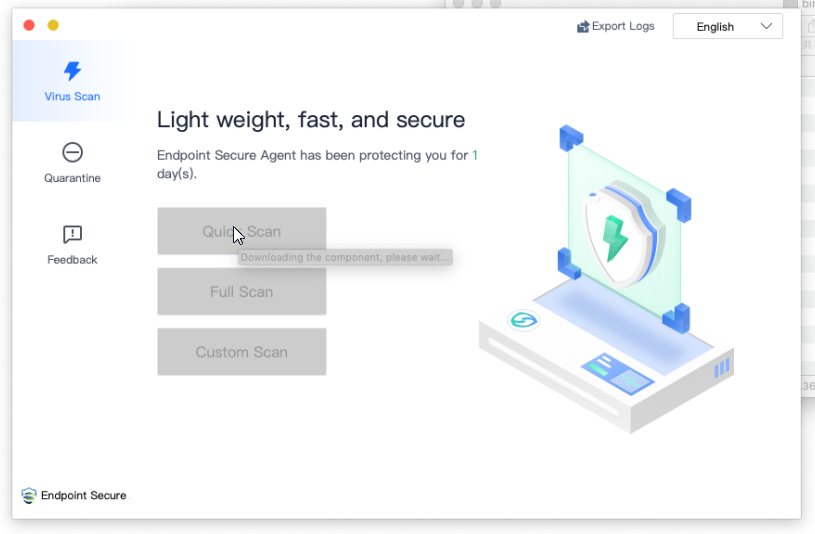
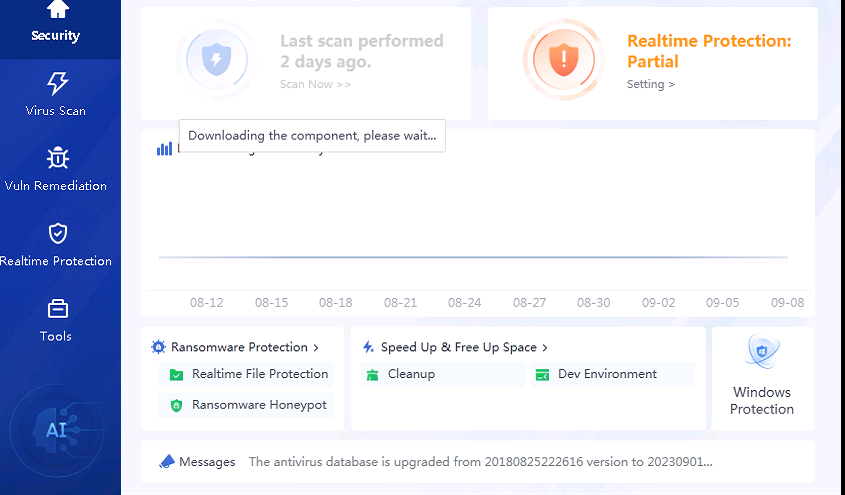
b. Other components will be downloaded and installed automatically.
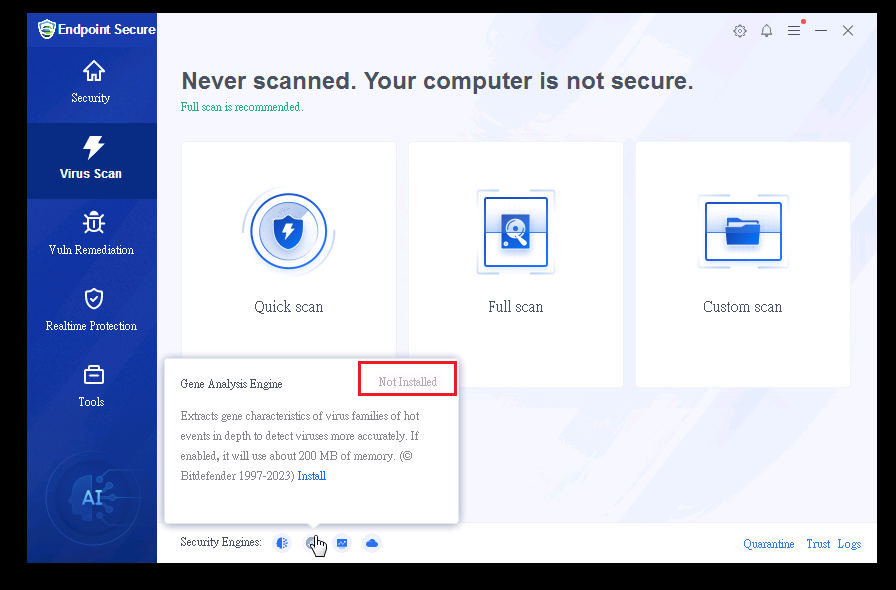
8.Optimization for Endpoints with Legacy Systems
We provide a super lightweight version of Endpoint Secure agent specifically for Windows endpoints with low configuration (2 Core / 2 GB). Users can decide whether to install the Gene Analysis Engine.
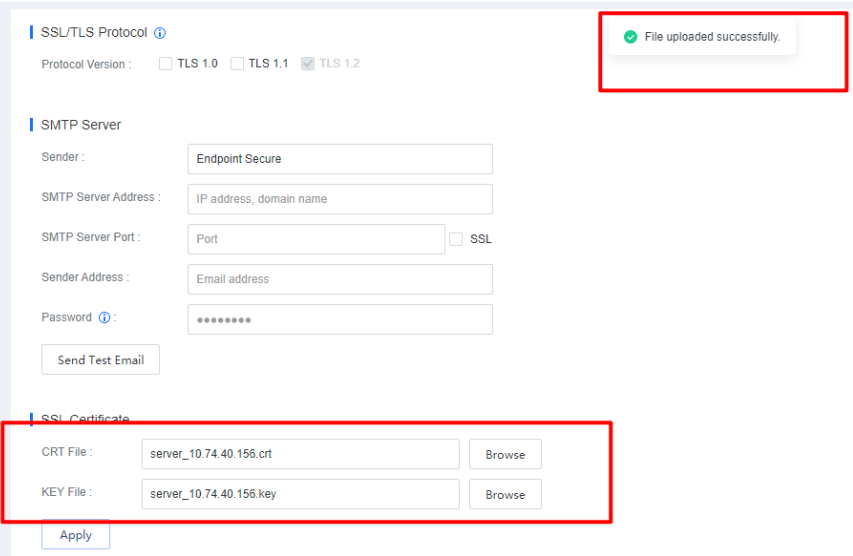
9.SSL Certificate Upload and Update
Supports uploading and updating SSL certificates for partners and customers to improve user experience.
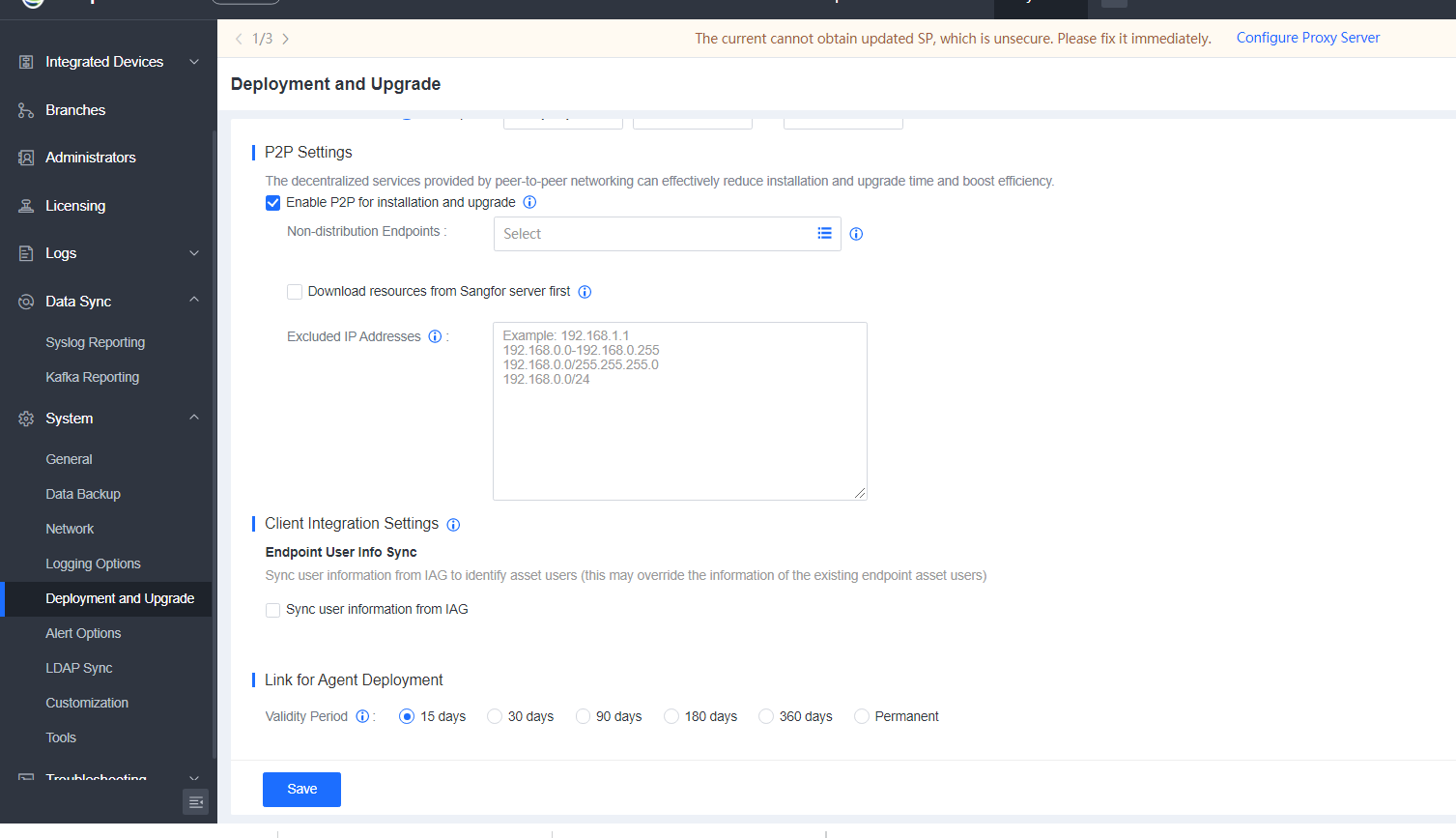
10.Validity Period for Agent Deployment Link
Added a validity period for the agent deployment link to prevent the link from being misused.
11.Malicious Program Blocking Through Device Integration
Supports integrating with Cyber Command/Network Secure (NGAF) to automatically locate malicious programs and trace back the whole execution process (e.g., process creation, registry changes, and scheduled tasks). Communication between malicious programs and lateral movement (e.g., creation, execution, communication, and writing) will be blocked automatically to minimize the scope of infection.
a. After integrating the Endpoint Secure, if the malicious program A is executed on a PC, Network Secure (NGAF) will detect its DNS traffic.
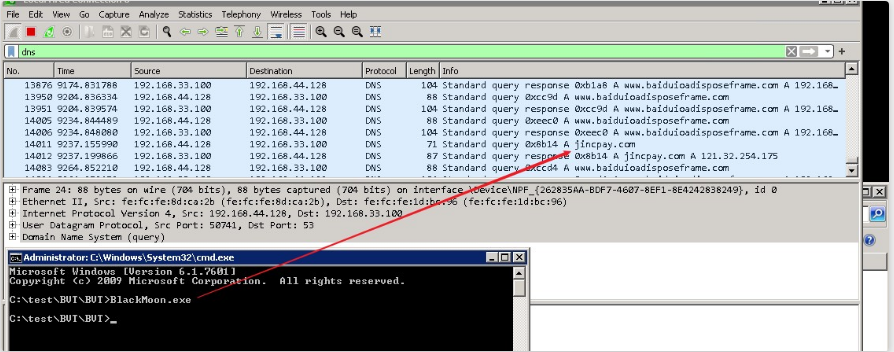
b. A security event will be generated after the detection.
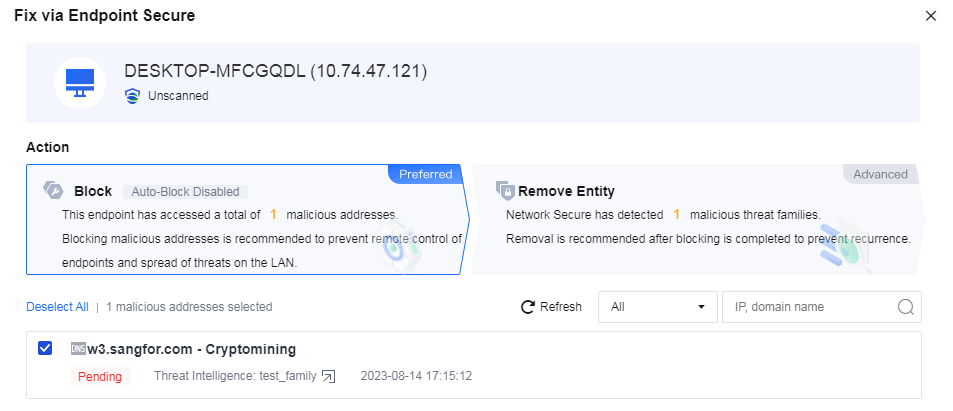
c. Users can decide whether to remove the entity.
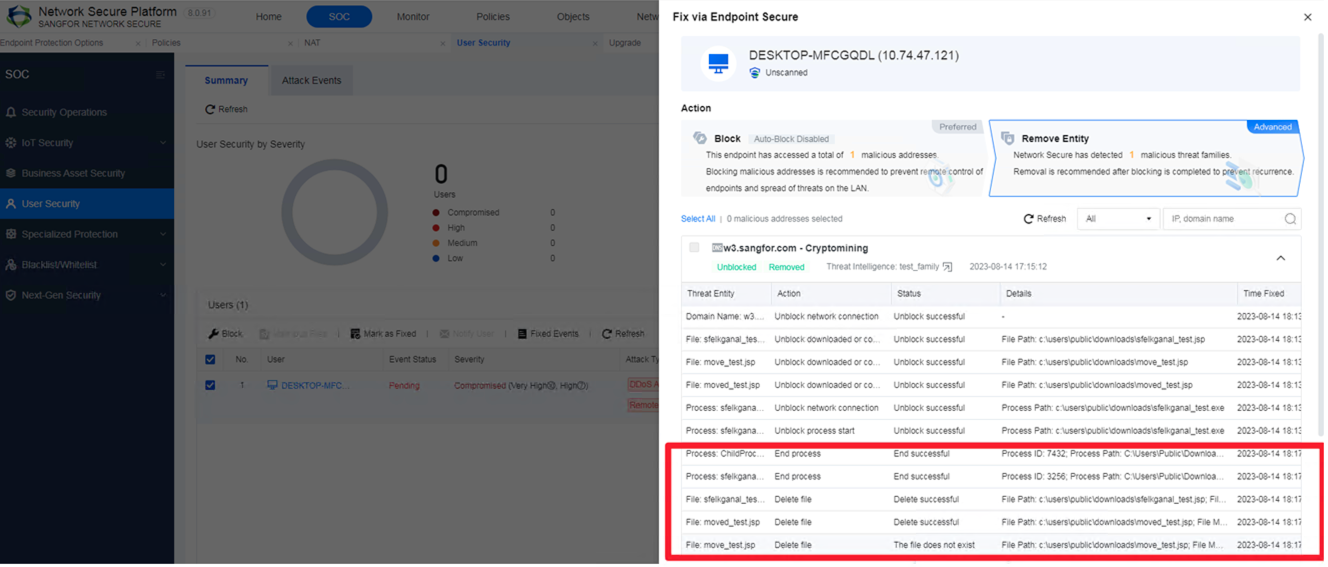
d. Users can choose whether to roll back the fixed events.
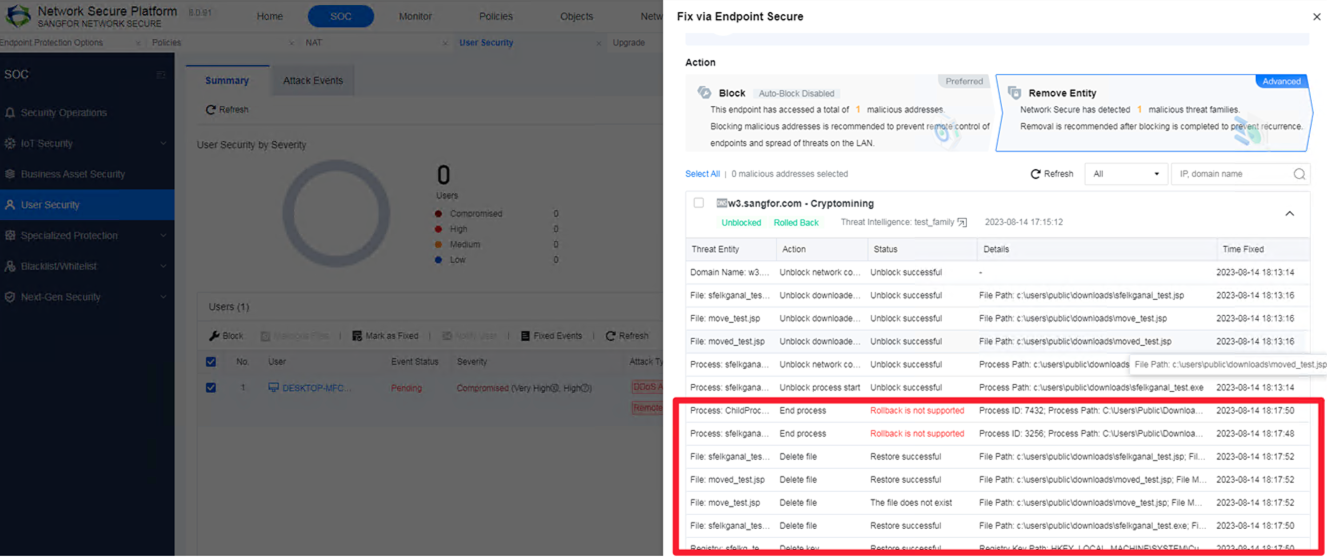
Note: Rollback is not supported for processes.
12.Global Search for Asset Inventory
Supports global search based on asset info and exporting relevant asset info to improve O&M efficiency of asset management significantly.
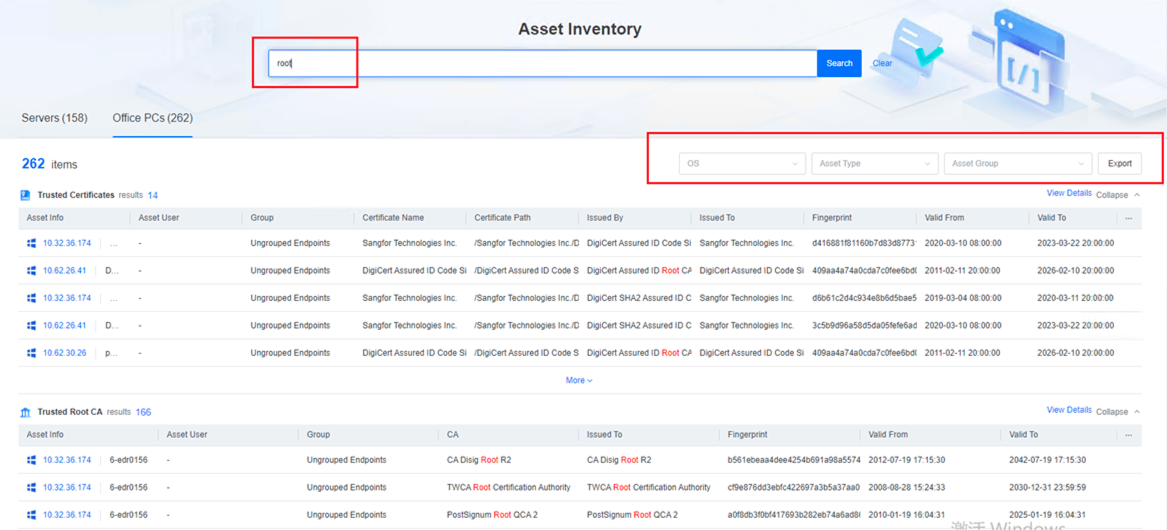
a. Asset export is supported.
b. For Endpoint Secure Manager which has specifications of 8 Cores and 16Gb, the Global Search can be enabled manually after upgrading to Endpoint Secure 6.0.2.
c. Assets searching by keyword is supported.
d. The search results can be further filtered.
e. Search results export is supported.
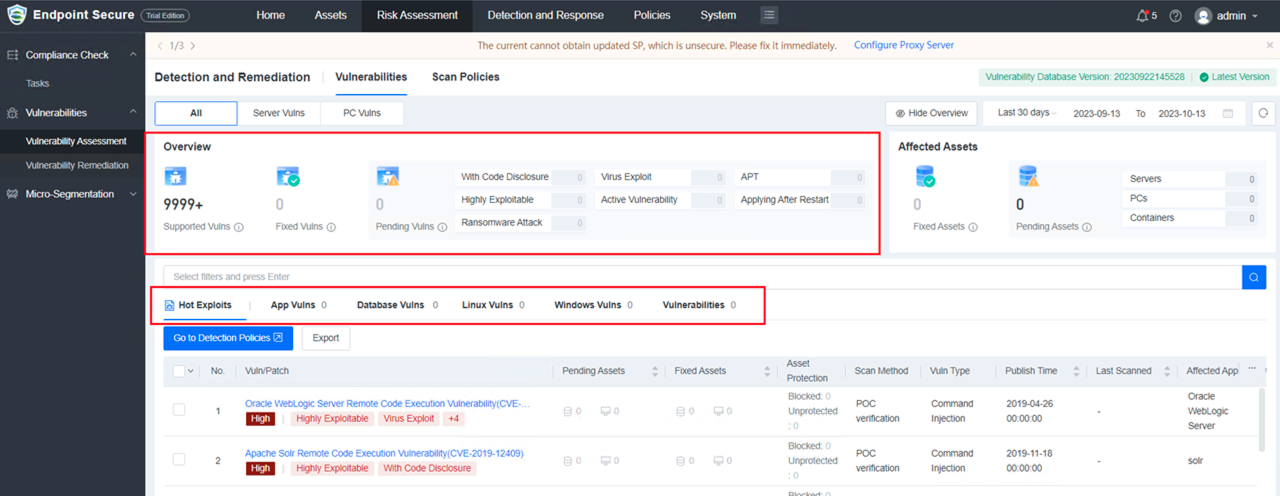
13.Vulnerability Detection and Remediation
Dynamically displays the decision-making process using Vulnerability Management Improvement (VPT) based on external vulnerability intelligence and vulnerability attributes to help users focus on high-threat vulnerabilities.
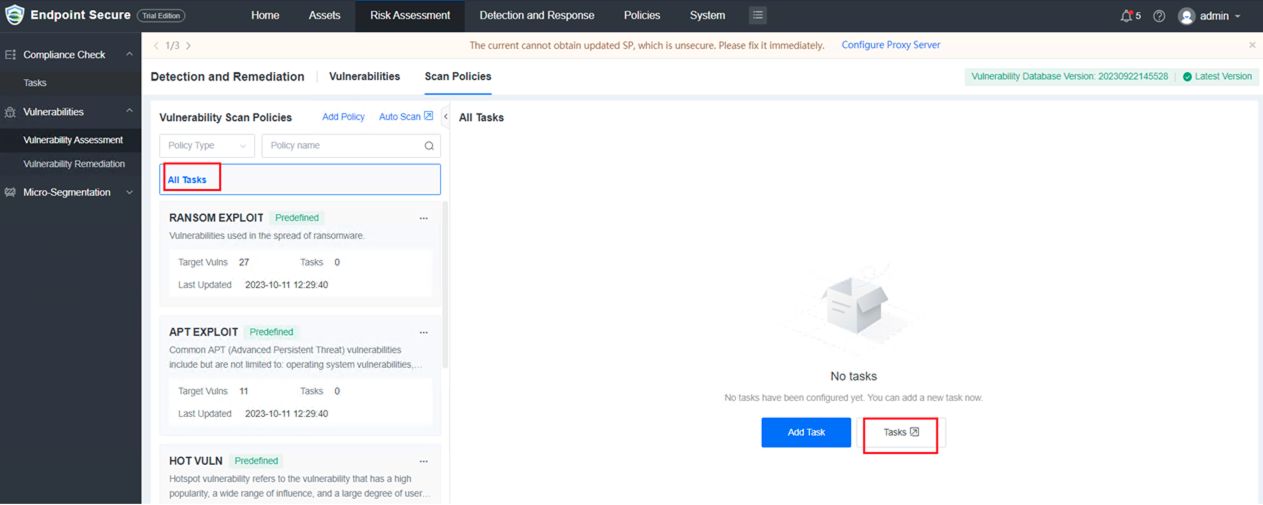
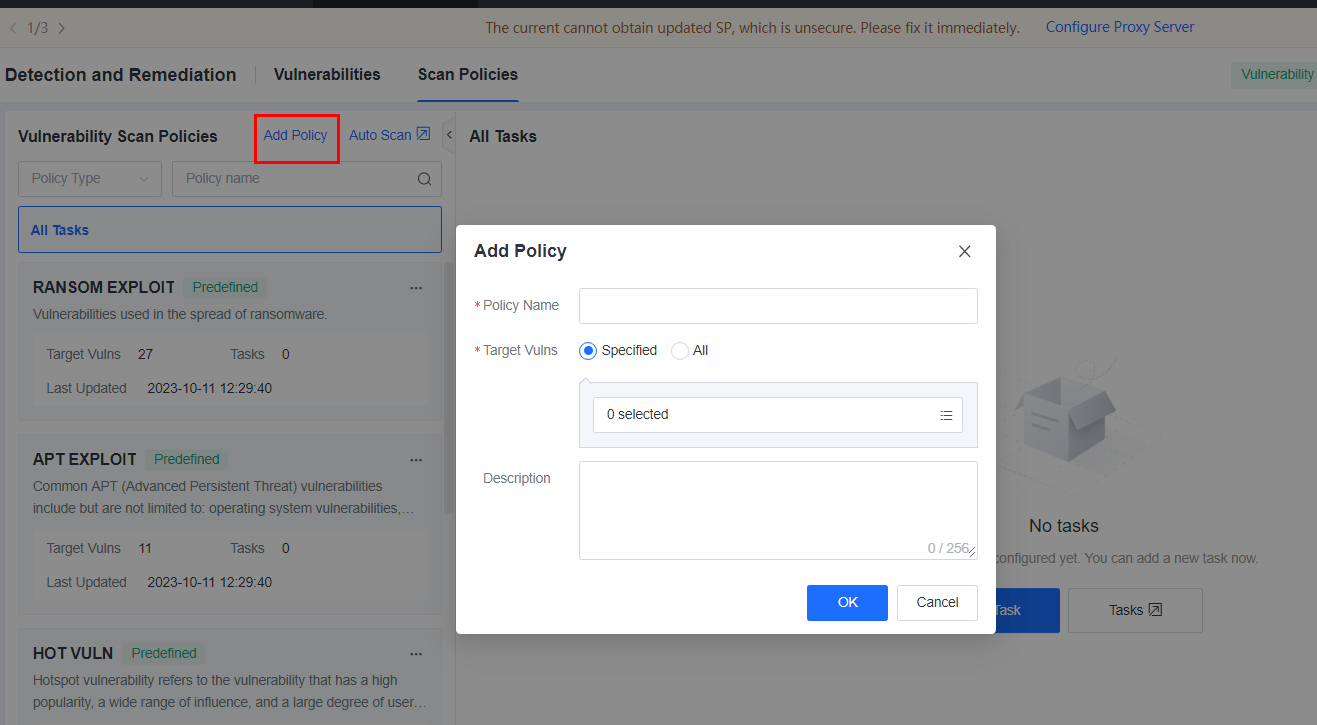
a.Supports adding custom or default vulnerability scan policies and tasks, viewing the scan progress and results.
b.Supports viewing Vulnerabilities by Type.
c.Supports viewing vulnerability details. (including the VPT level)
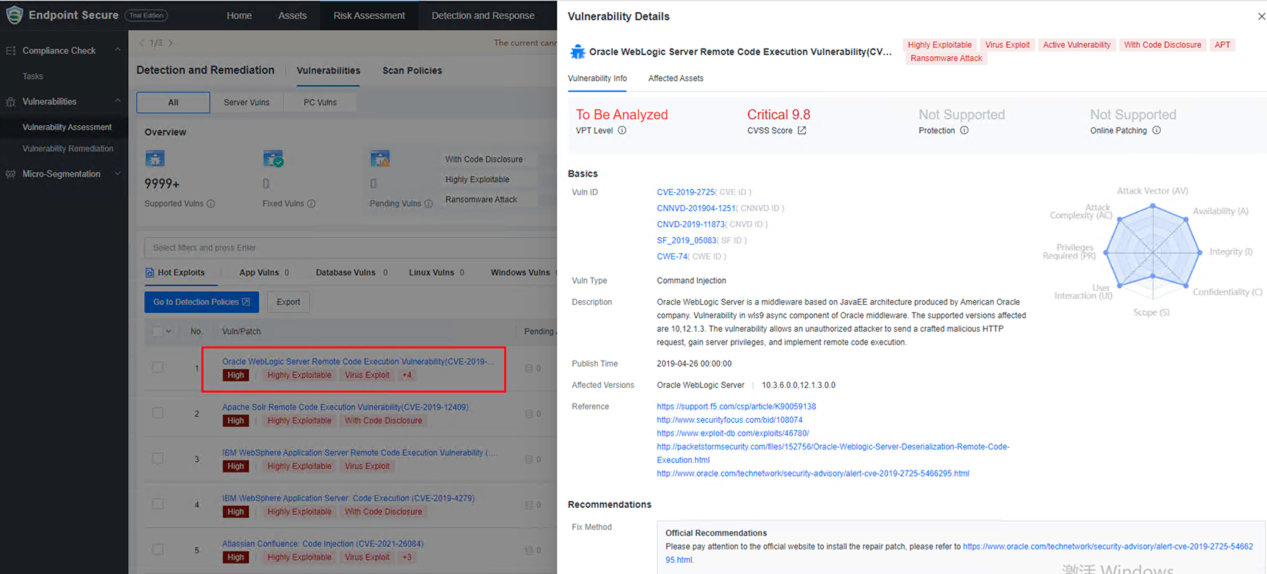
Note: Tasks created in earlier versions can be viewed under Tasks.
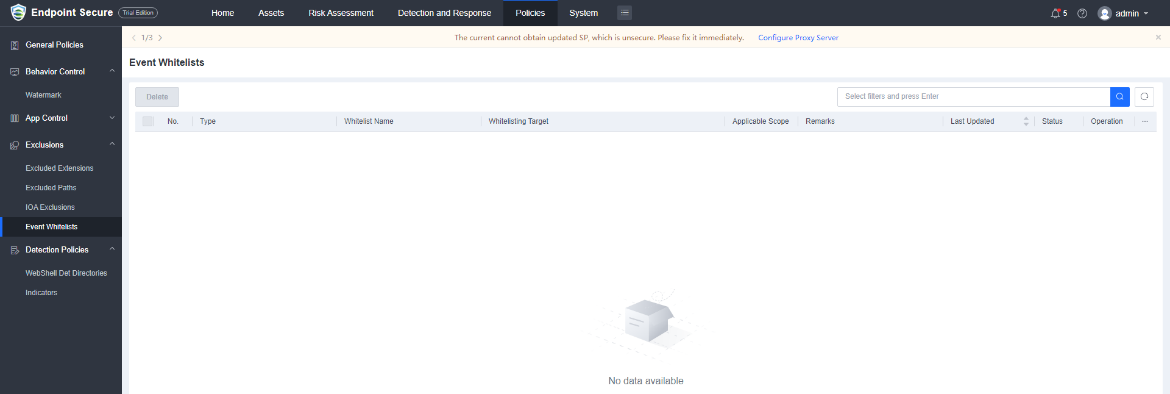
14.Event Whitelists
Whitelisting WebShells, memory backdoors, brute-force attacks, and suspicious scans are supported. You can edit, delete, enable/disable, and search the whitelist.
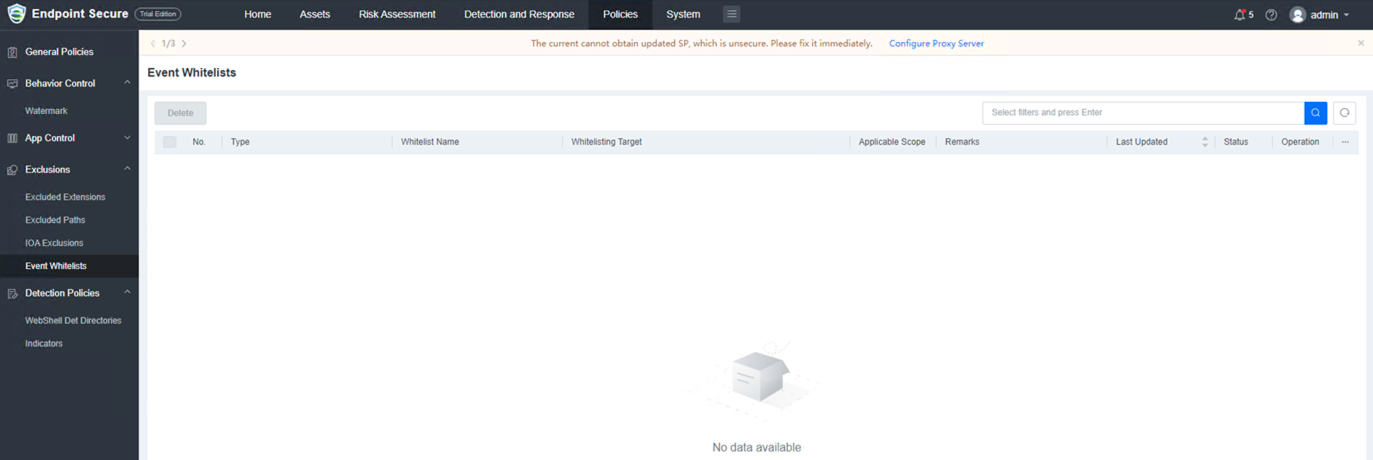
15.Web Shell Detection Directories
Add, Delete, Edit, and Search are supported in Web Shell directories.
16.Manual Fix of Events
Events can be fixed manually in Event Details.
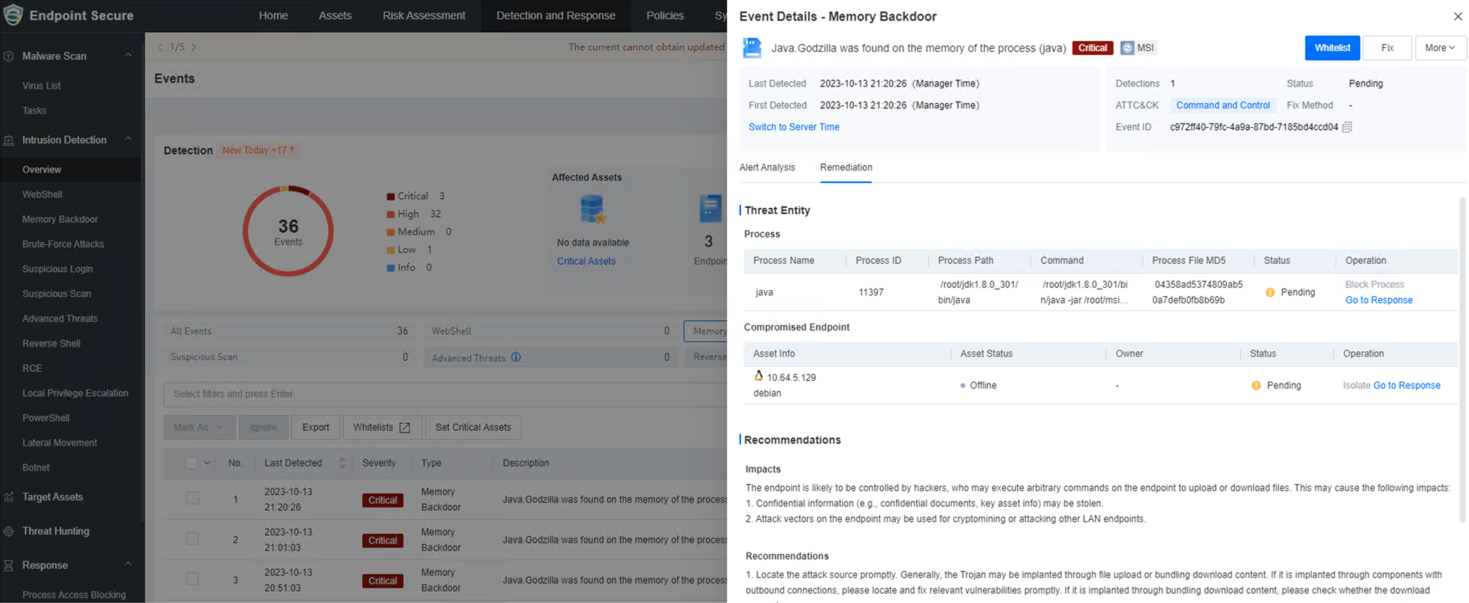
a. WebShell file quarantine is supported.
b. Supports isolating endpoints related to WebShell, Memory Backdoors, Brute-force Attacks, and Suspicious Scan.
c. Supports blocking processes of Memory Backdoors.
d. Supports blocking access of application vulnerability exploits, brute-force attacks, suspicious login, and suspicious scan.
Others
None.
Integration with Third-Party Products
None.
Update Impacts
The service will restart after the update. However, restarting the device is not required.
Impacts on Services
During the update process, events detected on the ES agent cannot be reported to Endpoint Secure Manager.
Impacts on O&M
Endpoint Secure Manager cannot be logged in for 10 minutes.
Impacts on Customer Network
The update of Endpoint Secure Manager may take 10 minutes. The update time of Endpoint Secure agents depends on the number of agents.
Note: The maximum bandwidth of downloading agents is 2 MB/s, and the maximum number of agents in a download task is 5. Therefore, it will take 5 minutes to download five agents under stable network conditions.
Other Impacts
None.
Customer Update Preparations
Update Preparations
The Endpoint Secure Manager needs to be updated.
Notes
If there are many endpoints, it is recommended to set some endpoints to upgrade first before upgrading the Endpoint Secure Manager. If no issue is found after some endpoints upgrades, you may upgrade all endpoints, as shown below:
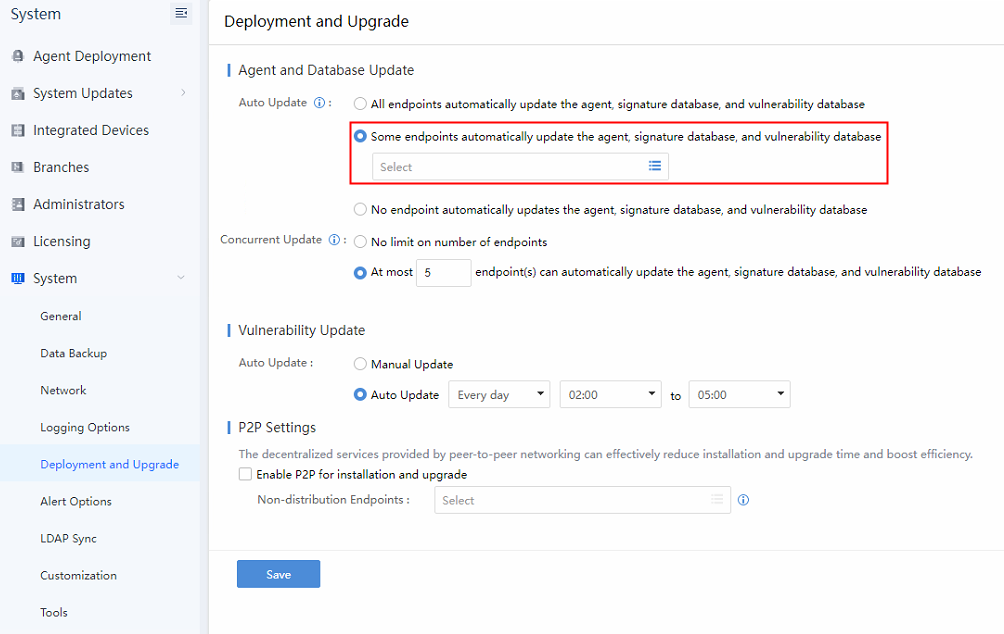
Navigate to System > System > Deployment and Upgrade.
For Auto Update, select Some endpoints automatically update the agent, signature database, and vulnerability database.
For Concurrent Update, select at most x endpoint(s) can automatically update the agent, signature database, and vulnerability database.
Notes: The recommended number of concurrent updates of the endpoint is 5. However, you may adjust the number according to the actual need and situation.
Implementation Procedure
Offline Update:
Step 1. Navigate to System > System Updates > Manager and Agent and click Import Update Package / SPto import an update package.

Step 2.Perform the update. The update will complete in 10 minutes.
Post-Update Service Check
- Able to log in to Endpoint Secure Manager.
- Virus scan tasks sent can be completed.
Rollback Instructions
Rollback: Not supported.
(Contact a Sangfor technical support representative if the update fails) Rollback is not supported. You can contact a Sangfor technical support representative to recover the Manager from the backup.
Update Guide
Preparations for Update
Update Tools
Endpoint Secure 6.0.2EN update package: aES 6.0.2EN_x86_64(20231115).pkg
Environment Information
The update requires the Manager’s IP address, username, and password.
Customer Resource Coordination
The update takes about 10 minutes. If the update fails, a server backend account and password are needed.
Pre-Update Check
Check whether the current version can be updated. Make sure there is no custom package or patch has been installed, else the upgrade will fail.
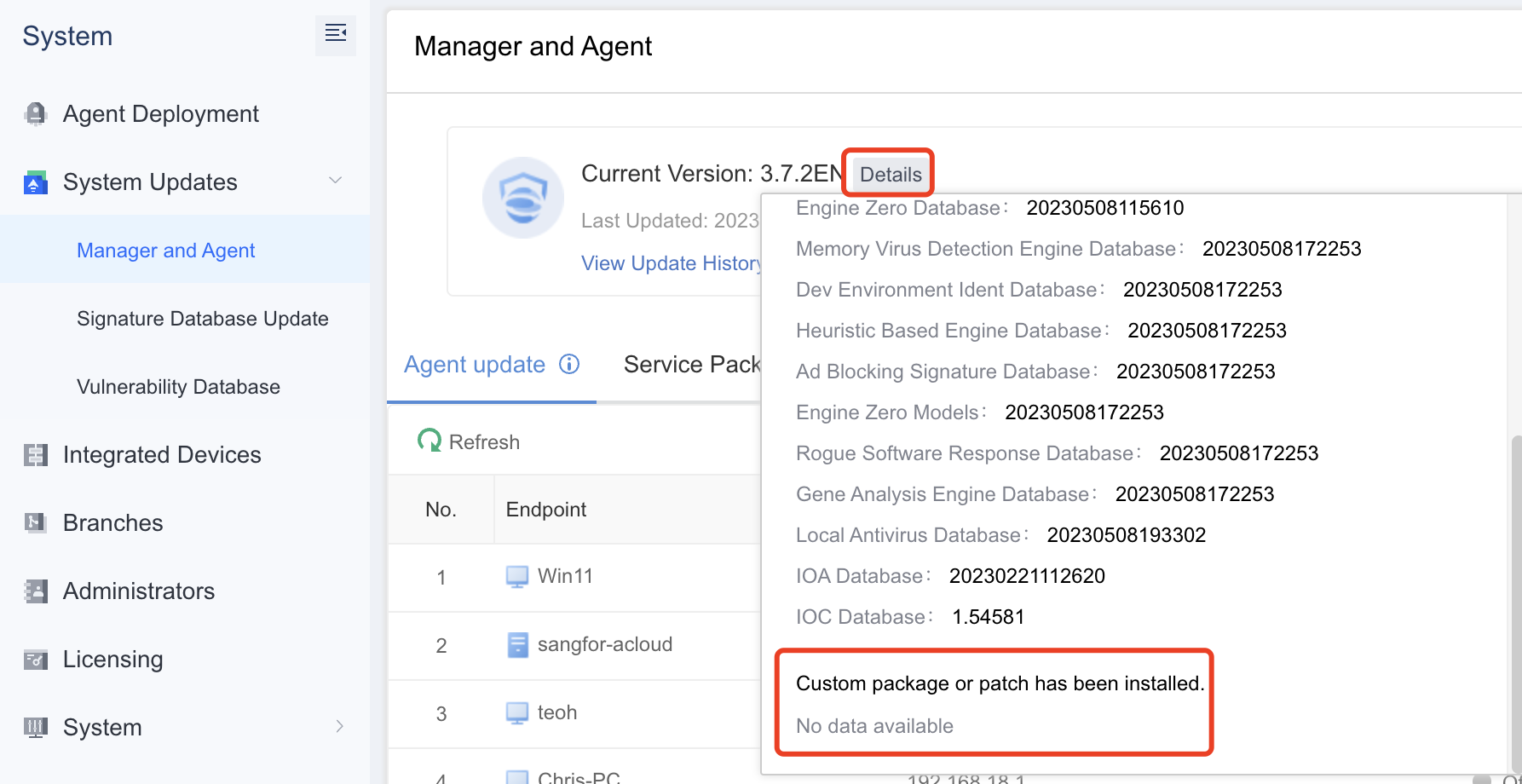
Notes: If there is custom patch installed on the Endpoint Secure manager, please contact Sangfor Support for assistance.
Notes
Update Limitations
The free disk space must be more than three times the size of the update package.
Immediate Update of Configurations, Logs, and Data
Yes.
Update Recommendations
- During the update, do not restart the device manually and keep the device powered on.
- If any error message pops up during the update, please do not perform any operations and call us at +6012-7117129 (7511) immediately. Do not manually restart the device.
Impacts of Central Management (CM) on Cluster
None.
Pass-Through Supported
Not supported.
High Availability Supported
Not supported.
Update Procedure
Update Path
An update may take 15 minutes. Please perform the update during non-peak hours.
Updating from custom versions is not supported.
| Current Version | Update Path | Notes |
|---|---|---|
| 3.2.22 EN to 3.7.12 EN | Any version of 3.2.22EN to 3.7.12 EN | Supports direct upgrade from EDR3.2.22 to EDR3.7.2 |
Update Procedure
Navigate to System > Licensing and verify whether the license is still valid. If the license has expired, the update will fail.
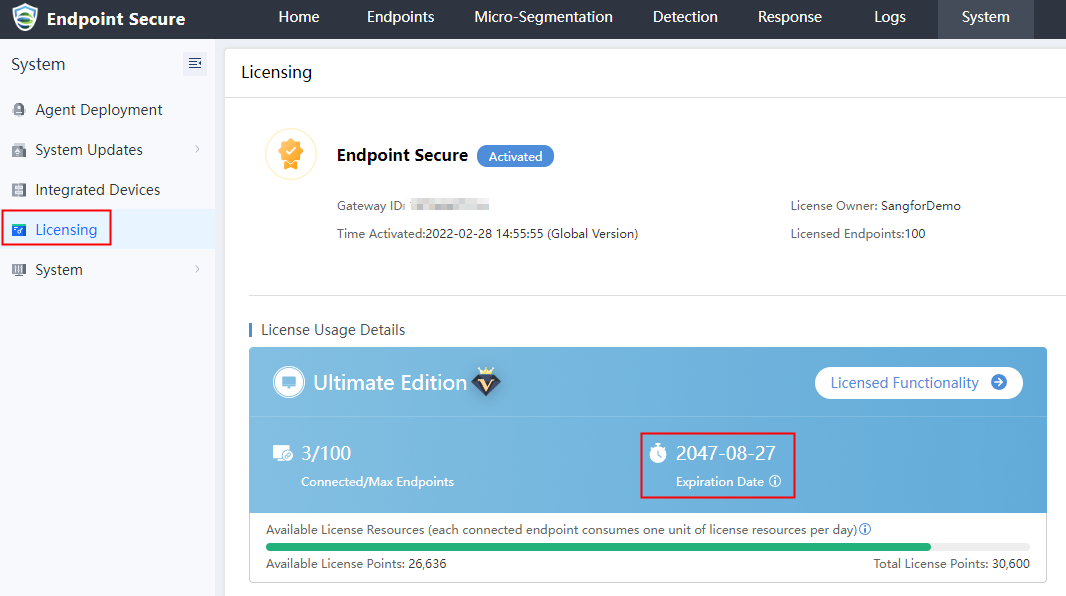
- Navigate to System > System Updates > Manager and Agent and click Details to view the version information. Ensure that there is no custom package or patch installed.
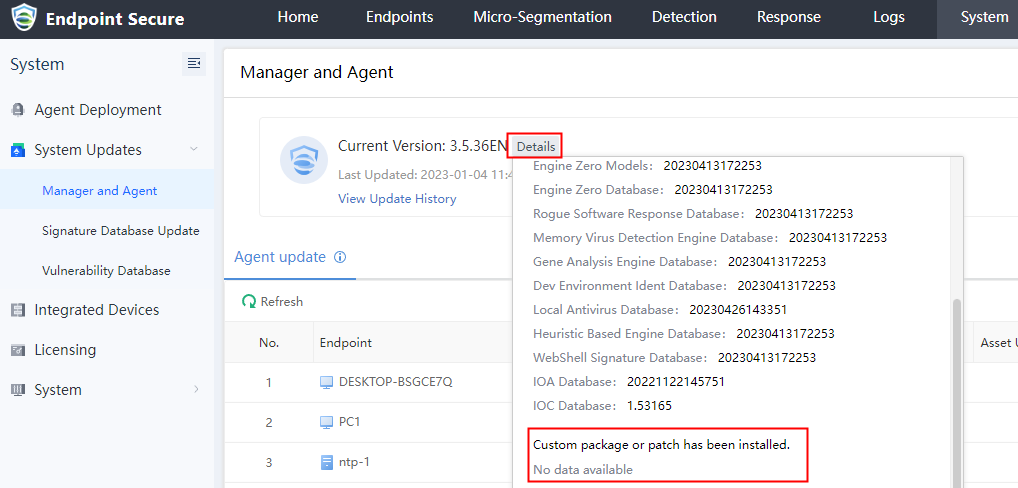
Note: Please contact Sangfor Support if a custom package or patch has been installed.
- Navigate to System > System Updates > Manager and Agent and click Import Update Package / SP to import an update package.

- Perform the update. The update will be complete in 10 minutes.
Post-Update Check
Platform
Log in to the Manager and check whether the current version is 6.0.2** **EN by navigating to System > System Updates > Manager and Agent.
Service Status
Check whether the virus task sent can be completed.
Update Fails Troubleshooting
Contact a Sangfor technical support representative to troubleshoot.
Rollback Instructions
Rollback: Not supported.
(Contact a Sangfor technical support representative if the update fails). You can contact a Sangfor technical support representative to recover the Manager from the backup.