
[Hardening troubleshooting] How to handle the IPMI report of CPU self-throttling (processor automatically throttled) traffic throttling servers with CPU Usage starting with 9T
Problem Description
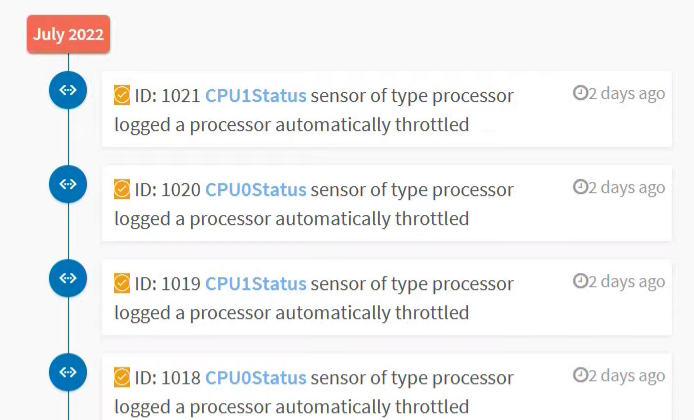
Error screenshot
solution
Step One: View the device SN and Model, and OK whether the SN starts with 9T and Model is -P, such as aServer-P-2205.
Step Two: Enter IPMI and View event to see if there is a CPU Usage selfAlerting, as shown above.
Step Three: Download the corresponding BMC and BIOS firmware (GPU Model firmware and no GPU Model firmware cannot be mixed, please pay attention to the difference). No GPU Model does not have the letter G, such as aServer-P-2205, and GPU Model has the letter G, such as VDS-P-G530.
Step Four: During the coordination window period, upgrade BMC and BIOS. After upgrading BIOS, you need to turn off the power to Effective. The link for upgrading BMC and BIOS Operation documents is: https://support.sangfor.com.cn/cases/read?product_id=156&category_id=22972
Cause:
BMC and BIOS Version known issues

9T NO GPU BIOS, BMC.rar
(31.33 MB)
9T GPU BIOS, BMC.rar
(31.34 MB)
Original Link
https://support.sangfor.com.cn/cases/list?product_id=156&type=1&category_id=22695&isOpen=true