
[Hardware Troubleshooting] 9540-8i RAID card group RAID10 Operation guide for Services with SN starting with FDS
Problem Description
** RAID10 Operation Guide for 9540-8i RAID card Set for Services with SN Operation FDS **
solution
Step One: Restart the device, Auto unlock after delete key on the menu interface to enter the BIOS, if there is a password, enter: S#AN$6fo81r
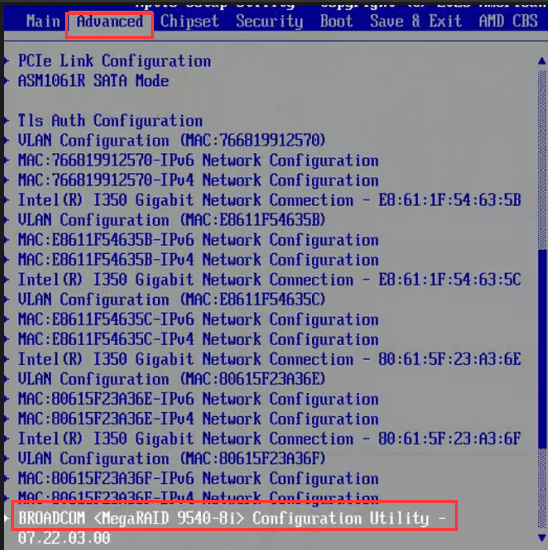
Step Two: Scroll down to Advanced, find the 9540-8i controller, and press enter to enter
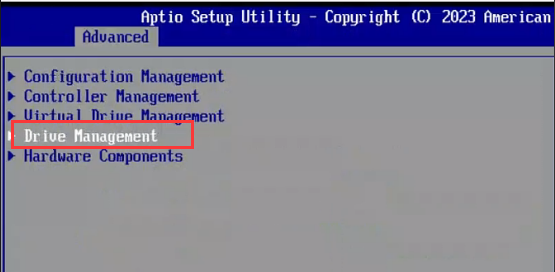
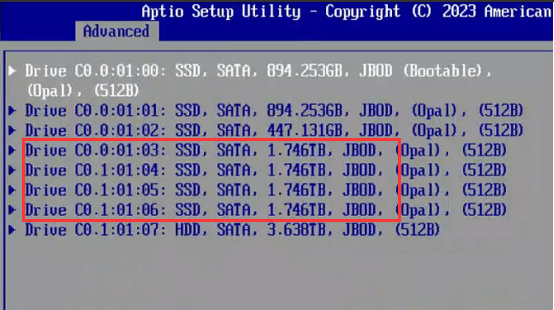
**Step Three: **Select Menu–>Drive Management View disk Status Count. As shown in the figure below, slot 3, 4, 5, and 6 are 2T disks in JBOD status. To create RAID 10, at least 4 disks are required, Count must be an even number, and Capacity must be consistent.
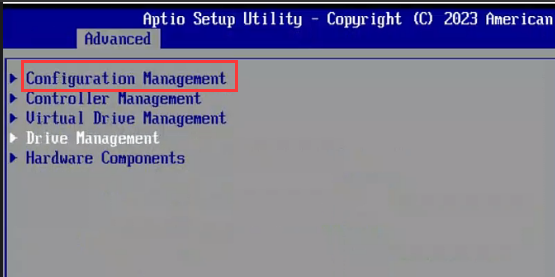
**Step Four: **Return to the main interface, Select Configuration Management–>Make Unconfigured Good, and change the HDD disk Status to UG
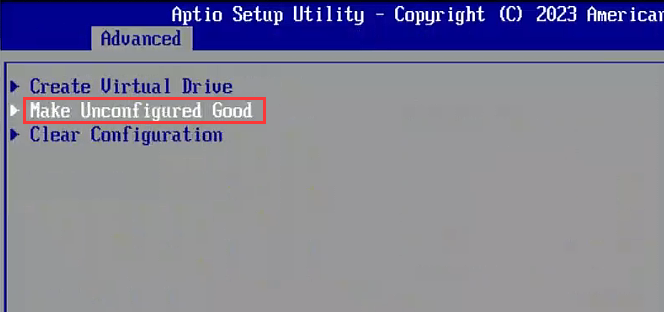
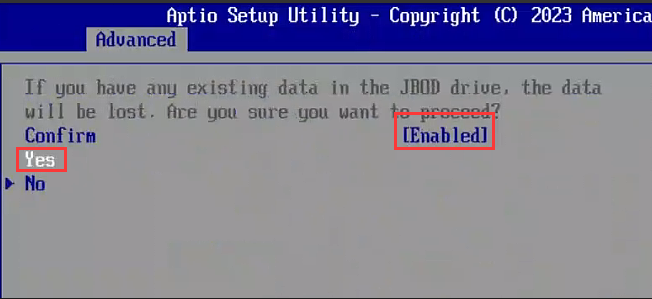
**Step Five: **Change the disk to Enabled, Select OK, Select Enabled in Confim, YES, and the disk Status will Settings to UG.

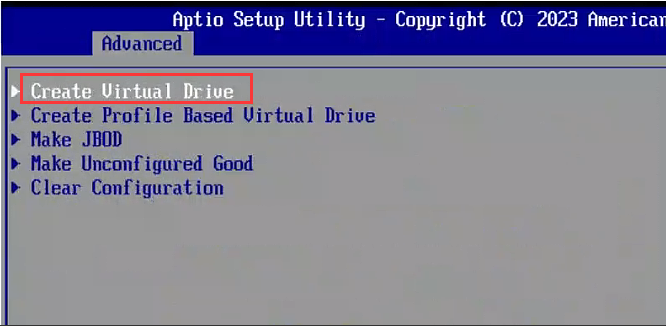
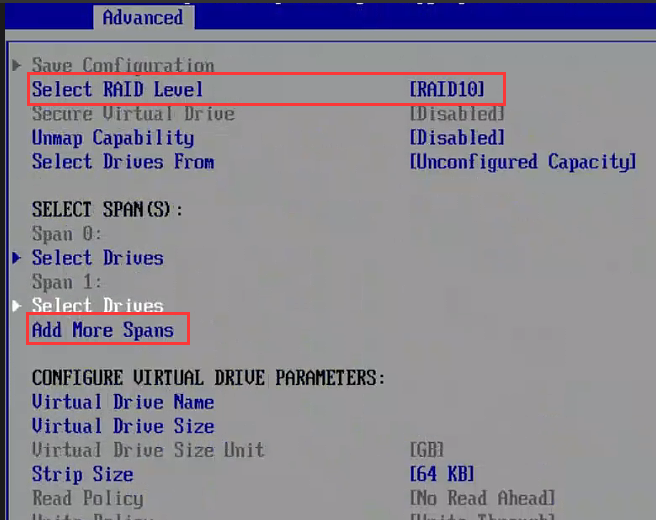
**Step 6: **Configuration Management–>Create Virtual Drive, Skip, Select RAID level, Select RAID10, Add More Spans (2 disks form Mon set of Spans, such as 2 sets of Spans for 4 disks, 3 sets of Spans for 6 disks)
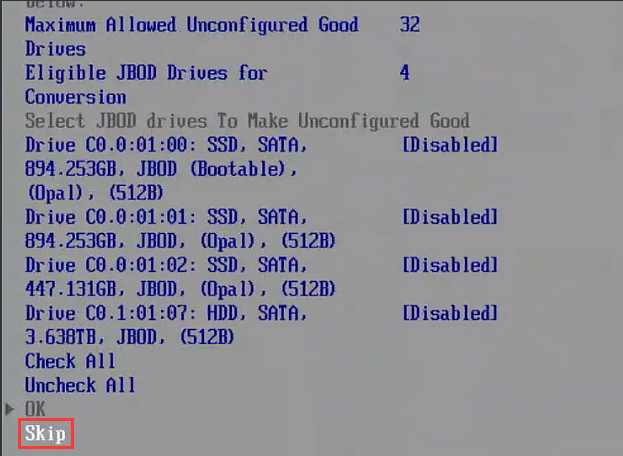
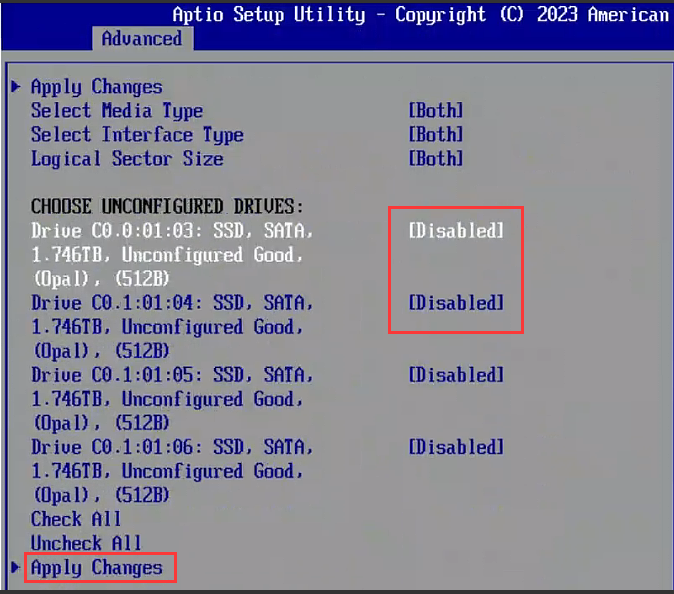
**Step 7: **Select Span0, Select Drives, select 2 disks and Select them to Enabled, Apply Changes. Similarly, select Select Drives Select Span1, select 2 disks and Select them to Enabled, Apply Changes
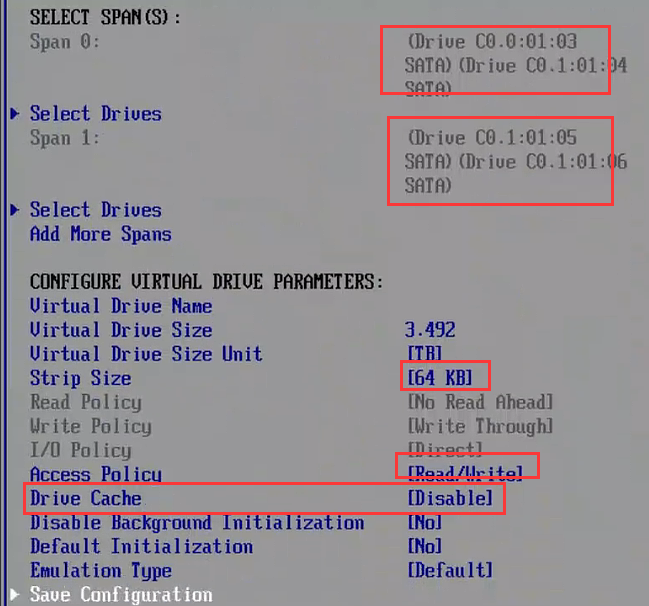
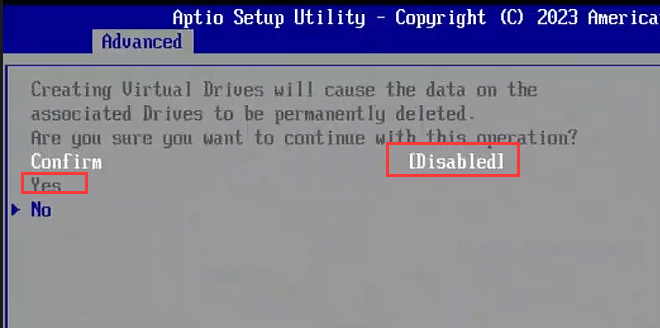
**Step 8: **Adjust the parameters as follows, then Save Configuration, Select Enabled, YES for Confim
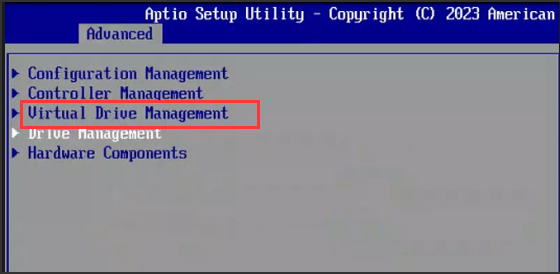
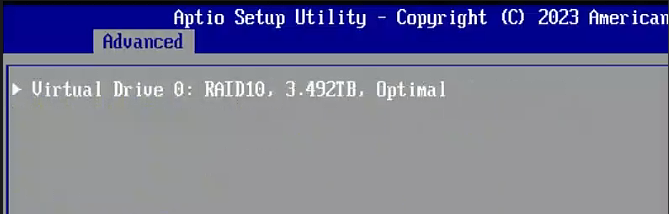
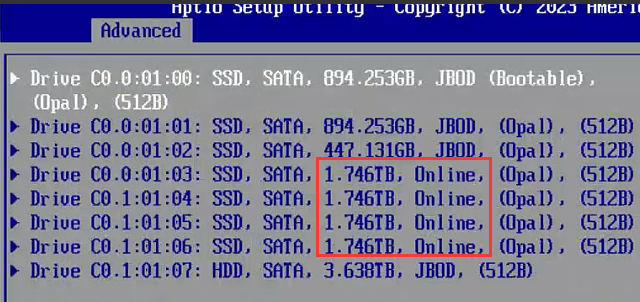
**Step 9: **Select virtual Drive Management, you can see that RAID10 has been formed, and the disk status in the Drive Management interface is Online.
Original Link
https://support.sangfor.com.cn/cases/list?product_id=156&type=1&category_id=27489&isOpen=true