
[Hardware Troubleshooting] 9560-8i RAID card group RAID5 Operation guide for Services with SN starting with FBQ
Problem Description
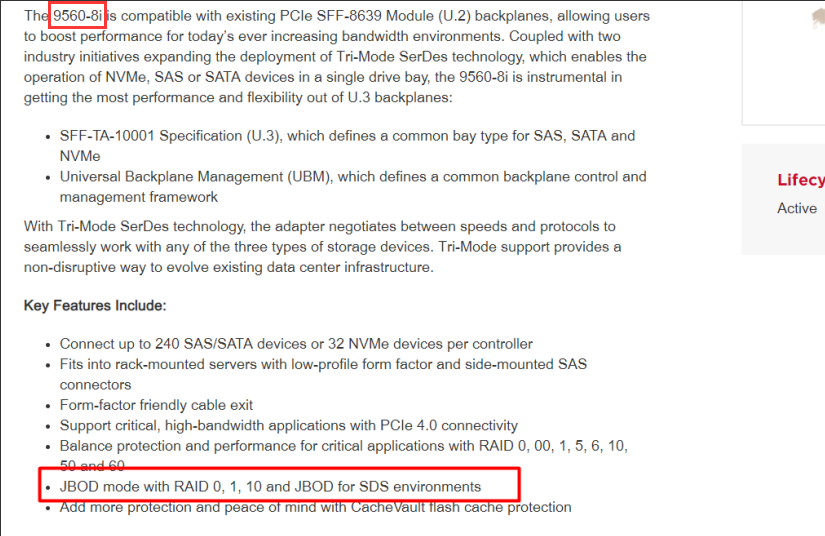
The 9560-8i RAID card Default JBOD Mode, supporting RAID0, 1, 10. You need to change to RAID Mode to support RAID5, 50
solution
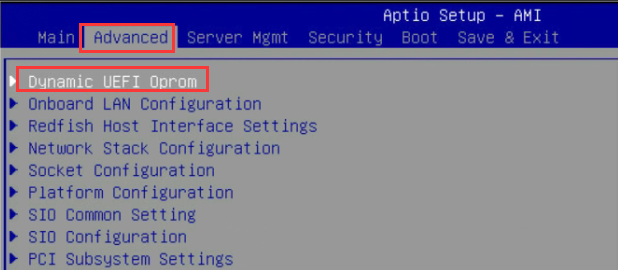
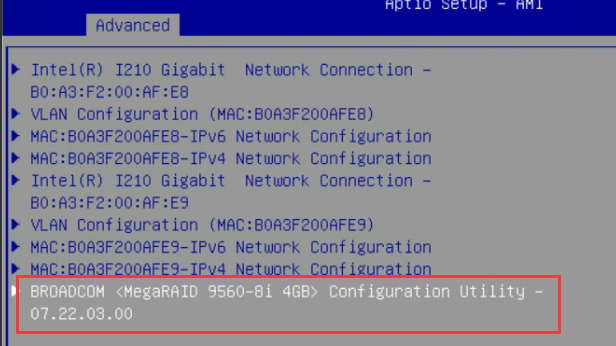
Step One: Restart the device, press the delete key Auto unlock after LOGO interface to enter the BIOS (BIOS Default Password: S#AN$6fo81r), Select Advanced–>Dynamic UEFI Oprom–>9560-8i
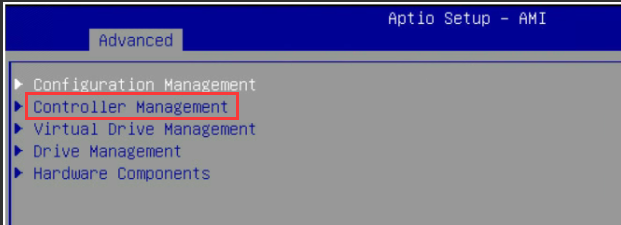
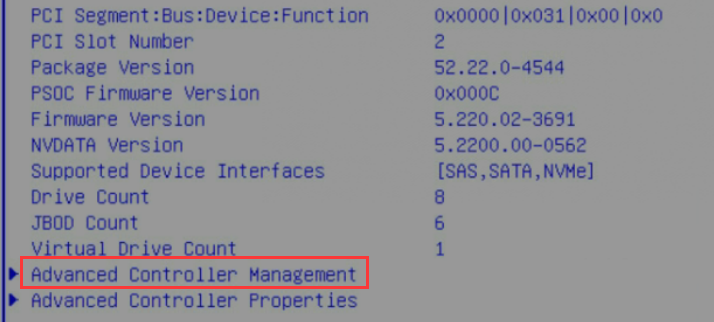
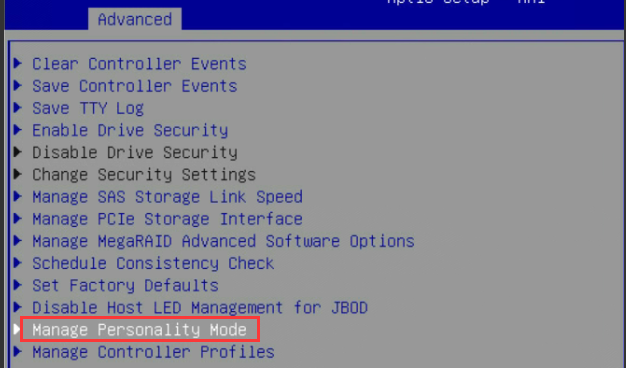
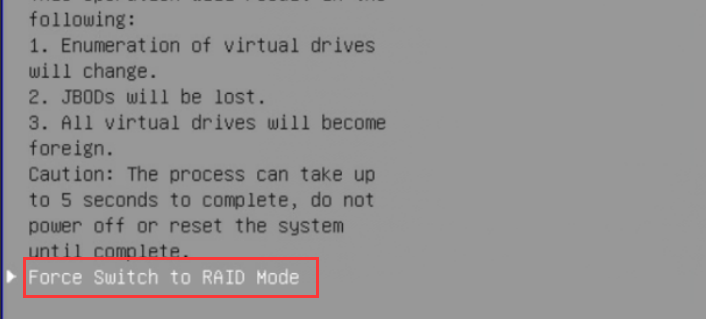
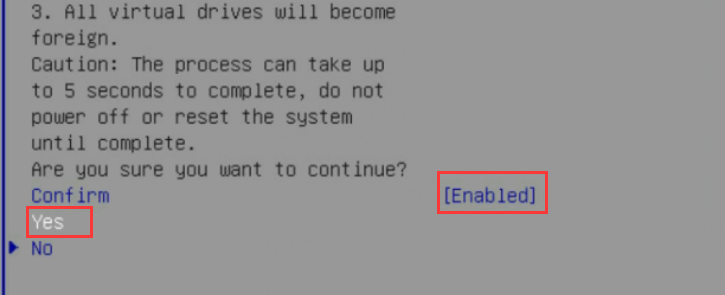
**Step Two: **Select Main Menu–>Controller Management–>Advanced Controller Management –>Manage Personality Mode–>Advanced–>Force Switch to RAID Mode–>Confirm, change it to Enabled, Select Yes, and press Enter to Save.
**Step Three: **After seeing the Requested Mode mode change to RAID mode, Restart the device, then enter BIOS, Select RAID card to View administration and management interface.
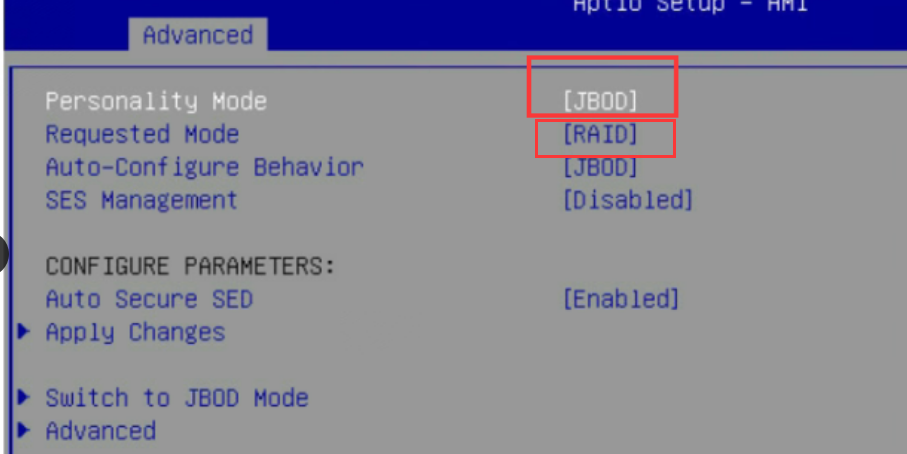
**Step Four: **Select Configuration Management–>Create Virtual Drive, then change the Data Disk to be grouped into RAID5 to Enabled, select OK, Confirm and Select Enabled, Yes
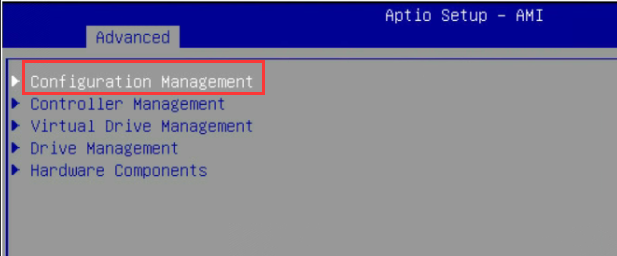
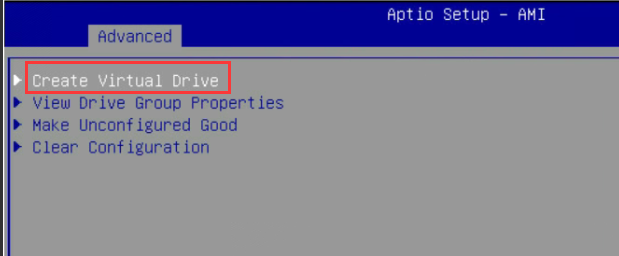
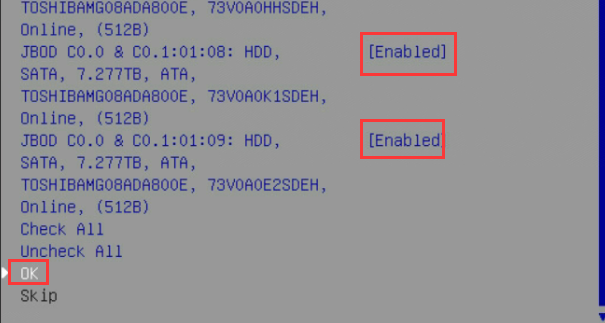
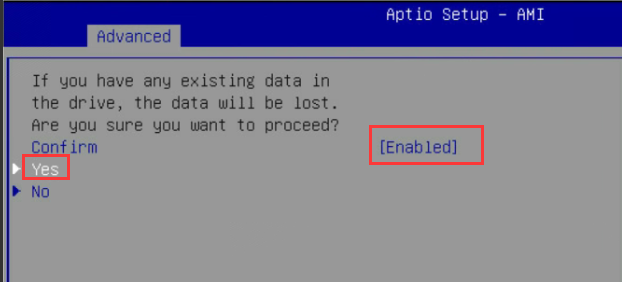
**Step Five: **Select RAID Level, select RAID5, then Click Select Drives, change the disk that needs to be grouped into RAID5 to Enabled, and then Apply Changes
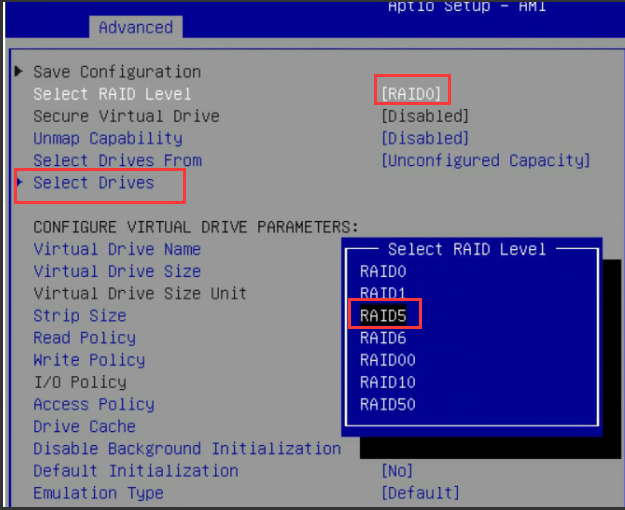
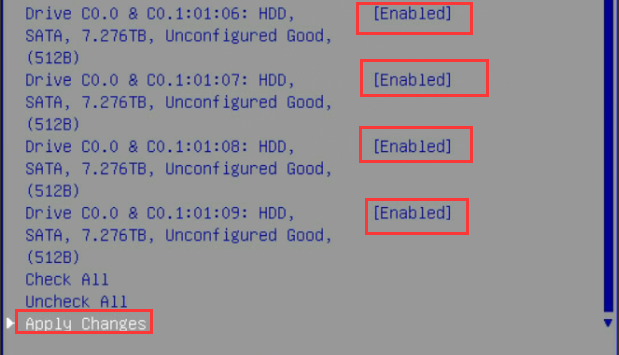
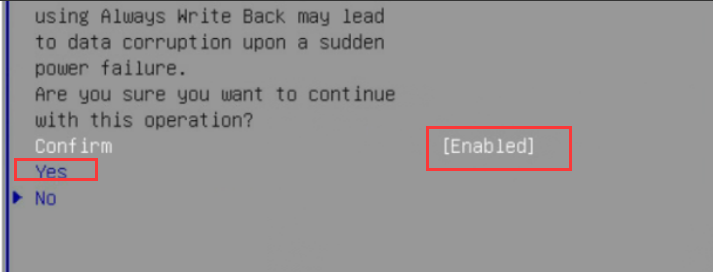
**Step Six: **Settings RAID configuration as shown below: Strip Size: 64KB, Write Policy: Always Write Back, Drive Cache: Disable, then Click Save Configuration, Confirm and Select Enabled, Yes
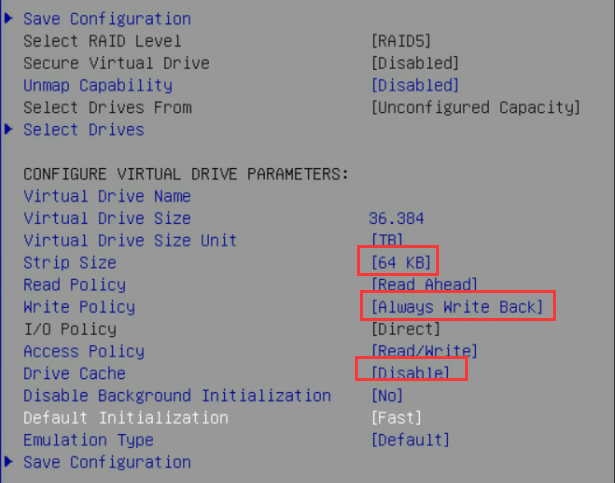
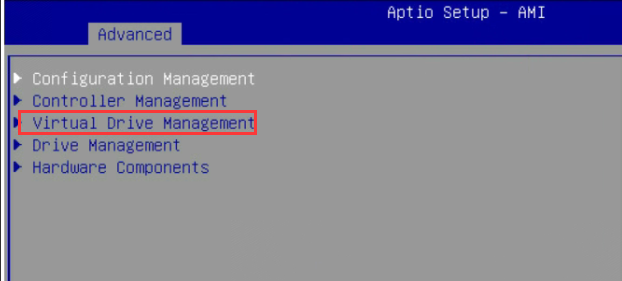
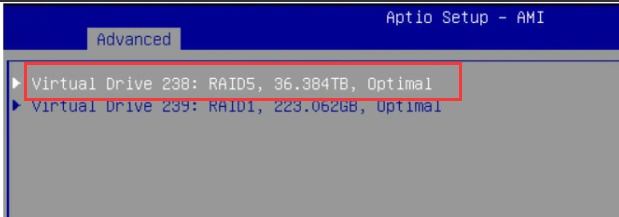
**Step 7: **Select Virtual Drive Management and View whether RAID5 has been successfully formed.
Original Link
https://support.sangfor.com.cn/cases/list?product_id=156&type=1&category_id=26597&isOpen=true