
[Hardware troubleshooting] Common commands of storcli64 tool
Problem Description
This tool Applied to User/Group Mega RAID card, such as 3008IMR, SAS3416, 9361, 9460, 9560, etc.,. Megacli64 tool has compatibility issues with new Mega RAID card, it is recommended to use storcli64 command
Attached is the storcli64 tool storcli64.zip ( 2.43M )
solution
- View hard disk Status
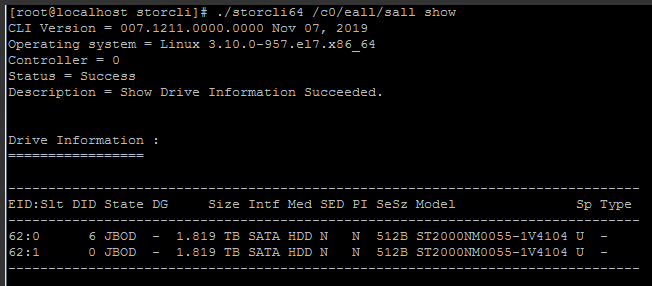
Command: ./storcli64 /c0/eall/sall show (EID:SLT in the figure below is Enclosure Device ID and Slot Number)
- View Count RAID card
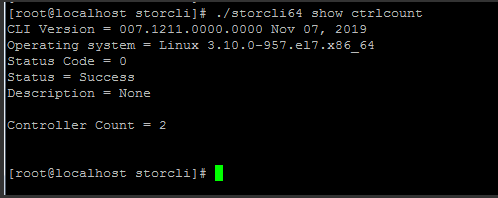
Command: ./storcli64 show ctrlcount
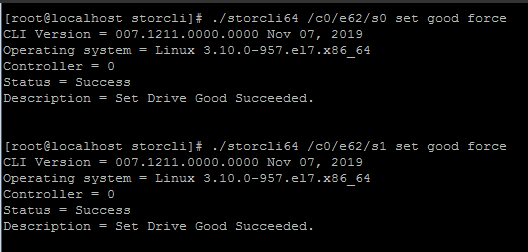
3. Change jbod disk Mode to UG Mode (UG Mode is required before RAID is formed)
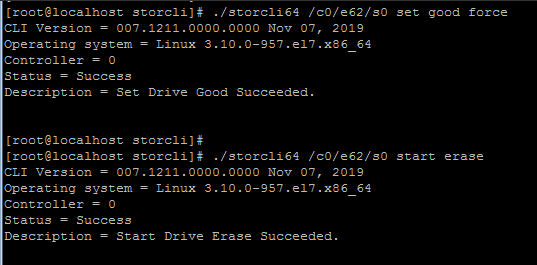
Command: ./storcli64 /c0/e62/s0 set good force
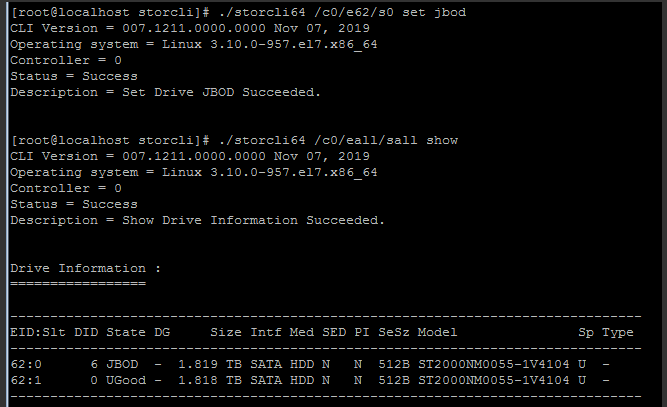
4. Change UG Mode to JBOD
Command: ./storcli64 /c0/e62/s0 set jbod
- Create RAID1
Command: ./storcli64 /c0 add vd r1 size=all drives=E:S,E:S (first Obtain the EID and Slot of the disk, ./storcli64 /c0/eall/sall show, C0 is the Mon RAID card, C1 is the Tue RAID card)
Example: ./storcli64 /c0 add vd r1 size=all drives=62:0,62:1 - Create RAID5
Command: ./storcli64 /c0 add vd r5 size=all drives=E:S-S
Example: ./storcli64 /c0 add vd r5 size=all drives=62:0-3 - View RAID group Status
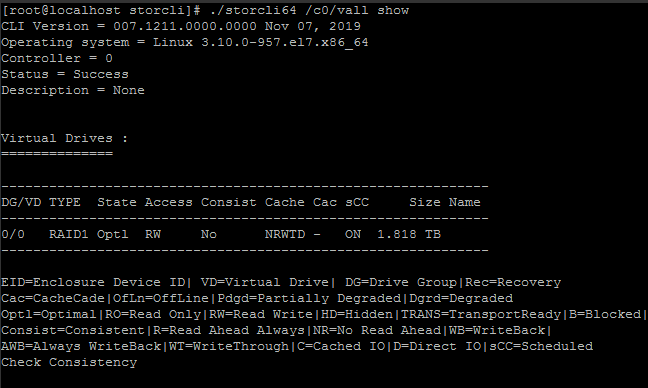
Command: ./storcli64 /c0/vall show
- Delete RAID
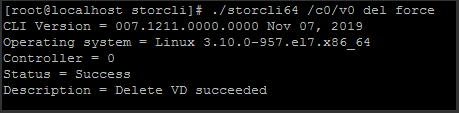
Command: ./storcli64 /c0/v0 del force (first Obtain VD value of the RAID group)
- View whether the JBOD of the RAID card Open
Command: ./storcli64 /c0 show all |grep -i jbod

10. Change the Work Mode of the RAID card to JBOD Mode
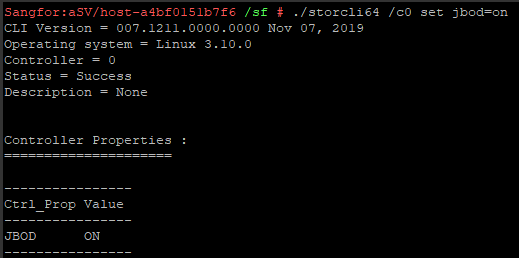
Command: ./storcli64 /c0 set jbod=on
11. Turn on and Close Disk LED disk light (for positioning)
Lsscsi query drive letter (the Wed characters long. is DID)
./storcli64 /c0/eall/sall show View hard disk
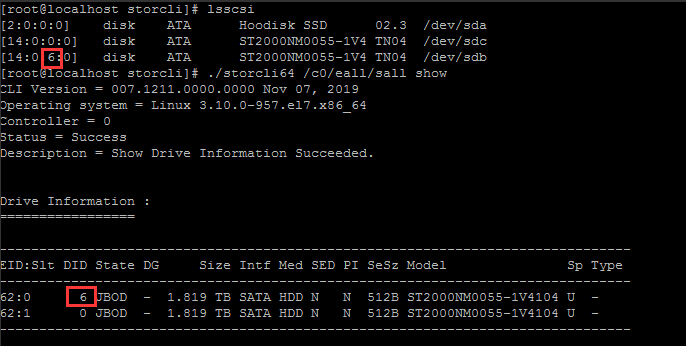
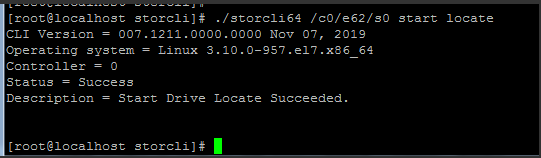
./storcli64 /c0/e62/s0 start locate Turn on the Disk LED
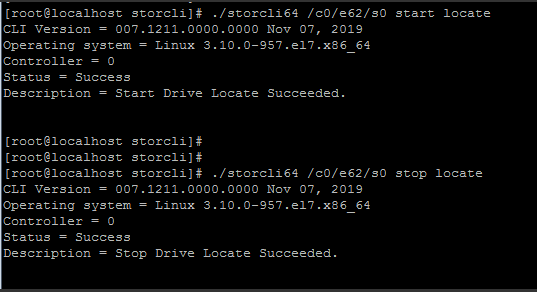
./storcli64 /c0/e62/s0 stop locate Close Disk LED
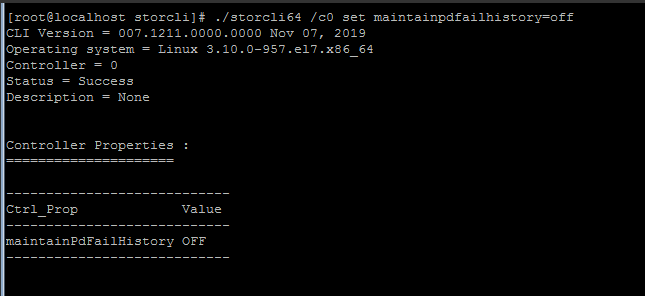
12. Support online automatic reconstruction (automatic Rebuild a new disk Rebuild)
Command: ./storcli64 /c0 set maintainpdfailhistory=off
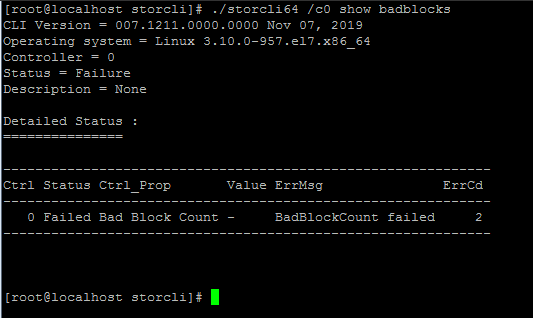
13. View the disk Bad Sector Info
Command: ./storcli64 /c0 show badblocks
14. View complete disk Info
Command: ./storcli64 /c0/eall/sall show all
15. Erase the hard disk (disk format)
Command: ./storcli64 /c0/e62/s0 start erase
16. RAID card Collect hardware IDs only
Command: ./storcli64 /c0 show alilog logfile=raid.alilog

17. View RAID card Info
Command: ./storcli64 /c0 show all
18. Settings Spare Disk
storcli64 /cx/ex/sx add hotsparedrive dgs=x Local hot Spare Disk
storcli64 /cx/ex/sx add hotsparedrive Global hot Spare Disk
storcli64 /cx/ex/sx delete hotsparedrive Delete the hot Spare Disk
storcli64 /cx/ex/sx show rebuild View rebuild
storcli64 /cx/ex/sx start rebuild
19. UBad disk Rebuild
storcli64 /c0/ex/sx set good force Set the UBad disk to a UGood disk
storcli64 /c0/fall import restores the original RAID Settings
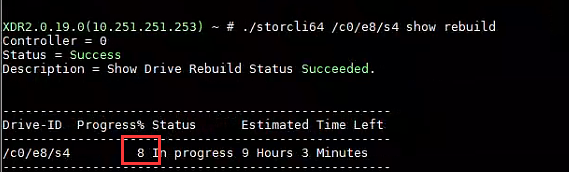
20. View the disk Rebuild progress
Command: ./storcli64 /c0/ex/sx show rebuild
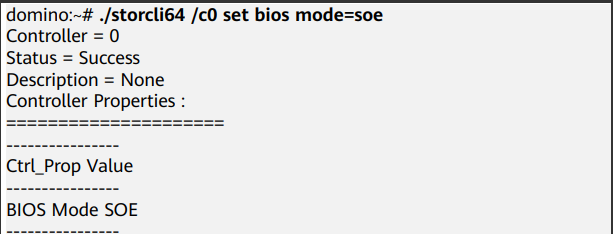
21. Enable the Stop on error function (RAID card Status is Secure Mode, and the disk cannot generate a drive letter under the system)
Command: ./storcli64 /c0 set bios mode=soe
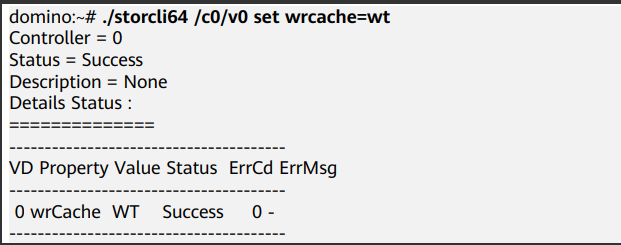
22. Settings RAID group cache Mode to Read/Write
Command: ./storcli64 /c0/v0 set wrcache=wt
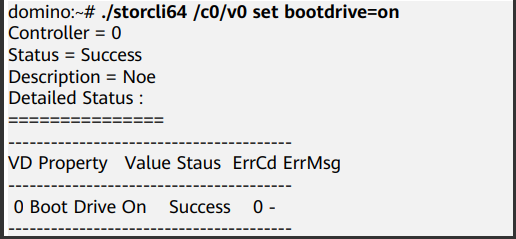
23. Settings RAID card startup entries updated
Command: ./storcli64 /c0/v0 set bootdrive=on (set the RAID group with VD 0 to Boot)
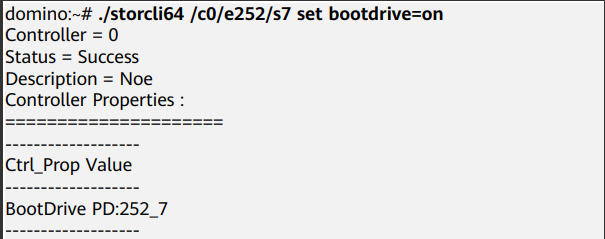
./storcli64 /c0/e252/s7 set bootdrive=on (set slot7 disk to Boot)
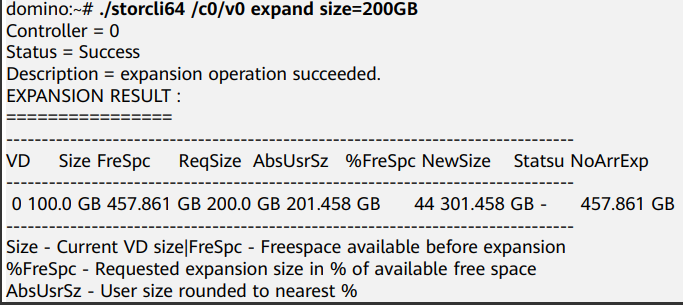
24. RAID group Expand capacity
Command: ./storcli64 /c0/v0 expand size=200GB (Capacity Expand capacity, expand the capacity of VD0 to "200GB")
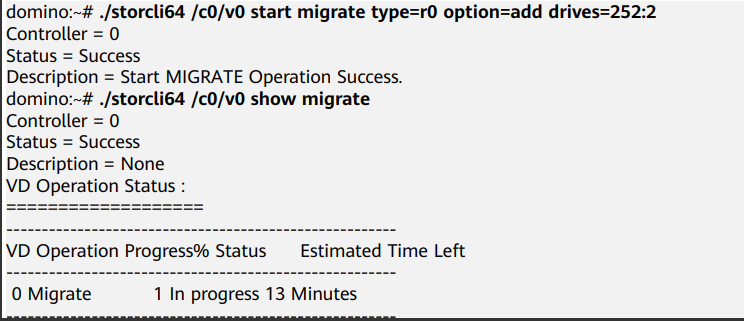
Command: ./storcli64 /c0/v0 start migrate type=r0 option=add drives=252:2 (Expand Disk Capacity, expand slot2 to the RAID group with VD 0)
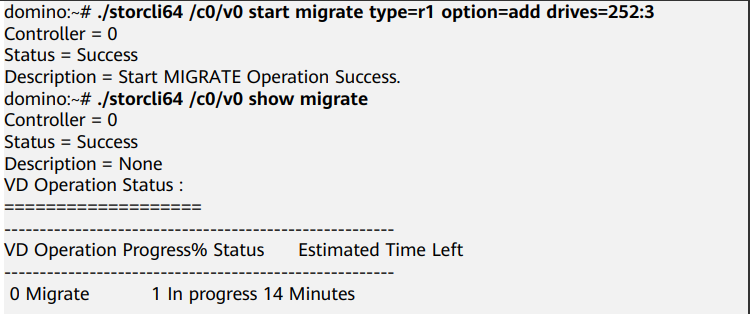
25. RAID Group Migrate
Command: ./storcli64 /c0/v0 start migrate type=r1 option=add drives=252:3 (Odd-disk RAID 0 plus disk Migrate to RAID 1)
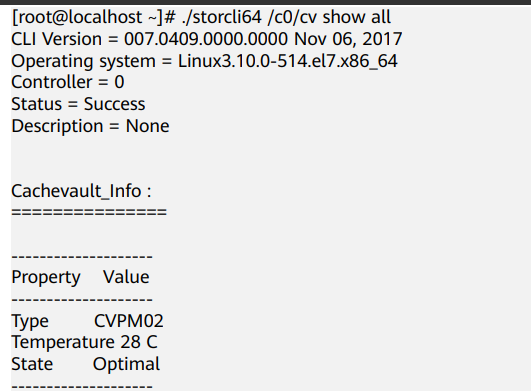
- View supercapacitor Info
Command: ./storcli64 /c0/cv show all
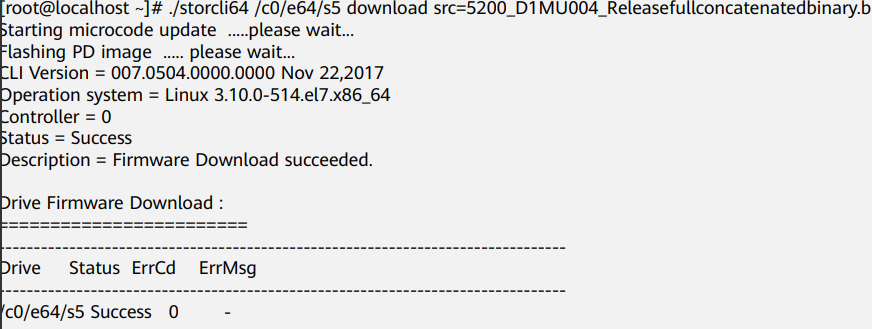
27. Upgrade disk firmware
Command: ./storcli64 /c0/e64/s5 download src=XXX.BIN (src=followed by firmware)
28. Import or clear RAID card external Settings
./storcli64 /c0/fall import preview (View external configuration of the RAID card)
./storcli64 /c0/fall import (import external Settings)
./storcli64 /c0/fall delete (delete external Settings) - View Status of the buzzer and turn Close OR on the Alerting
./storcli64 /c0 show alarm (View Status of the alarm)
./storcli64 /c0 set alarm=on (turn on the beep)
./storcli64 /c0 set alarm=off (turn off Close beep)
./storcli64 /c0 set alarm=silence (silence, temporarily Close beeping sound, Restart Restore)
Original Link
https://support.sangfor.com.cn/cases/list?product_id=156&type=1&category_id=26872&isOpen=true