
[Hardware troubleshooting] Dealing with Error of Services items caused by abnormal power failure of SN 9H and F6H entries updated
Problem Description
Handling the loss of Services items caused by Error power failure of the server with SN 9H and F6H
solution
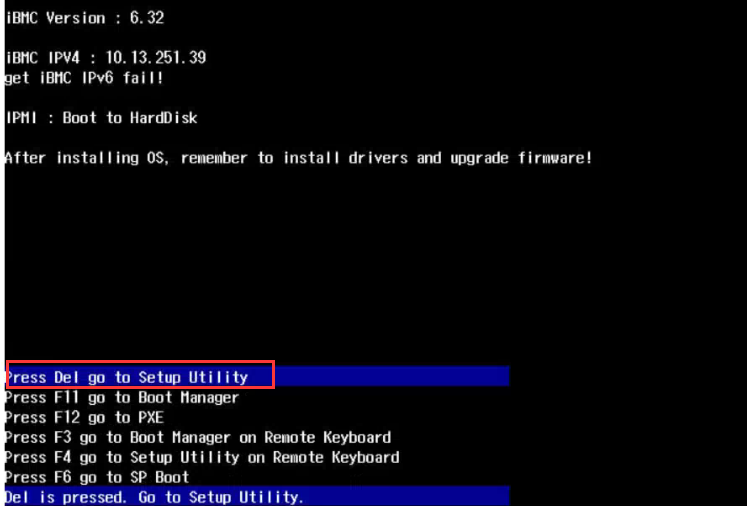
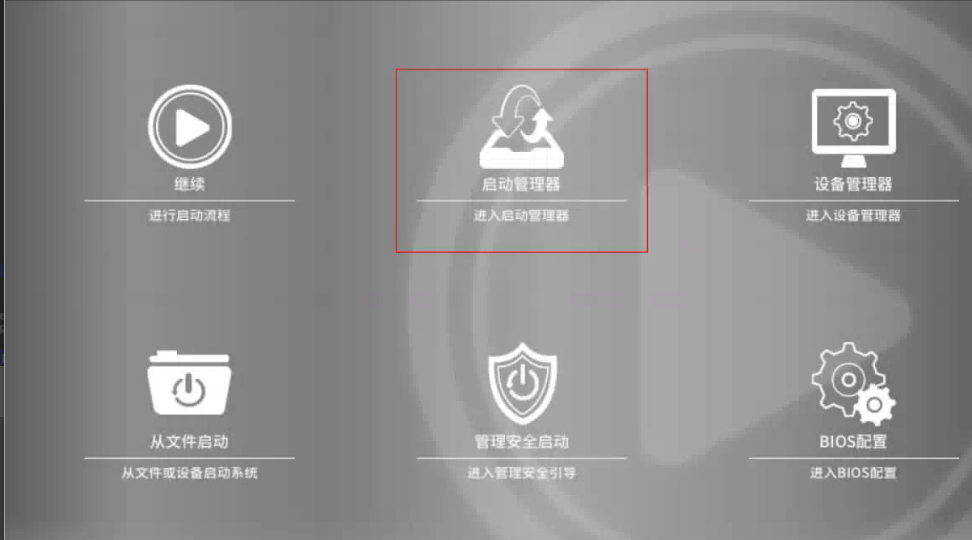
Step One: Restart the device, press Del key Auto unlock after menu screen, and Select Startup Manager.
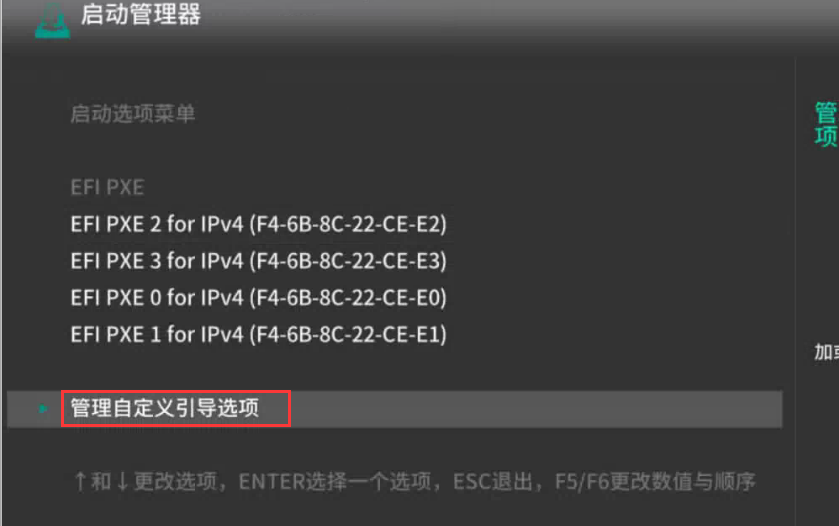
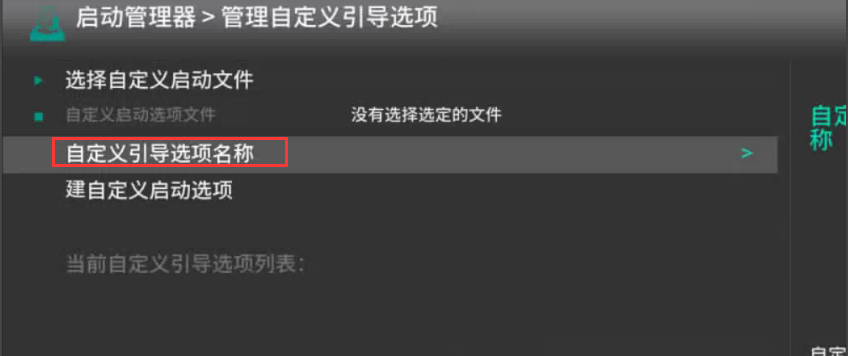
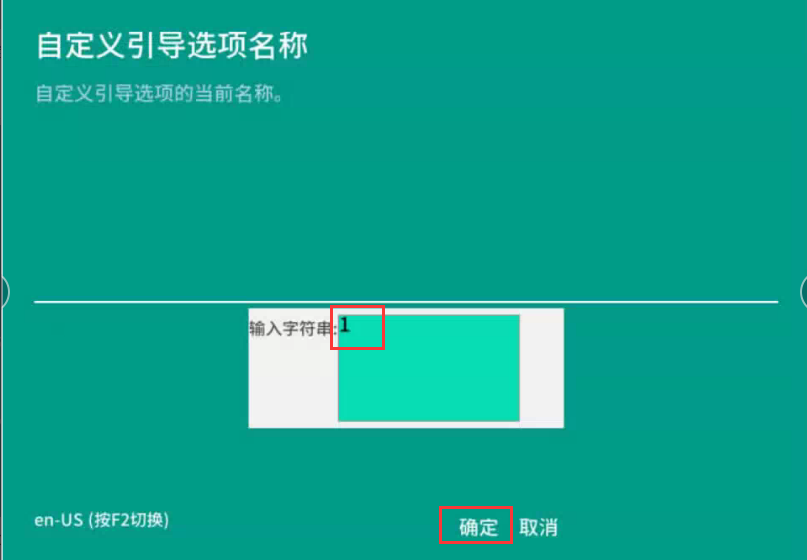
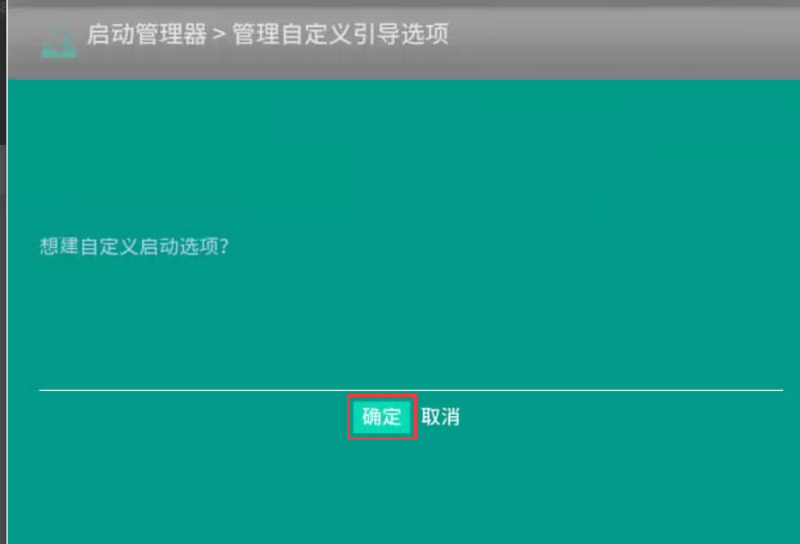
**Step Two: **Select administration and management Specified boot options, enter the string 1 in the custom boot option Name, and jump to Save OK save.
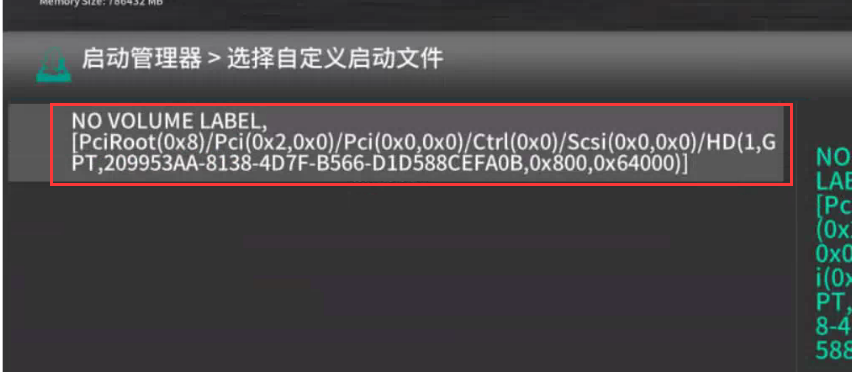
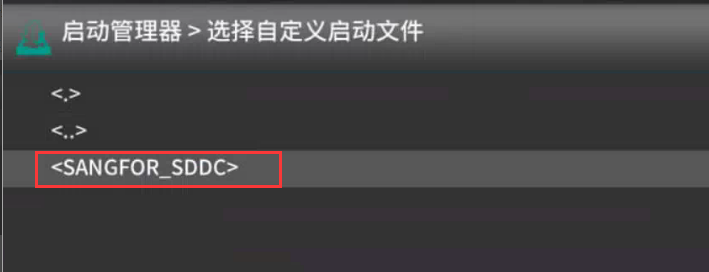
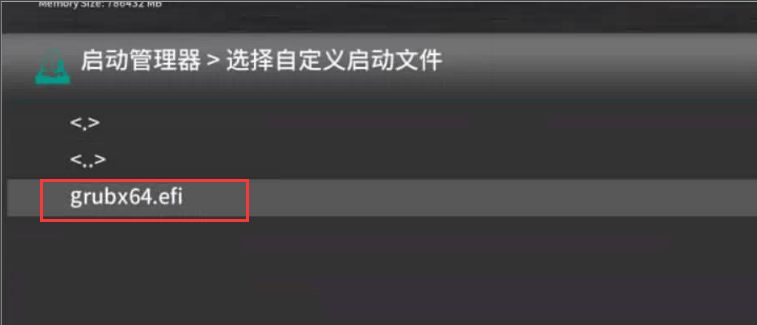
**Step Three: **Select Create Specified option–>NO VOLUME LABEL–>EFI–>System Name–>grubx64.efi–>OK, then Restart the device.
Description If there is no file in this step, the efi File Lost. You need to use a USB image to burn the image and enter singleUser Mode to find R&D to copy File efi file to solve the problem.
Original Link
https://support.sangfor.com.cn/cases/list?product_id=156&type=1&category_id=22709&isOpen=true