
[Hardware Troubleshooting] Dell Server RAID card Tool perccli64 Common Commands
perccli64.zip ( 2.53M )
Problem Description
Dell server RAID card tool perccli64 common commands
solution
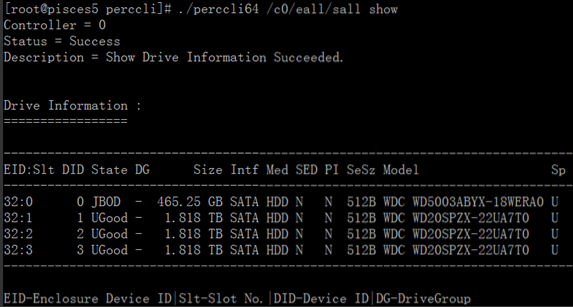
- View the physical disk Info list
Command: ./perccli64 /c0/eall/sall show
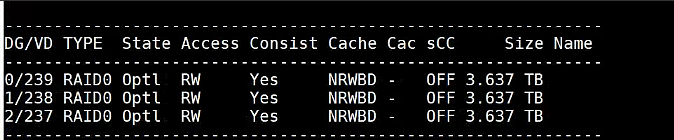
- View Virtual Disk Info list, that is, array Info
Command: ./perccli64 /c0/vall show
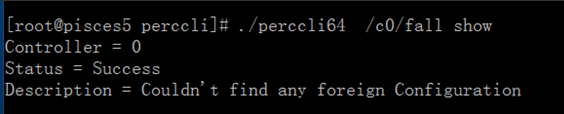
- View external Settings
Command: ./perccli64 /c0/fall show
- Clear foreign Settings
Command: ./perccli64 /c0/fall delete

- Load external Settings
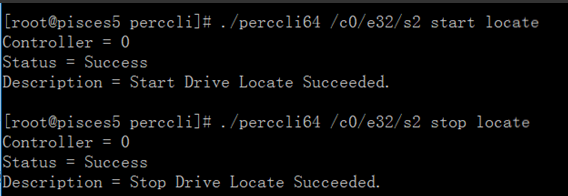
Command: ./perccli64 /c0/fall import - Make the disk Status light flash (to help find the bad disk when the hardware does not alarm)
Lighting command: ./perccli64 /c0/e32/s2 start locate (c is RAID card, e is, S is slot)
Stop lighting command: ./perccli64 /c0/e32/s2 stop locate
- View the status of all physical hard disks
Command: ./perccli64 -PDList -aALL |egrep 'Firmware state'

- Create RAID0
To do RAID0 command: ./perccli64 /c0 add vd r0 drives=E:S,E:S

Parameter reference:
Perccli64 /cx add vd r0 [name=,..][drives=e:s|e:s-x|e:s-x,y] [SED][pdcache=on|off|default][pi][DimmerSwitch(ds)=default| automatic(auto)|none|maximum(max)|MaximumWithoutCaching(maxnocache)] [wt|wb] [nora|ra][direct|cached] [CachedBadBBU|NoCachedBadBBU] [Strip=][EmulationType=0|1|2] [ExclusiveAccess] [Cbsize=0|1|2 Cbmode=0|1|7] [unmap] - RAID group Expand capacity
Command: ./perccli64 /c0/v0 start migrate type=r0 option=add drives=E:S (RAID1 Expand capacity requires Add 2 hard disks at the same time)

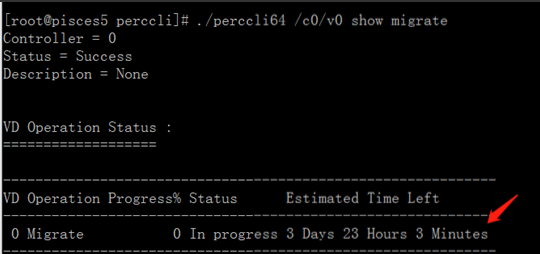
- View Expand capacity progress
Command: ./perccli64 /c0/v0 show migrate
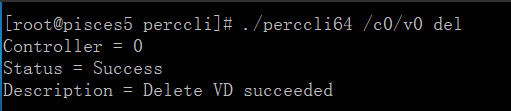
- Delete raid, unmount the disk before deleting it
Command: ./perccli64 /c0/v0 del (If the Delete fails, add force after del)
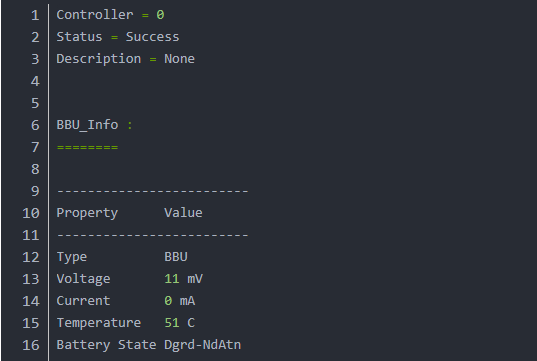
- View battery Info
Command: ./perccli64 /c0/bbu show all
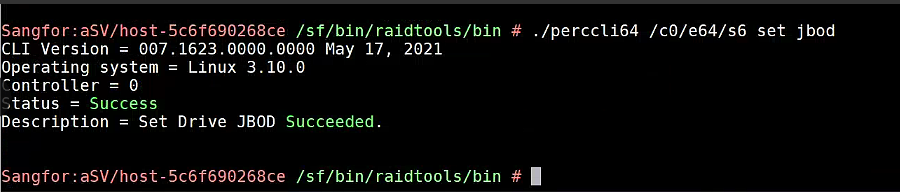
- Set the disk to JBOD Mode (no raid Mode)
Command: ./perccli64 /c0/e32/s3 set jbod
./perccli64 /c0/e32/sall set jbod Set all UG disks as Passthrough disks
- Set the disk to UG Mode
Command: ./perccli64 /c0/e32/s3 set good - Collect hardware IDs only RAID card Logs
Command: ./perccli64 /c0 show all logfile=log.txt - View disk Rebuild progress
Command: ./perccli64 /c0/e32/s3 show rebuild - Set a disk as a Spare Disk and Cancel Spare Disk
Command: ./perccli64 /c0/e3/s4 add hotsparedrive
Command: ./perccli64 /c0/e3/s4 delete hotsparedrive - Set the disk as a local Spare Disk
Command: ./perccli64 /c0/e3/s6 add hotsparedrive dgs=0 - Format Virtual Disk
Command: ./perccli64 /cx/vx erase - View the Encoding Format progress
Command: ./perccli64 /cx/vx show erase - Stopped Encoding Format
Command: ./perccli64 /cx/vx stop erase - Settings disk as a boot disk/non-boot disk
Command: ./perccli64 /cx[/ex]/sx set bootdrive=on|off
./perccli64 /cx/vx set bootdrive=on|off Virtual disk Settings - View event
Command: ./perccli64 /c0 show eventloginfo type=config
Original Link
https://support.sangfor.com.cn/cases/list?product_id=156&type=1&category_id=26639&isOpen=true