
[Hardware Troubleshooting] Expand capacity when the expansion hard disk characters long. not recognized in the Wed slot
Problem Description
Screenshot of 8-characters long. device (the Wedlayer hard disk rack is a fake hard disk rack)

solution
- OK device Model and go to SCP to View whether the device Yes 8characters long. device or Yes 12-characters long. device. For an 8characters long. device, the hard disk racks with the last 4 disk characters long. are fake hard disk racks because the last layer is not connected to the RAID card. It does not support Expand capacity or customized Expand capacity.
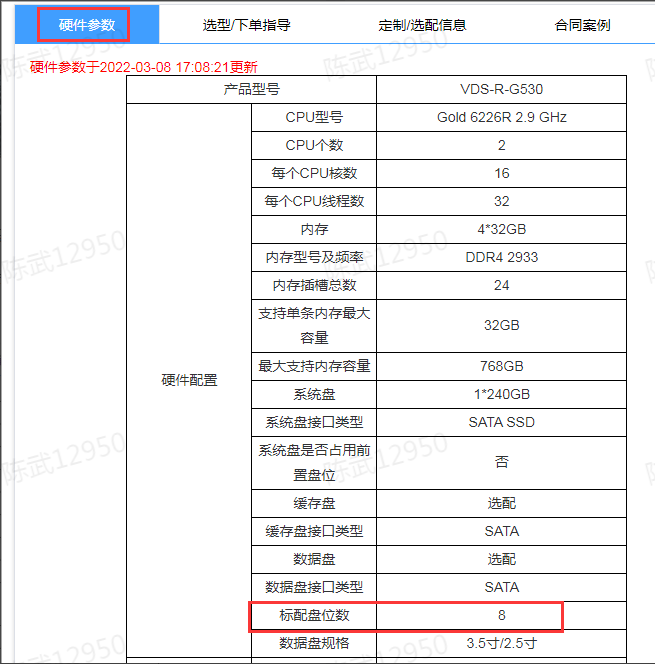
- For 12-characters long. devices, the last 4 slots support Expand capacity. If the last characters long. not recognized, try changing to another slot. If it is still not recognized, change to Other Connected characters long. to rule out problems with the hard drive itself. After OK the hard drive Connected, check the backplane, SAS cable, and RAID card of the last slot.
Original Link
https://support.sangfor.com.cn/cases/list?product_id=156&type=1&category_id=22677&isOpen=true