
[Hardware troubleshooting] How to handle the CPU MCEERR report on the server IPMI with SN starting with F6Q
Problem Description
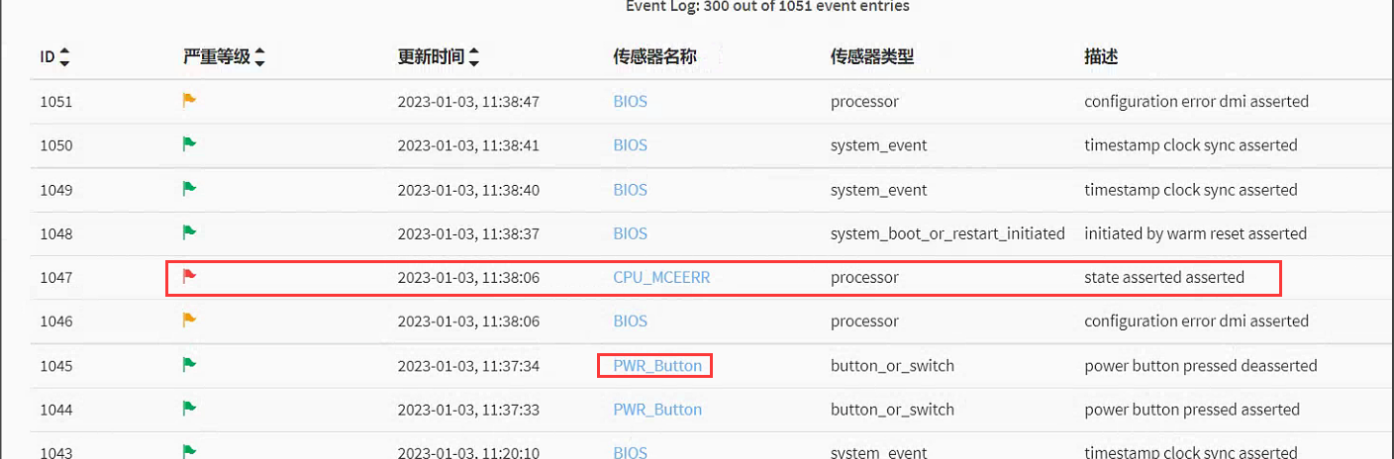
Error screenshot:
solution
Step One: Enter IPMI View Alerting Logs. A CPU Usage MCEERR Error reported. There is a manual Restart log Above the error Logs.
**Step Two: **View the BMC Firmware Version is 1.80. Contact the manufacturer to OK Yes a problem of mcerr false alarm when turning on false positive Shut Down (bmc1.80, bios2.01). It can be solved Passed upgrading the firmware (bmc2.10 and above, bios2.02 and above).
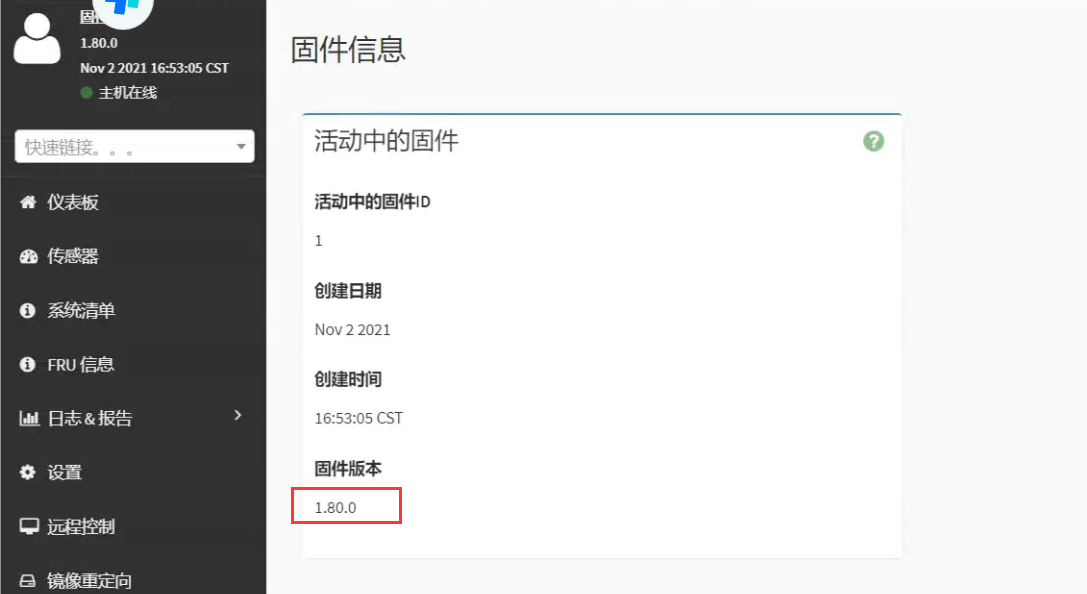
Step Three: Upgrade the BMC firmware (without Impacts services) and find Time upgrade the BIOS firmware (requires shutting Operation Shut Down).

F6Q Server BIOS, BMC.rar
(47.05 MB)
Original Link
https://support.sangfor.com.cn/cases/list?product_id=156&type=1&category_id=23013&isOpen=true