
[Hardware troubleshooting] How to handle the IPMI PCU report of GPU Services with SN starting with 9T or F6T
Problem Description
Error screenshot:
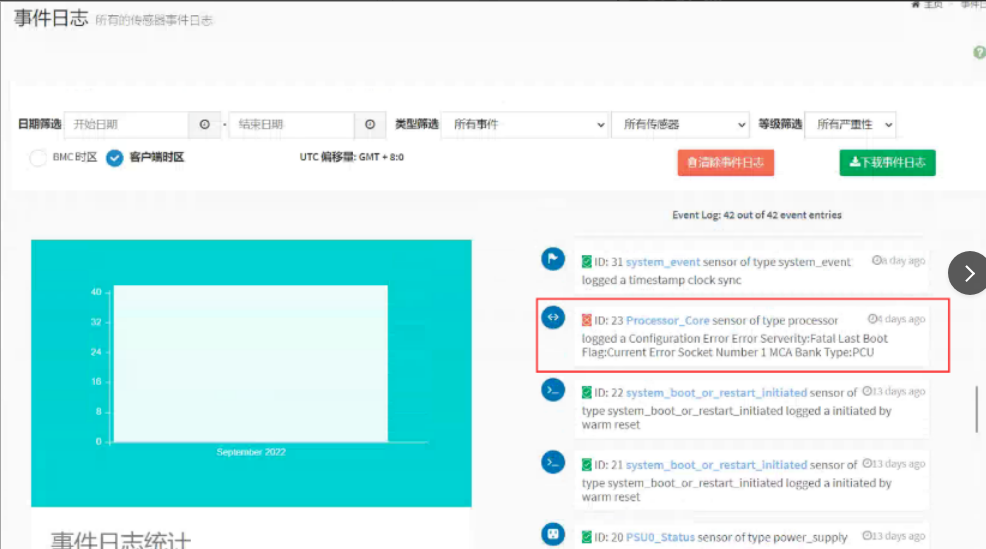
Attached Script repair tool
solution
**Step One: ** View whether the device Model is a GPU Model. If Model has a G, such as VDS-P-G530, VDS-R-G530, go to step Tue.
Step Two: Enter IPMI View event to see if there is a report of Processor_Core: MCA Bank Type: PCU and the device has crashed and Restart. Yes so, proceed to step Wed.
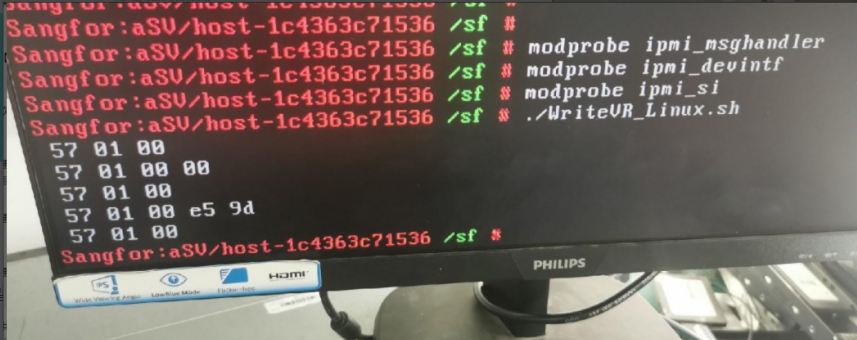
**Step Three:**Put the execution Script WriteVR_Linux.sh in Mon business system background/sf Path of System and load the IPMI module. Instructions:
modprobe ipmi_msghandler
modprobe ipmi_devintf
modprobe ipmi_si
Step Four: Add execution Role to Script, chmod +x WriteVR_Linux.sh, and then execute the Script. If the following result is Back, the execution Successful:
problem Cause:
BMC low Version BUG, it works normally Passed optimizing sensor parameters through script.

WriteVR_Linux.sh
(633 Bytes)
Original Link
https://support.sangfor.com.cn/cases/list?product_id=156&type=1&category_id=22711&isOpen=true