
[Hardware troubleshooting] How to locate the slot of the BMC memory error on a server with SN characters long. characters long. F6Q
Problem Description
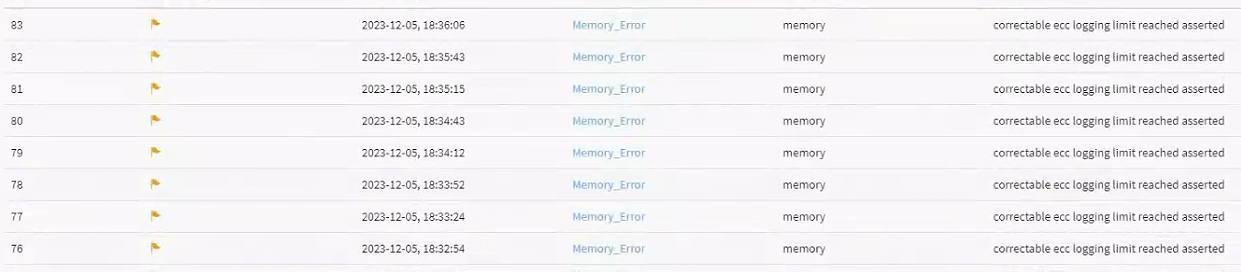
BMC reports memory Error Correction Code (ECC) or uce error, and no characters long. is displayed.
solution
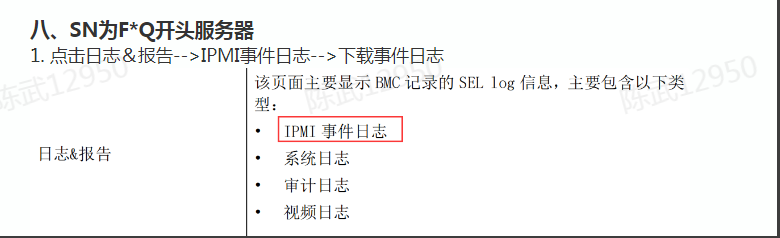
Step One: Enter BMC Collect hardware IDs only the event. There will be Mon compressed file named SELLOG. Unzip File and get selhex and seltext

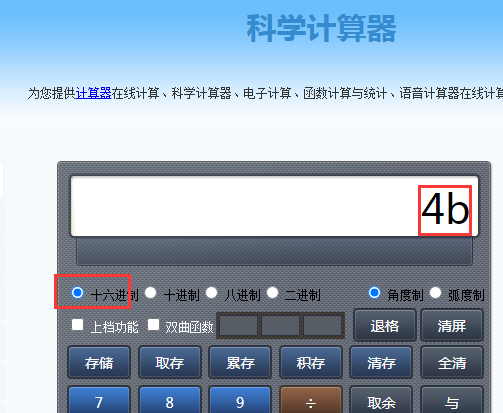
**Step Two: **Open seltext File and find the EventID number where the memory error is reported. As shown in the figure below, the ID number is 75 (multiple Error Correction Code (ECC) errors are reported in different Time, and the ID numbers are all Obtain), and then use a base converter to convert it to hexadecimal 4b.

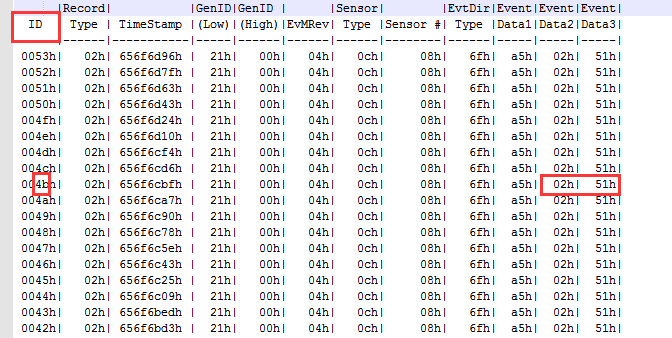
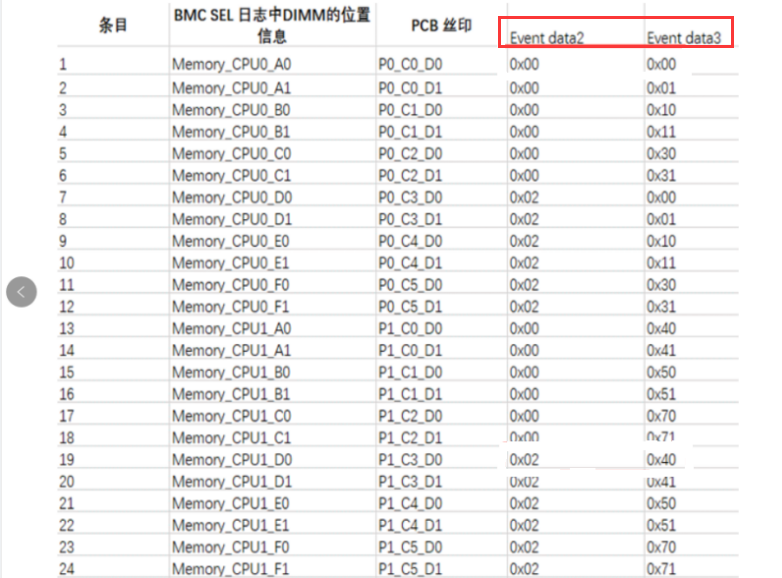
Step Three: Open selhex File, find the line with ID 4b, get the data2 and data3 values, and confirm the memory characters long. based on these two values. As shown in the figure below, data2 and data3 are 02 51, and the corresponding slot is CPU Usage_E1 memory. The motherboard memory silkscreen is P1_C4_D1
Original Link
https://support.sangfor.com.cn/cases/list?product_id=156&type=1&category_id=25988&isOpen=true