
[Hardware troubleshooting] Inspection tool detects low System Disk Transfer rate in RAID 1 group
Problem Description
WEB error screenshot
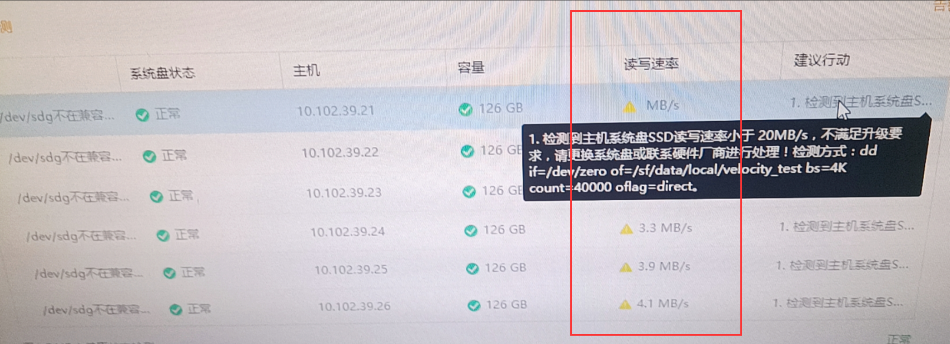
Inspection report Alerting
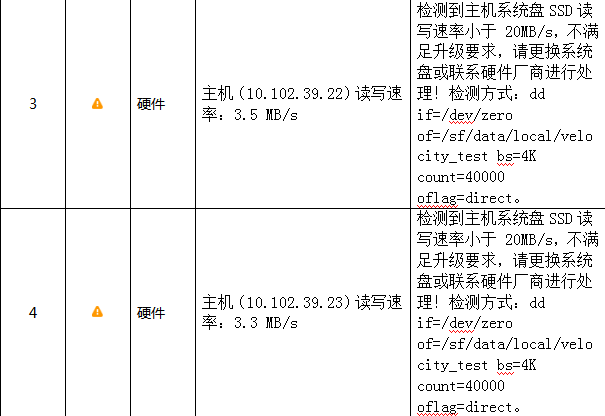
Backstage test screenshots

solution
- OK whether the tested disk is grouped as RAID1. Use raidstat in the View or View Model – R 12-disk Model (such as aServer-R-2105) Default System Disk group RAID1.
- Use the command in the background: dd if=/dev/zero of=/sf/date/local/velocity_test bs=4k count=40000 oflag=direct to test whether the performance is lower than 20M/S.
- There is an OS partition in System Disk, which will affect the performance. The disks in RAID 1 need to synchronize the data of the primary disk to the secondary disk, which will reduce the performance. Ignore this Alerting.
Cause:
The inspection tool has a problem. This command is not Applied to User/Group write performance Test Connectivity of the RAID 1 System Disk. Ignore this Alerting and synchronize it later when a suitable command is available.
Original Link
https://support.sangfor.com.cn/cases/list?product_id=156&type=1&category_id=22682&isOpen=true