
[Hardware Troubleshooting] RAID card Card (720ix AnyRAID) Replacement Guide for Servers (RD650) with SN Starting with 9L
Problem Description
RAID card Model screenshot
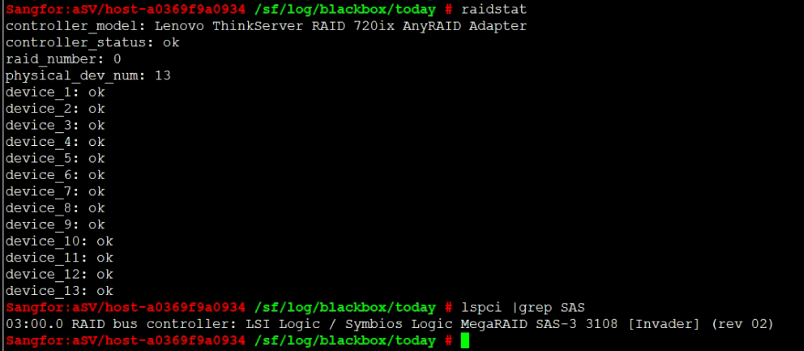
solution
Step One: Turn off Shut Down and remove the device from the rack. Remove the device cover and find the RAID card position. The RAID card and backplane are together and inserted into the backplane characters long..
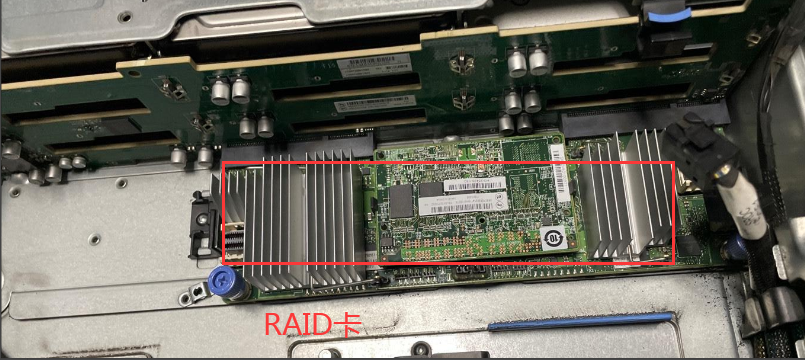
Step 2: Unplug the signal cable from the RAID card, loosen 2 screws, and then pull it away from backplane to remove the old RAID card.
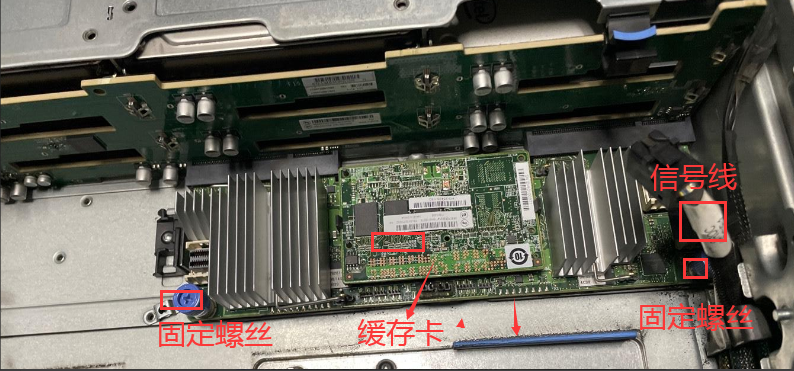
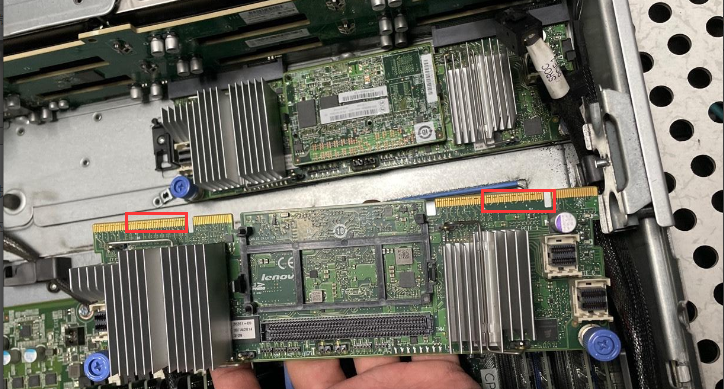
**Step Three: **Lift the cache card on the old RAID card vertically upwards, remove the cache card, and then Install on the new RAID card. Align the gold fingers on the new RAID card with characters long. backplane slot and push it in. Tighten 2 fixing screws, plug the motherboard signal cable into the RAID card, and power on Power On.
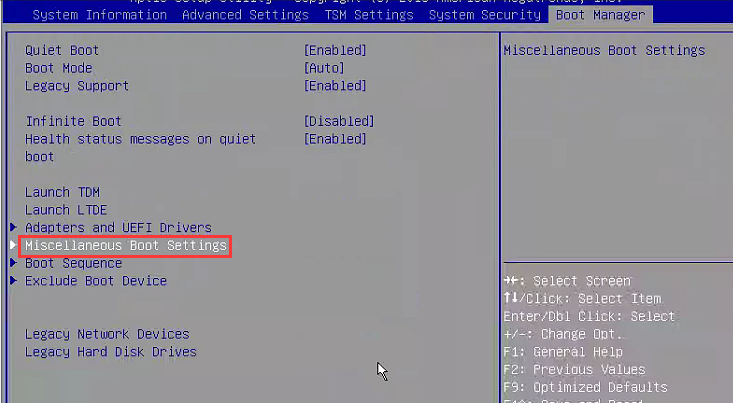
**Step Four: **Set System Disk as the Boot entries updated. Auto unlock after menu interface (with key Tips), keep pressing F1 to enter BIOS. After View BIOS, select Boot Manager–>Miscellaneous Boot Settings.

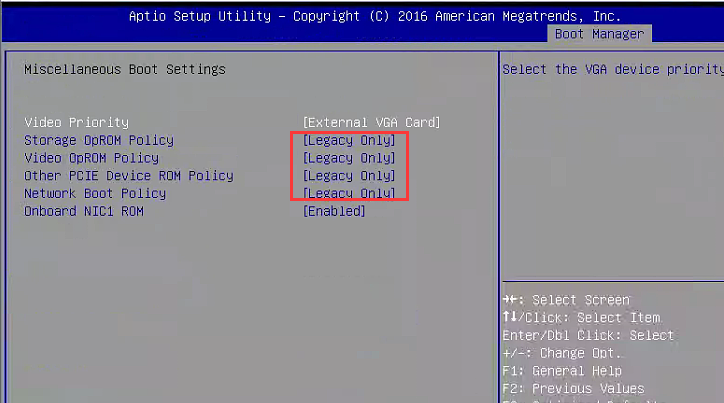
**Step Five: **Set Storage, Video, Other PCIE, and Network to UEFI, then press F10 to save, reboot, and enter BIOS.
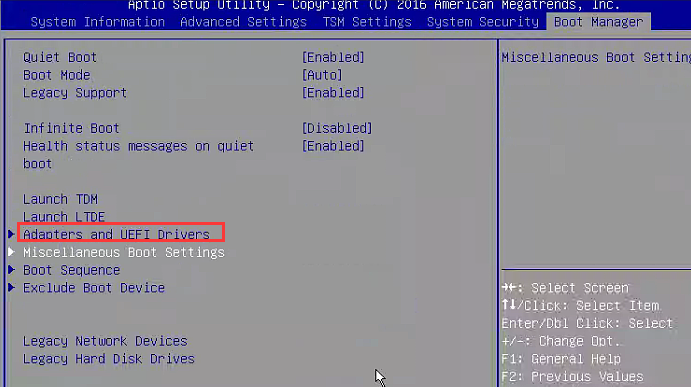
Step Six: , View BIOS, find Boot Manager–>Adapters an UEFI Drivers–720ix AnyRAID controller–>Main Menu–>Drive Management and View whether System Disk is recognized.
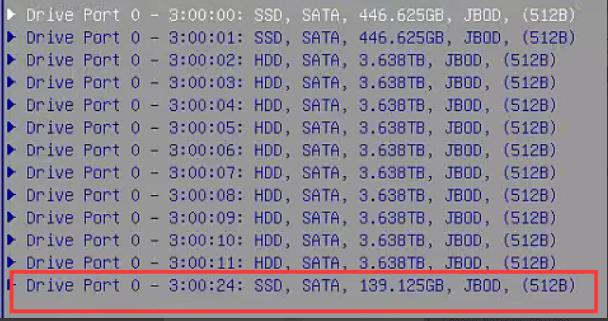
**Step 7: **View Controller Management, set System Disk to Boot, then return to the BIOS interface, Boot Manager–>Miscellaneous Boot Settings, set Storage, Video, Other PCIE, and Network to Legacy.
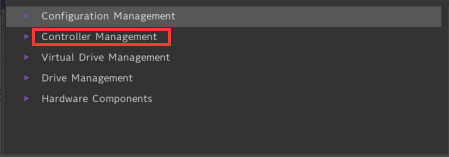
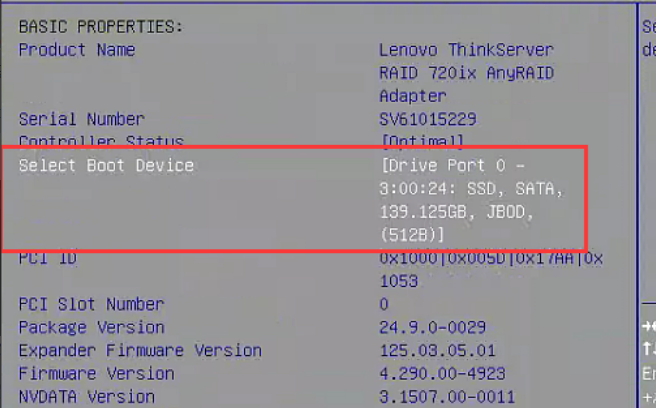
**Step 8: **In Legacy Hard Disk Drives, you need to set the RAID card as the first boot entries updated, then press F10 Save, Restart the device, and Connected can enter System normally.
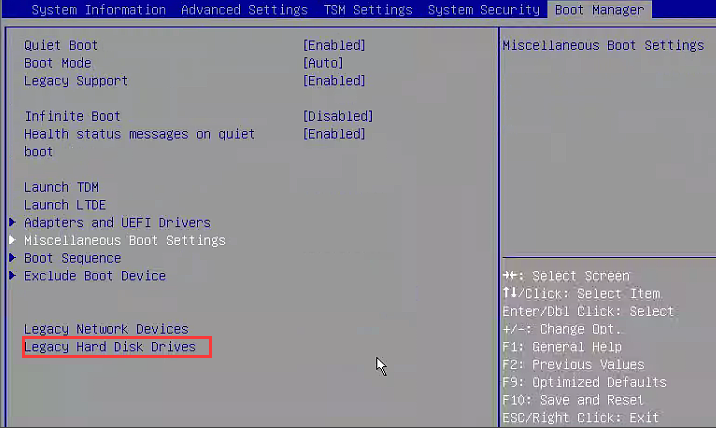
**Step 9: **If you need to Install System with a USB image drive, burn the image and insert it into the server, Restart, keep pressing F12 Auto unlock after menu interface Mon enter the boot, and Select USB flash drive to Install System. Description This server has been discontinued for many years. Directly Install a new Version may cause incompatibility issues and cannot be Install. You need to Install shipping Version image.
Original Link
https://support.sangfor.com.cn/cases/list?product_id=156&type=1&category_id=23025&isOpen=true