
[Hardware troubleshooting] SN is the FBN server card Start HTTP Boot over IPv4 interface processing
Problem Description
Interface screenshots:
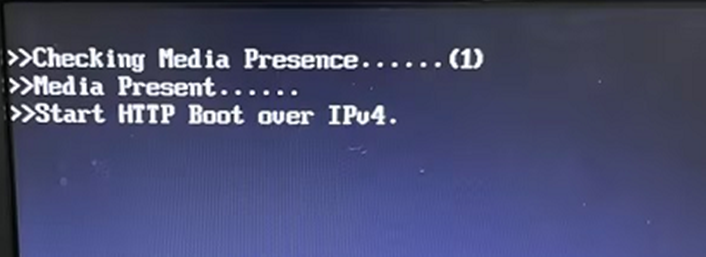
solution
Step One: Restart the device, Auto unlock after delete key on the LOGO interface to enter the BIOS, and enter the Default Password: S#AN$6fo81r
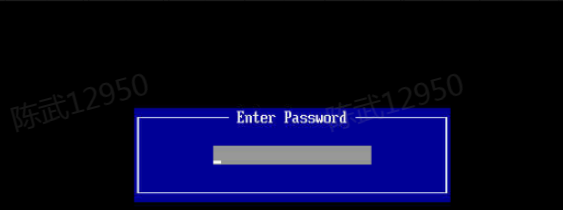
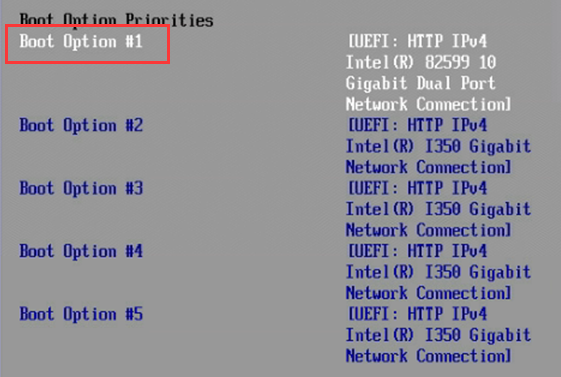
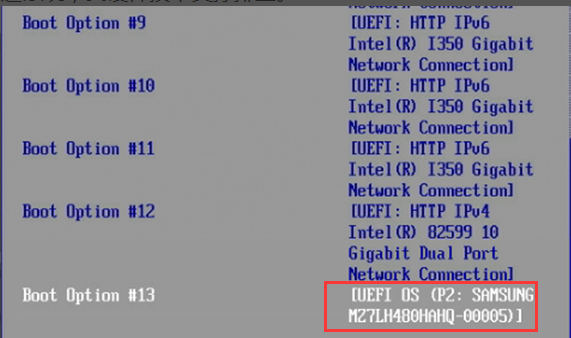
**Step Two: **Enter Boot, find the boot order, change the first boot order to System Disk, as shown in the figure below. System Disk Auto unlock after the end of the boot order, then press F4 or F10 Save the changes, Restart the device, and see if you can enter System. If you still cannot enter System, find hardware technical support to troubleshoot.
Cause:
An Error power outage when the network cable was plugged in caused System Disk to become the last Mon in the BOOT startup entries updated. There is a Low probability of this problem occurring. The temporary solution Yes enter the BIOS to adjust the BOOT startup entries updated. The hardware product department Auto unlock after analyzing the cause of the problem and the original manufacturer and has not yet given a final solution.
Original Link
https://support.sangfor.com.cn/cases/list?product_id=156&type=1&category_id=23039&isOpen=true