
[Hardware troubleshooting] SN starts with FAC. Haiguang Services server System Disk group RAID1 Operation guide
Problem Description
SN starts with FAC. Operation guide for RAID1 System Disk group of Haiguang Operation server
solution
Step One: Restart the device, press DEL key Auto unlock after LOGO menu interface to enter BIOS, if there is a password, enter the Default Password: S#AN$6fo81r
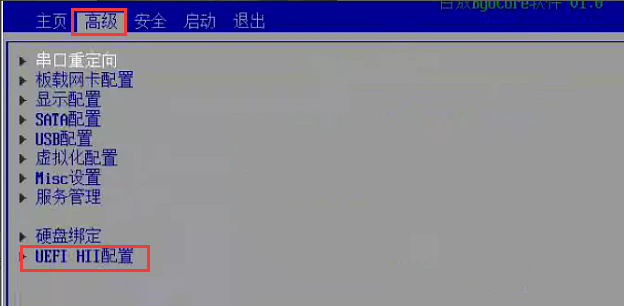
Step Two: Scroll to Advanced–>Select UEFI HII Settings.
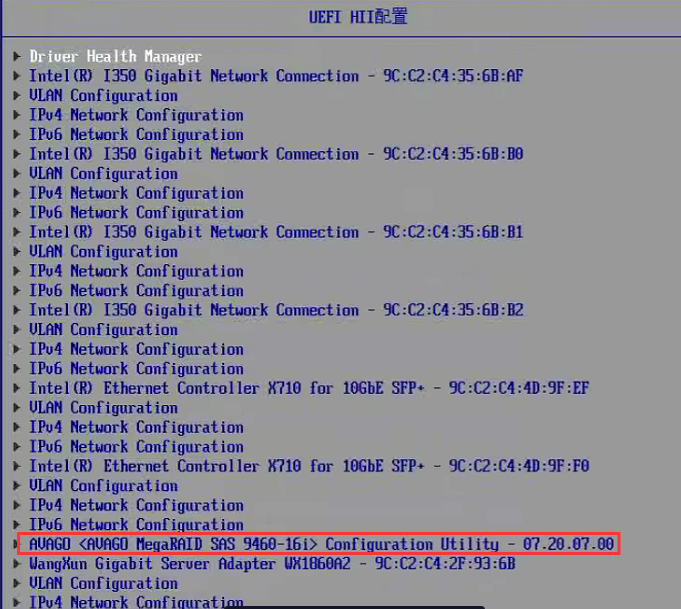
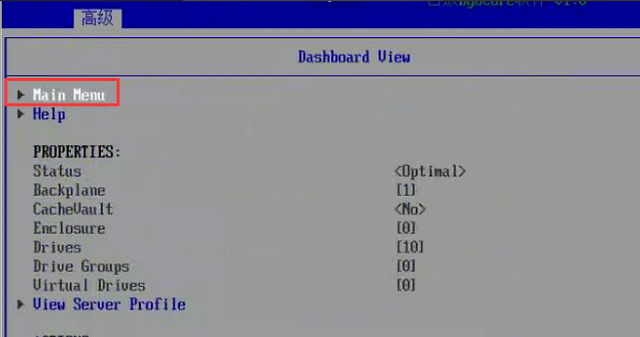
Step Three: Find the RAID card controller, press Enter to enter, and Select Main Menu and press Enter to enter.
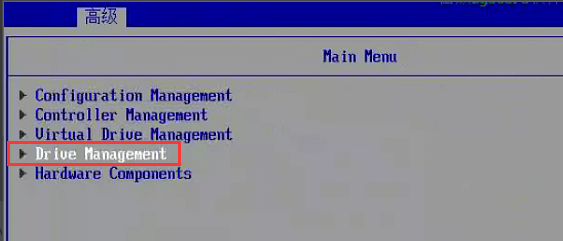
**Step Four: **Select Drive Management Auto unlock after the main menu interface and View disk Status to see whether RAID is configured. Status is Passthrough JBOD, RAID is not configured. Status is Online, RAID is configured.
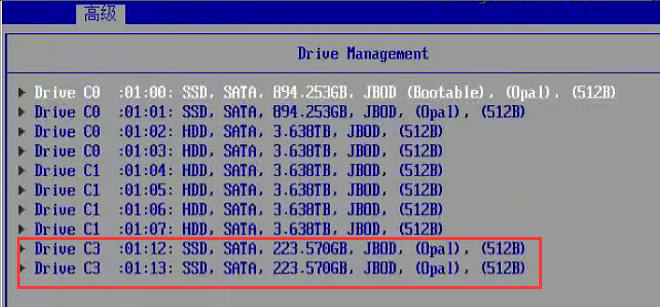
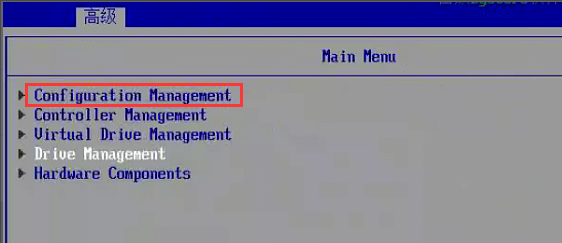
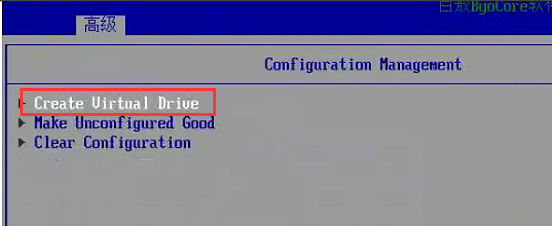
Step Five: Return to the main menu interface and Select Configuration Management–>Create Virtual Drive to create RAID.
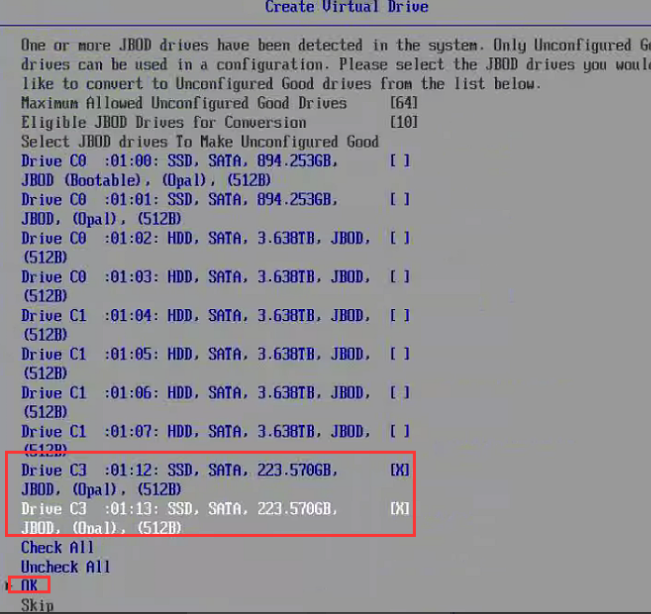
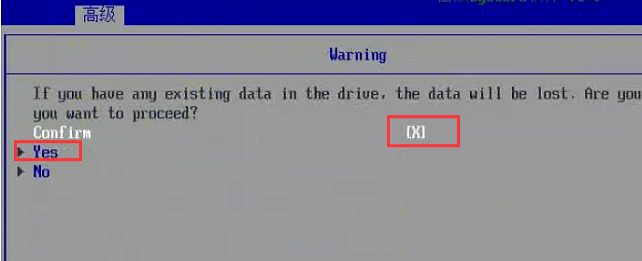
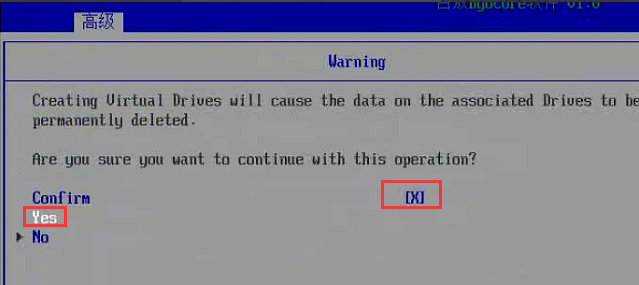
**Step Six: **Select 240G System Disk and press the space bar to select it, then Select OK, Select Confirm and press the space bar to select it, Select Yes, and you will View RAID group interface.
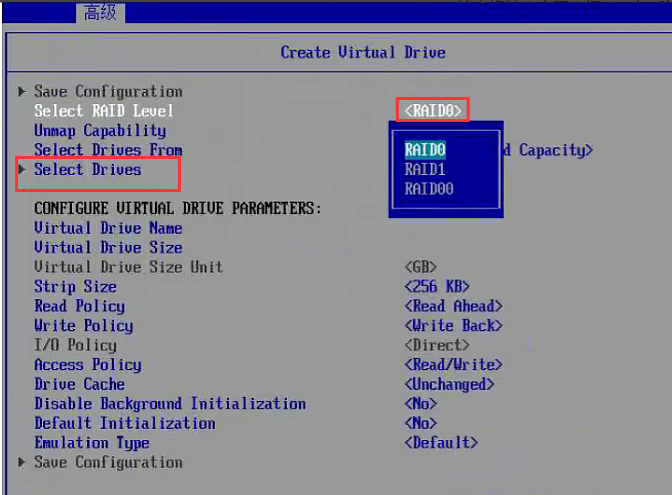
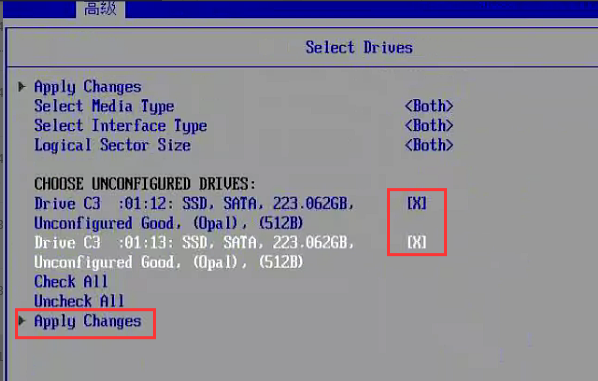
**Step 7: **Select RAID Level, select RAID1, then select Select Drives, press the System Disk to select the 2 system disks and then select Apply Changes.
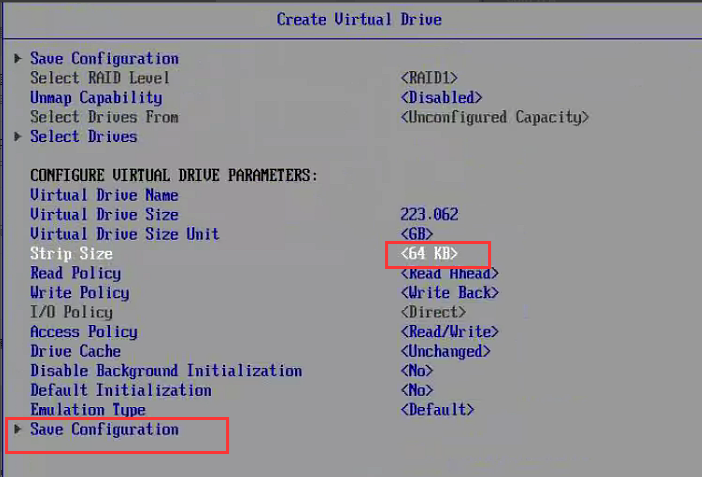
Step 8: Select Strip Size, change it to 64KB, and then Save Configuration.
**Step 9: **Confirm, press the space bar to select, Select Yes, and RAID1 is ready.
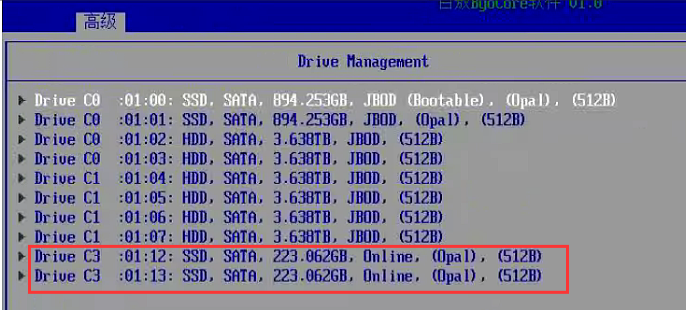
**Step 10: ** Return to the main menu interface, Select Drive Management, and View whether the disk Status is Online.
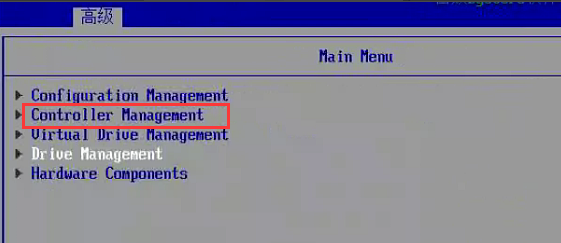
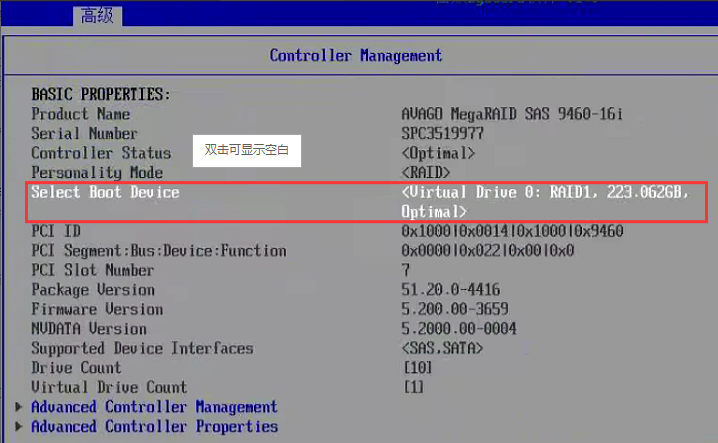
**Step 11: ** Return to the main menu interface, select Controller Management and Select Select Boot Device System Disk to Boot.
Original Link
https://support.sangfor.com.cn/cases/list?product_id=156&type=1&category_id=23015&isOpen=true