
[Hardware troubleshooting] Some network ports of the NTA device are not lit, and the console shows green and Connected connection
Problem Description
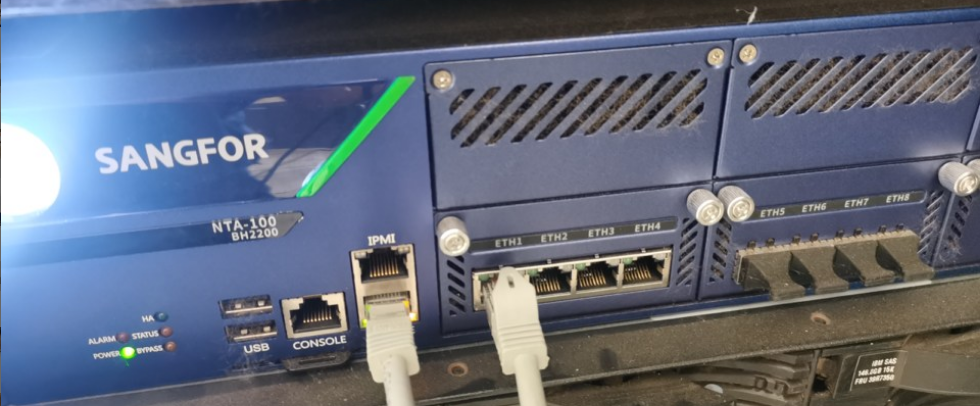
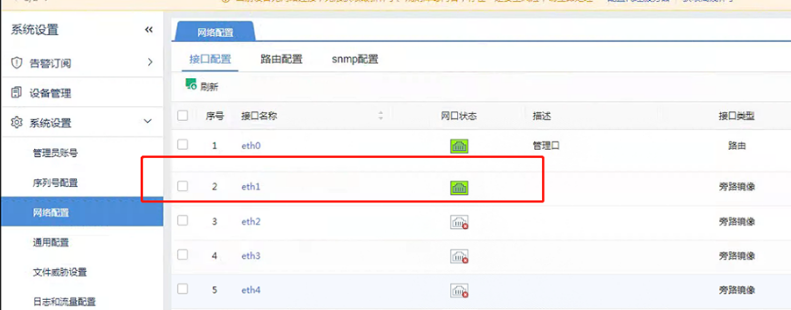
When a certain Model NTA equipment is powered on, it is found that the light on port 1 is off, but when Log In Administrator Console, it is found that port 1 is green and connected Connected.
Root cause
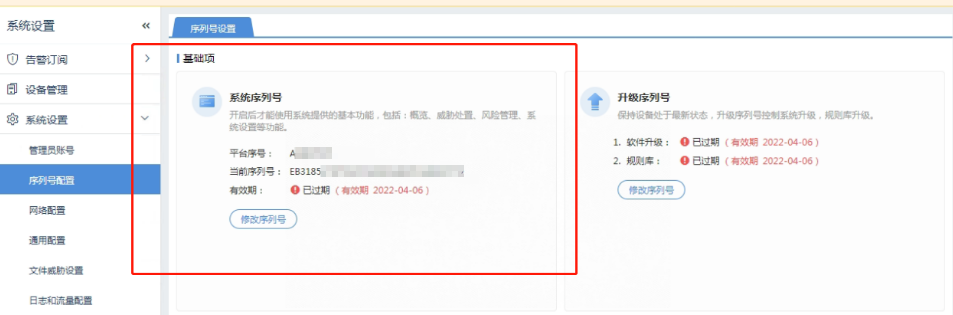
Software Licensing expired
solution
After Licensing NTA authorization expires, the ad_appd process will be stopped. After this Process is stopped, image port will not be able to start.
Re-authorization is required. The new display content under the console is inaccurate.
Suggestions and Conclusion
1.NTA itself can only see the Management Interface in the background ifconfig, and will not display the information of the image Info
2. After the NTA Licensing expires, the ad_appd process will be stopped. After the ad_appd Process is stopped, the image port will not start
Original Link
https://support.sangfor.com.cn/cases/list?product_id=156&type=1&category_id=22700&isOpen=true