
[Hardware troubleshooting] The server with SN starting with F6H cannot find the System Disk and Install a low Version and Select USB disk to enter grub
Problem Description
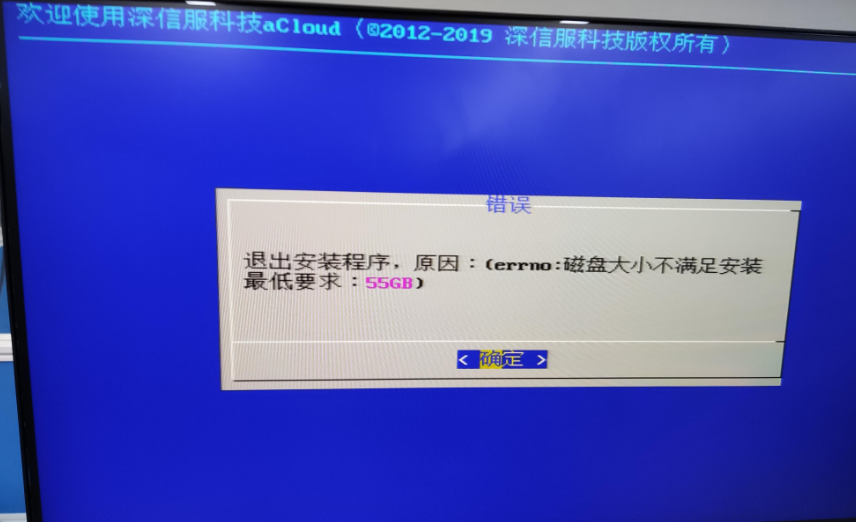
Cannot find System Disk error screenshot
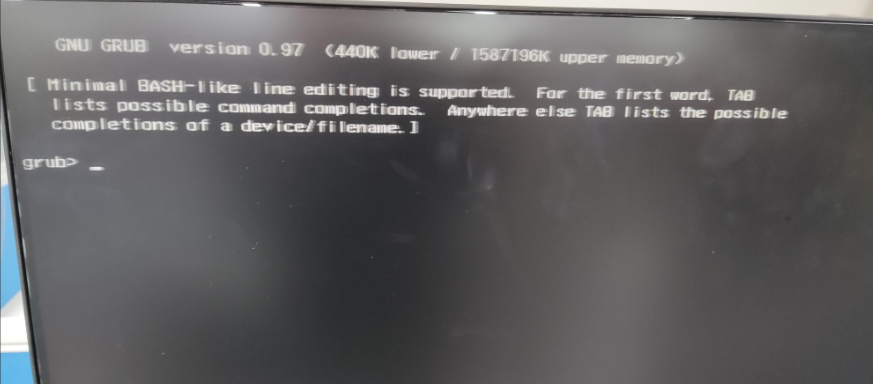
Select USB drive to boot into grub screenshot
solution
Phenomenon Mon: Install interface cannot find System Disk
Step One: Enter the RAID card interface to View whether System disk is RAID or Passthrough-through (only disks in RAID and Passthrough-through Mode can be identified), Restart the device, press the delete key on the menu interface–>Select Avago SAS3416iMR controller, press "Enter"–>Main Menu–>Select "Drive Management" and press "Enter" View whether System disk Status is RAID or Passthrough-through. If not, you need to change the System disk to RAID or pass-Passthrough.
Step Two: After Settings RAID or Passthrough, the Install interface still OK the System disk cannot be found, confirm whether Version Install version is an older Version. The older Version cannot recognize the hard disk because the RAID card driver is not integrated. You need to ask the mother disk administration and management Nian to provide a dedicated image for the corresponding version for Install. If there is no dedicated image, you need to ask the corresponding product line R&D to integrate the RAID card driver of the device to solve the problem.
Phenomenon Tue: Select USB disk to enter grub processing
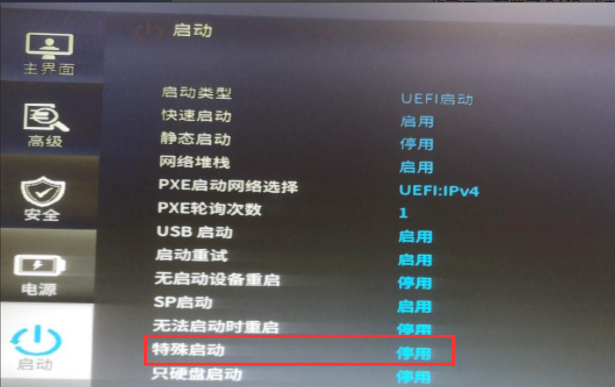
- Enter BIOS, set the special Settings Medium USB settings to Enable, press F10 to Save, if Mon problem still occurs, proceed to 2.
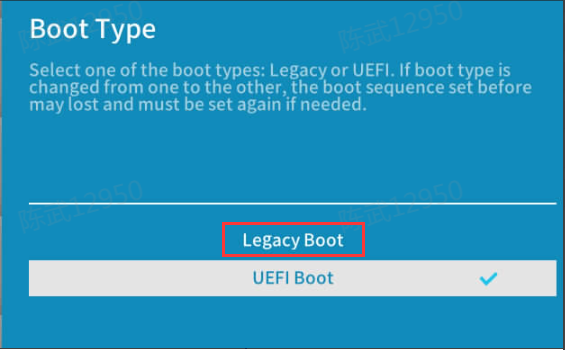
- Change the boot Mode to Legacy Mode, press F10 Save, if Mon problem occurs, proceed to 3.
- Check image md5 Value, re-burn, use the latest burning Software burn, and change the USB disk to burn (the USB disk Encoding Format must be fat32).
Original Link
https://support.sangfor.com.cn/cases/list?product_id=156&type=1&category_id=22696&isOpen=true