
[Hardware troubleshooting] Troubleshooting for Services device restart caused by hot-swapping NVME disk on a server with SN Restart with F6H
Problem Description
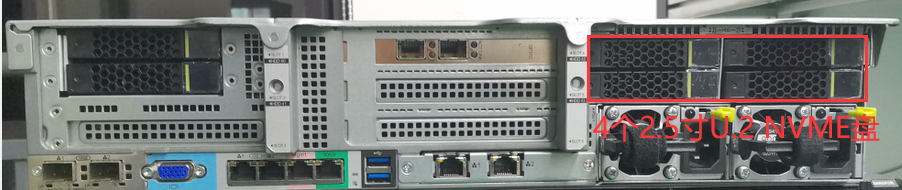
Hot-swapped rear U.2 NVME disk, found that the device Error (background lsblk -d View the drive letter as nvme*n1, which is an NVME disk. There are 4 2.5-inch disk slots above the power supply at the rear of the server, which are NVME disk characters long.)
solution
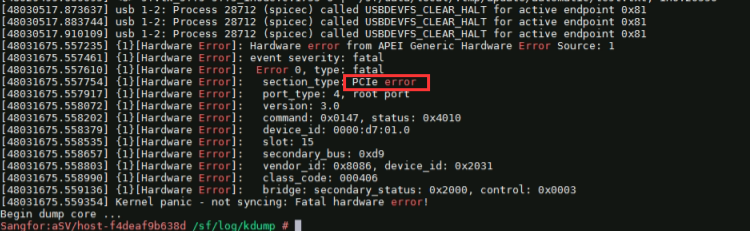
**Step One: **View crash log, Path: /sf/log/kdump/, the crash points to PCIE error.
Step Two: View IPMI event. There is a log of NVME disk being removed before Restart (NVME disk slot is 44, 45, 46, 47).

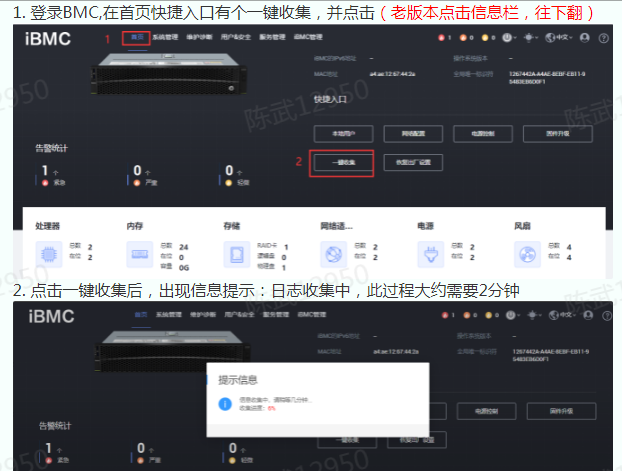
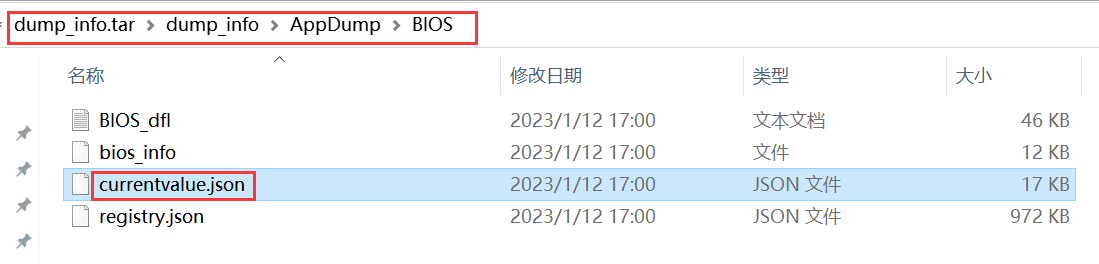
**Step Three: **Enter IPMI Collect hardware IDs only Mon-click log Collect hardware IDs only. Pull down the IPMI Home or Info bar, there is a Mon log Collect hardware IDs only. After Collect hardware IDs only, decompress it and find the BIOS Settings File, Path: dump_info/appdump/bios/currentvalue.json, Open the File and search for VMD to View if it is enabled. If not, proceed to step Thu.
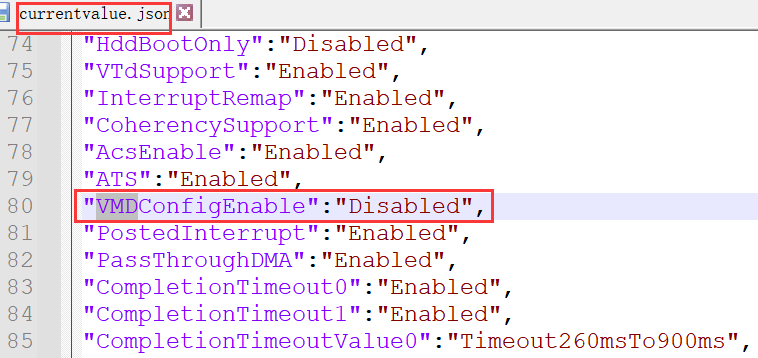
**Step Four: **Restart the device, enter the BIOS interface and Open VMD. Press delete in the menu interface. There is a BIOS Password, the Default is: S#AN$6fo81r. Select Advanced–>Socket Configuration–>IIO Configuration–>Intel(R) vmd Techlonogy, View Intel(R) vmd Config, Select Auto, press F10 to Save the configuration, and after Restart, you can try to plug and unplug the NVME disk OK function.
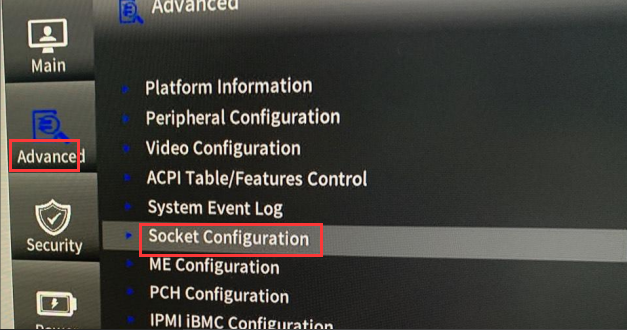
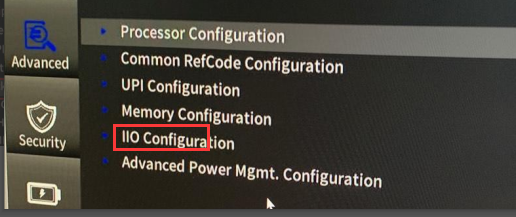
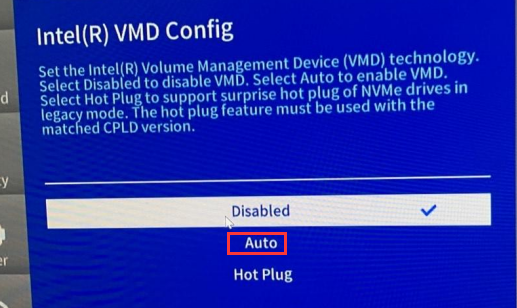
Description
The VMD function of the device shipped before January 2022 is not enabled Default. Hot-swapping the nvme Cache Disk will cause the device to crash. The solution is:
- View whether the device has an NVME disk. There are four 2.5-inch disk slots for NVME modules Auto unlock after rear of the device, above the power module.
- Use SN View whether the order is for equipment before January 2022.
- Migrate device services, restart the device, View BIOS interface, and enable the VMD function.
- The computer must be shut down before replacing the NVME Cache Disk.
Original Link
https://support.sangfor.com.cn/cases/list?product_id=156&type=1&category_id=23022&isOpen=true