
[Hardware Troubleshooting] Troubleshooting of WEB disk display issues on SN F6C server EDS3600 model
Problem Description
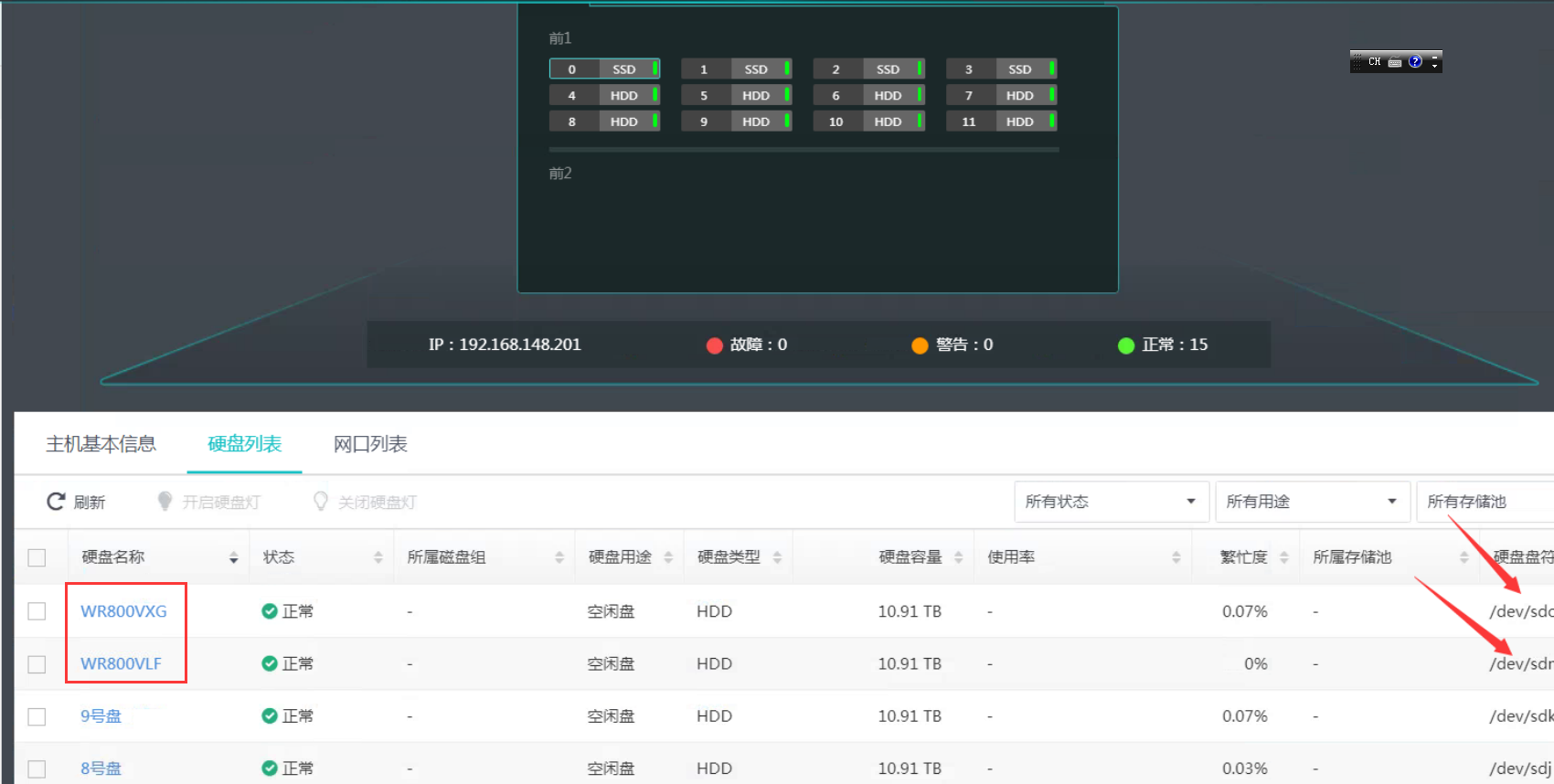
Install are 14 hard disks installed, but the web interface only shows 2, and the disk numbers of the other 2 cannot be displayed.
solution
Step One: Enter the device background, use the raidstat command to read and lsblk -d View Count disks, there are 14 (excluding System Disk).
Step Two: Turn off the power and unpack the box, and check whether the SAS cable of the RAID card is connected correctly.
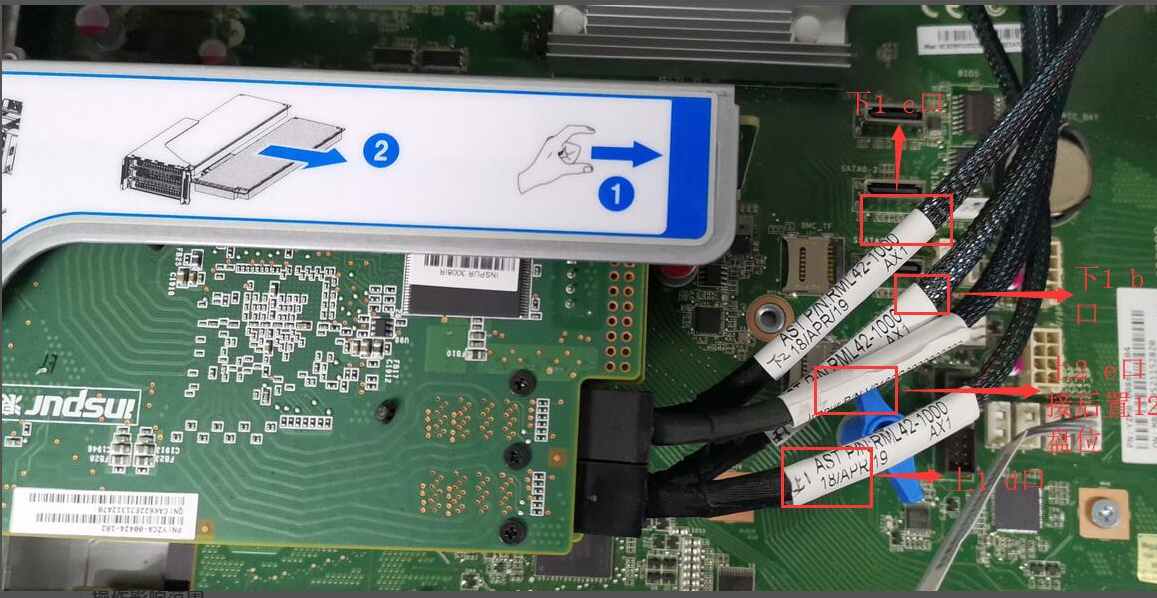
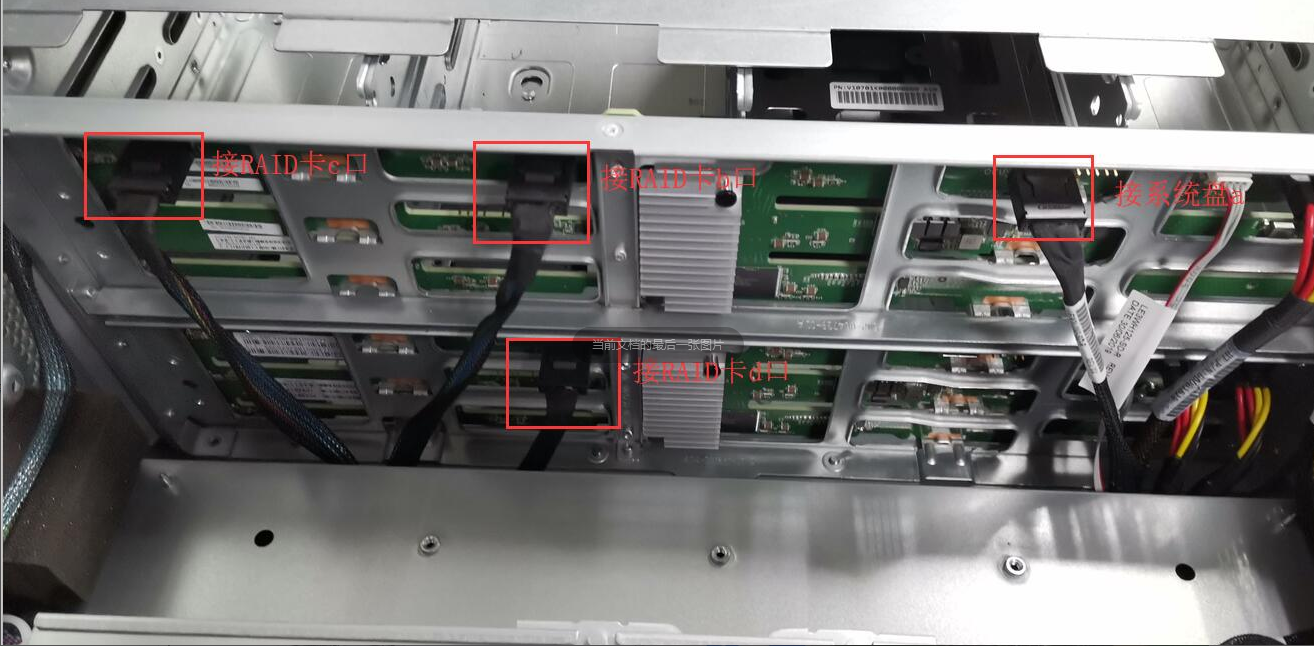
After checking, it was found that the b port of the RAID card below was connected correctly, and the C port was connected to the d port of the Tue backplane, resulting in the Mon RAID card connecting to 26 slots (including System Disk) and the Tue RAID card connecting to only 12 slots. After connecting according to the above wiring method (note: the RAID card below has 2 Port, the first Port b can be connected to the Mon front backplane port b), restart and Restart the RAID card administration and management interface to View the 14 disk characters long. (including the System disk) on the Mon RAID card and the 2 disk characters long. on the Tue RAID card, and Connected.
Description
Software Settings disk number. The Mon RAID card card manages the 2 rear System Disk and the 12 backplane on the front first backplane. The Tue RAID card card manages the 12 disks on the front Tue backplane and the 12 disks on the rear backplane. If the wiring is incorrect, there will be problems with the WEB display. If the ports of two RAID card are connected to the same backplane, all the disks on that backplane will be recognized.
Original Link
https://support.sangfor.com.cn/cases/list?product_id=156&type=1&category_id=23767&isOpen=true