
The Alarm light is always on, System Running Connected, and the backend can be accessed
Problem Description
Common possibilities
- If this phenomenon occurs just after System, it may Yes Version is not supported;
- Running Mon period Time. It may Yes busy and the LED command Conflict cannot be controlled;
- Running for Mon period Time, the LED driver Lost;
- Disk response abnormality occurs after Running for Mon period Time;
- After the equipment has Running for a long time, the LED will age and cannot be controlled. 6. The device is powered off and Monitor Status is incorrect, so the driver needs to be reloaded.
Description atrust is not included in this Applicable To
solution
Step One: Obtain device platform Info, family Value and Model Info in DMI.
Note: The instructions for each product line are different, and the instructions for the new and old Architecture are different
Old Architecture devices dmidecode -t 1 and dmidecode -t 2
C3000 device AD: dmidecode_ex aturst/IAG/VPN:read_ hwinfo
NGAF_hw_info cat /var/run/hal_hw.info sangfor_hw_info
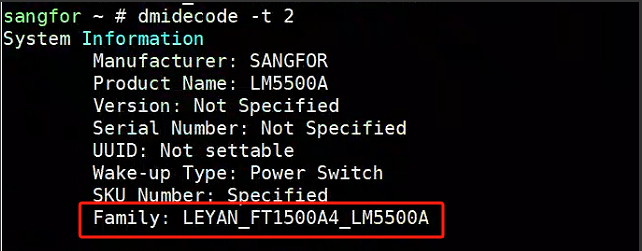
Check whether Auto unlock after corresponding Model supports this Version in the table: https://www.kdocs.cn/l/cqBSCZ6AI7at. If the family Info is incorrect, you need to re-flash the family Info. If Version is not supported, you need to lower the Version re-flash, or Ignore Alerting. If Version is supported, go to step Tue.
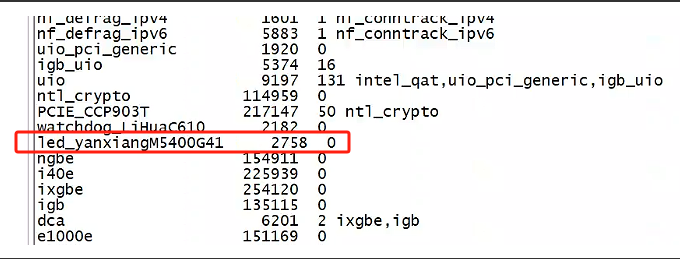
**Step Two: **Check the LED driver Auto unlock after lsmod |grep led. If it is not Auto unlock after, reload the corresponding administration and management program (contact Software) or Restart System to load it automatically. If it Auto unlock after, try to actively Close the indicator light Passed administration and management instructions and seek Software support. If it can be Close Connected, observe . If it cannot be Close Connected, proceed to step Wed.

If View LED does not display any Info, you can use lsmod to see if there are any related Process.
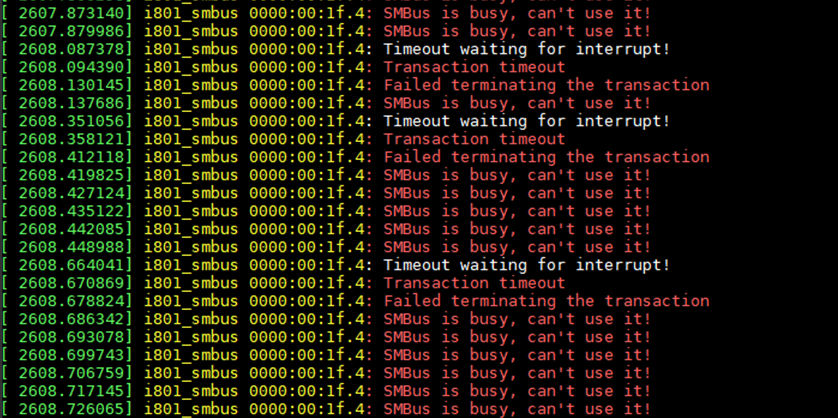
Step Three: Check whether there is an smbus busy Tips, enter the black box directory to filter, cat dmesg |grep -i smbus, if there is smbus printing, the C3000 and C246 platforms have related Script, see the attachment, you can consider Restart Script. Other is no such feature for other platforms at the moment, so you can consider Restart the device temporarily. If there is no printing, proceed to step Thu.
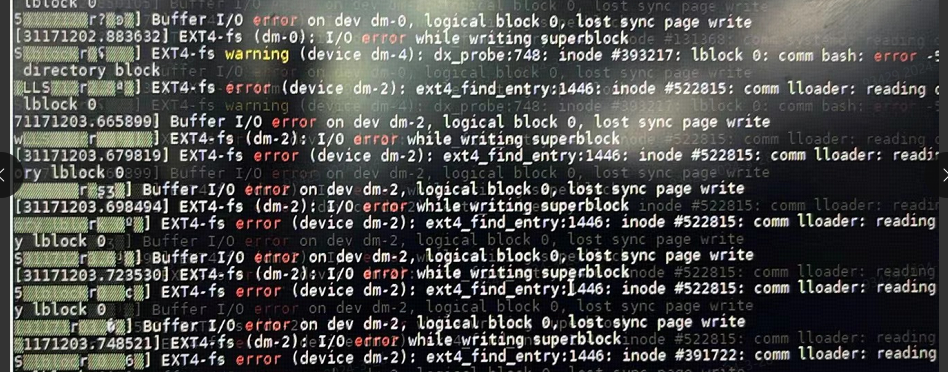
**Step Four: **Continuously printing system disk I/O Error Info Passed System Disk or VGA, or dmesg, will also cause the alarm light to stay on. If there is an I/O Error, it is initially suspected that the disk Offline or responding Error, and power needs to be Restart Restore. If there is no io error, proceed to step Fri.
**Step 5: **Try to uninstall and reload the LED driver. If it still Successful, turn off the power min 5 minutes and then turn it on again to see if it can be restored. If Restore, Restore the device for repair if it is Mon year old. For the device within Mon year, seek hardware support assistance.
Detailed case handling:
Scenario Mon: The alarm light System is always on
Check Version: 708FT
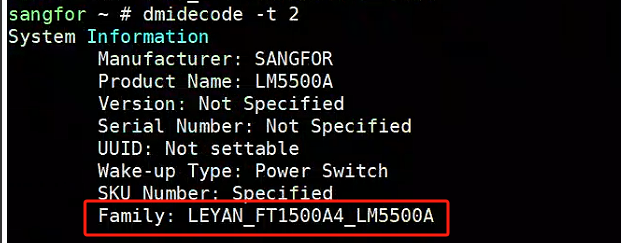
Check dmi:
Check Version support:
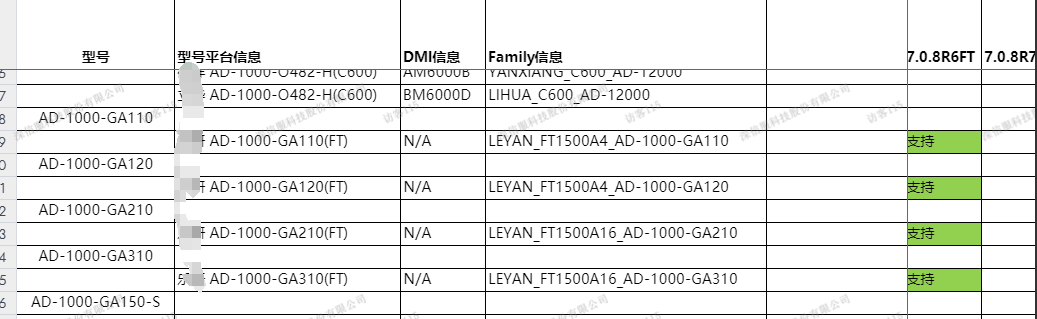
The Connected family Value Yes AD-1000-GA110 and AD-1000-GA120
this device Value Yes LM5500A
This ultimately results in System being unable to Connected identify the corresponding platform Info and provide corresponding LED control.
Solution: Refresh the family Value Medium dmi.
Case Tue:
After using the device Mon Time, the alarm light is suddenly on. The backend can access
Check Mon: Sdsec-1000-I444M Interconnection Version, CSSP5.8.5_R1_Xsec5.0.2
System Support .
Check Tue: lsmod |grep led None response. The customer also has another device. Check if there is a corresponding LED Process.

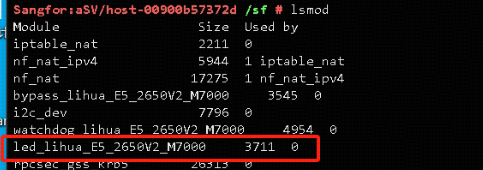
It is judged that the LED administration and management program has been lost and needs to be reloaded.
Check Wed: Find the corresponding LED administration and management program Path
find / -name *led*
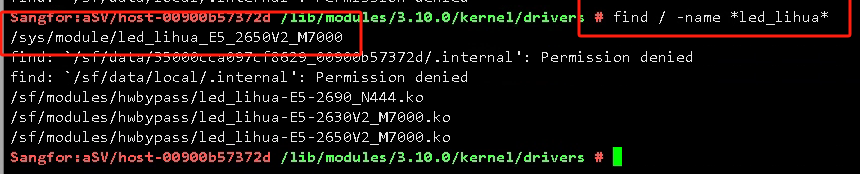
Check Thu, reload the corresponding program and execute the corresponding LED administration and management program driver insmod /sf/modules/hwbypass/led_lihua-E5-2650V2_M7000.ko
Recheck the LED Info

Solution: Reload LED related drivers
Case Wed:
After using the device Mon Time, the alarm light is suddenly on. The backend can access
Check Mon: The device Model supports the corresponding Version
Check Tue: LED light administration and management is in place
Check Wed: smbus busy is found in the dmesg log
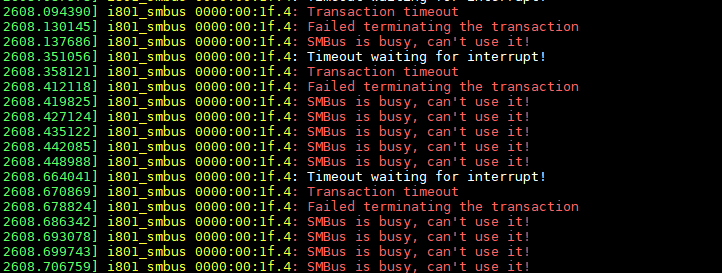
This phenomenon can be reproduced Passed running Script
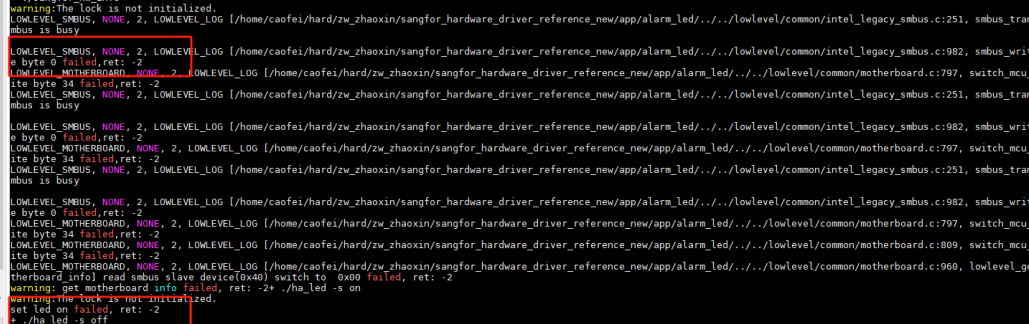
Case Thu:
After using the device Mon Time, the alarm light is suddenly on. The backend can access
Check Mon: The device Model supports the corresponding Version
Check Tue: LED light administration and management is in place
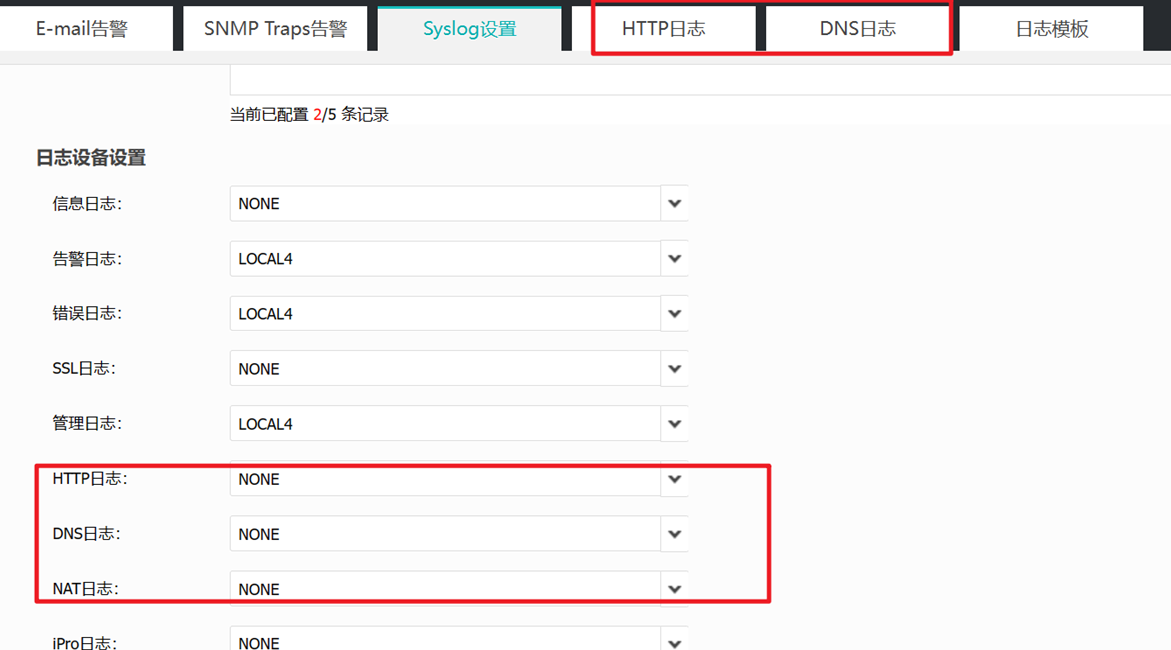
Check Wed: The message log Tips upper limit of the number of links
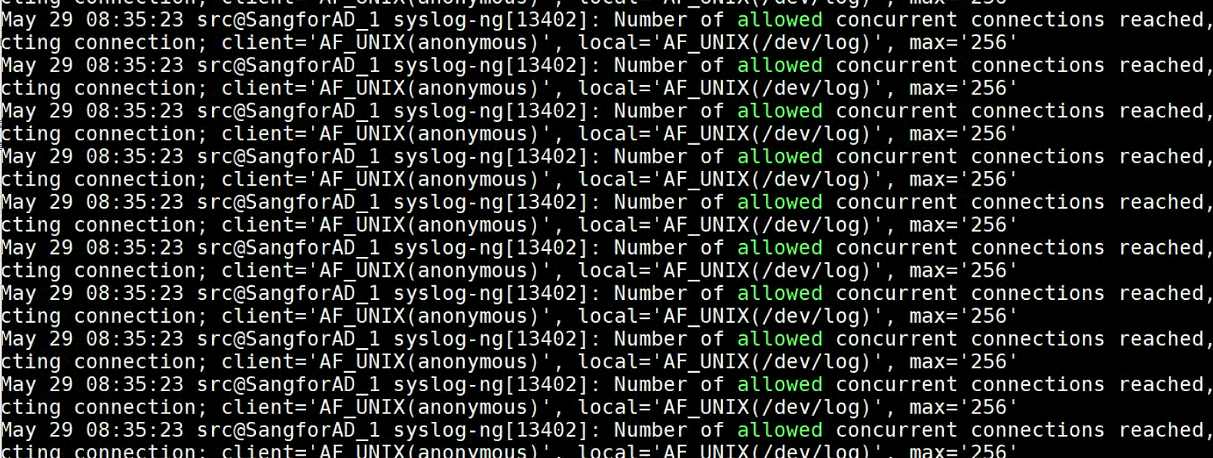
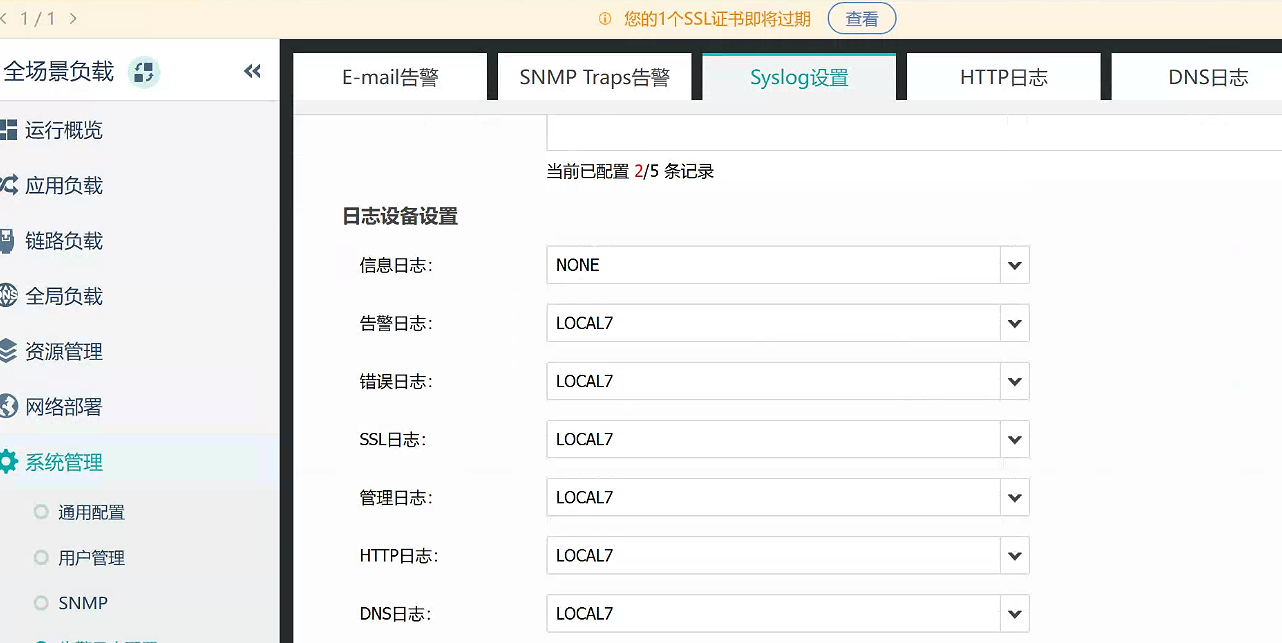
Solution: Close some logging functions
Restore Script reset_i2c_c3000, see document attachment (use is subject to platform restrictions)
Execute chmod +x reset_i2c_c3000 and ./reset_i2c_c3000
That's it.
reset_i2c_c3000.zip ( 0.00M )
Original Link
https://support.sangfor.com.cn/cases/list?product_id=156&type=1&category_id=27435&isOpen=true