
[aCloud] After migrating a Windows 2003 virtual machine to hyper-convergence on VMware, an error message is displayed when changing the IP address to the original virtual machine IP address.
Problem Description
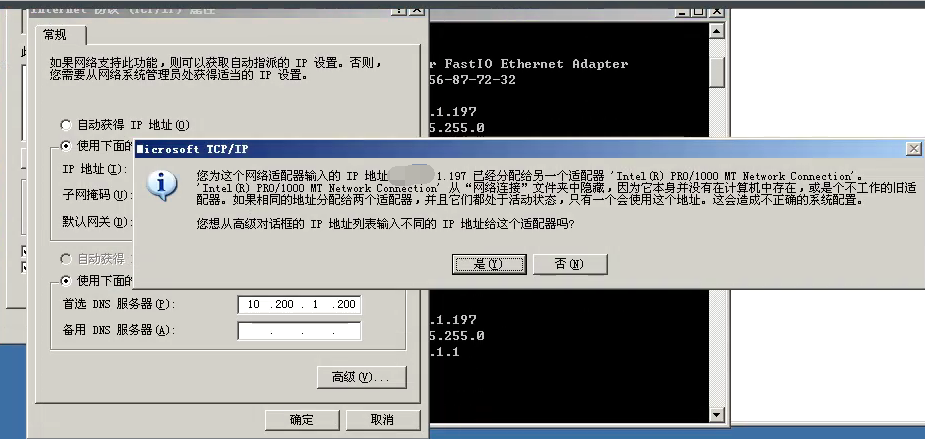
When the migrated Windows 2003 virtual machine changes its IP address to the original IP on VMware, a warning box pops up saying "The IP address xxx.xxx.xxx.xxx you entered for this network adapter has already been assigned to another adapter."
Alarm Information
307115eb8e9bf68062.png (163.63 KB)
Process –
- Check the virtual machine NIC adapter and find that there is only one NIC.
- When manually configuring the virtual machine IP, a pop-up window will pop up with an error message: "You have already been assigned to another adapter."
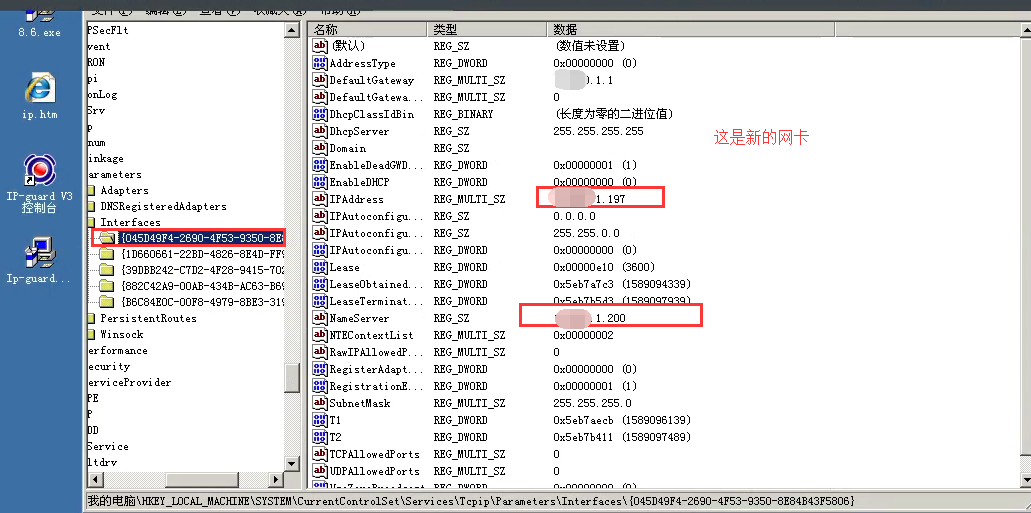
- Check the virtual machine registry. There are multiple network card files under HKEY_LOCAL_MACHINE\SYSTEM\CurrentControlSet\Services\Tcpip\Parameters\Interfaces. Each folder is a NIC.
- Take a snapshot of the virtual machine, compare the old and new NIC information, and delete the registry file of the old NIC.
925965eb8ed878e1c7.png (188.51 KB)
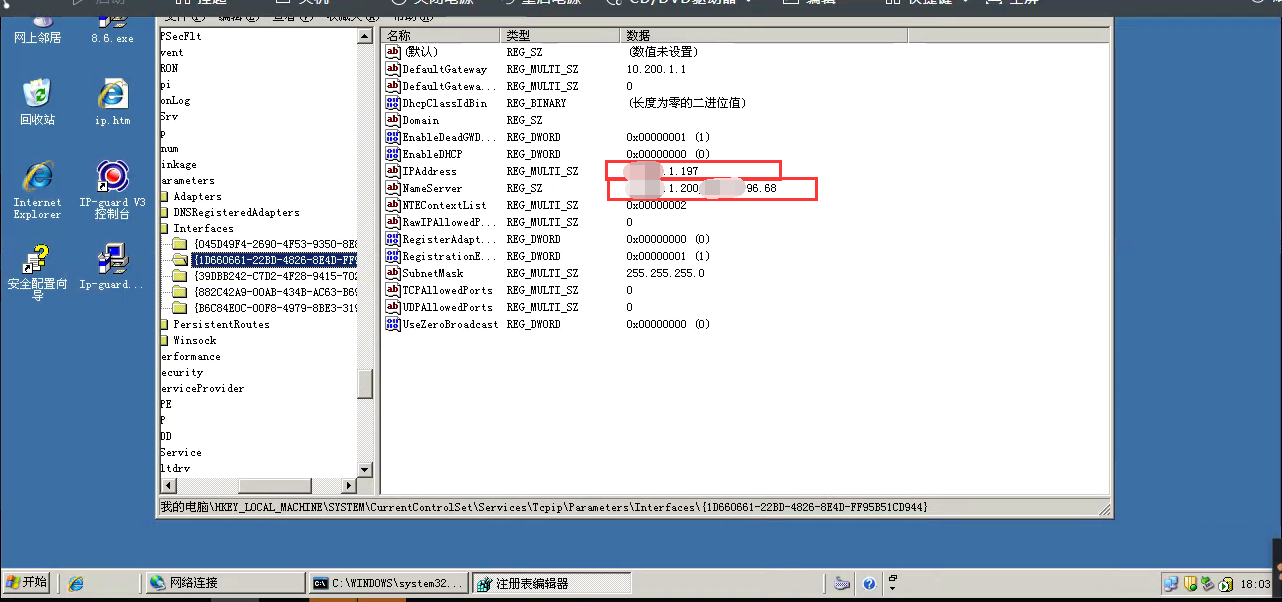
698995eb8ed9c4ef82.png (248.82 KB) - Then restart and configure the IP for the virtual machine successfully.
Root Cause
The IP address configured on the NIC displayed on the interface is the same as the address on the hidden NIC.
Solution
- You must take a snapshot first, then enter the registry pop-up box, find the HKEY_LOCAL_MACHINE\SYSTEM\CurrentControlSet\Services\Tcpip\Parameters\Interfaces path, find the old NIC directory, and then delete it.
Suggestions and Summary
If you encounter a Windows 2003 system that cannot add an IP and reports the above error, you can refer to this.
Original Link
https://support.sangfor.com.cn/cases/list?product_id=33&type=1&category_id=15956&isOpen=true