
[acloud] After Node has Graphics Card installed, the virtual machine has a Graphics Card added, but cannot boot and reports an error
Problem Description
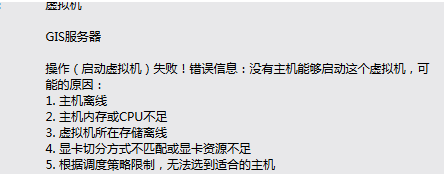
After the 587R1 version Node is plugged in with a Graphics Card, the virtual machine cannot be started when the graphics card is added. After disabling Graphics Card, the virtual machine can be started normally.
Alarm Information
875445d3869ba9b375.png (16.75 KB)
Root Cause
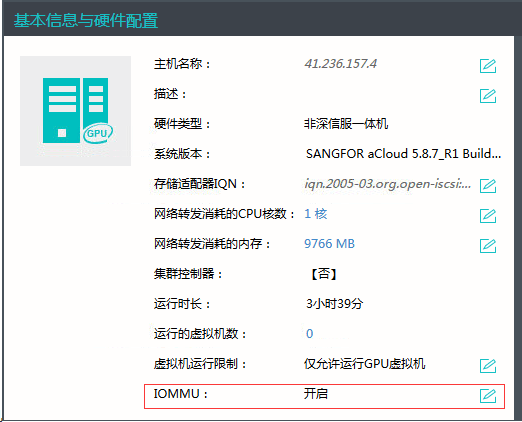
Graphics Card was added after the hyper-converged system was installed, and the IOMMU function was not enabled.
Solution
- Enable Node IOMMU function in the host details interface and restart Node.
932935d3869ff9d869.png (47.89 KB)
Suggestions and Summary
1. aCloud is newly installed. If there is a Graphics Card on the device, it will prompt to enable IOMMU during the installation process, and there is no need to restart Node.
2. If you install the system first and then insert Graphics Card, aCloud's homepage will pop up a window prompting you to enable IOMMU. After enabling it, you will need to restart Node.
3. Both Graphics Card Passthrough and VGPU require the IOMMU function to be enabled.
Original Link
https://support.sangfor.com.cn/cases/list?product_id=33&type=1&category_id=15775&isOpen=true