
[aCloud] Creating a virtual storage reports an error “Timeout in obtaining Node information, please try again later”
Problem Description
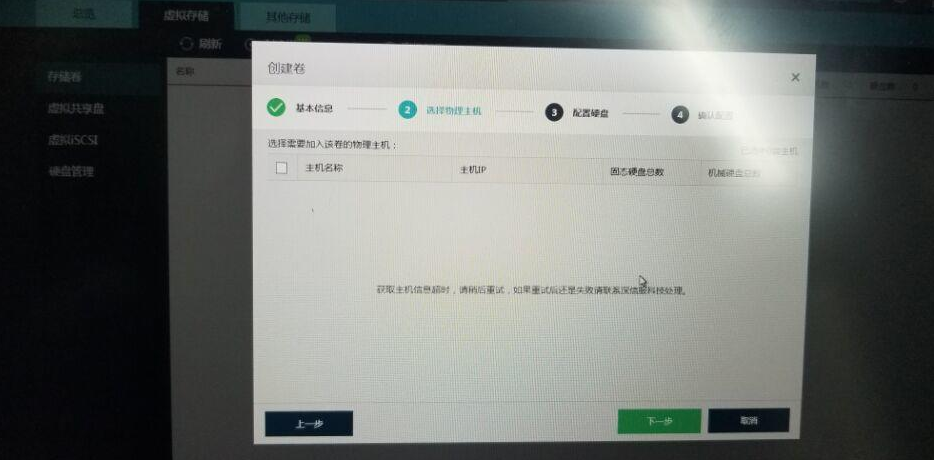
For component virtual storage, after selecting the Replicas, the prompt for adding a Node is as follows:
306455b334dc729d54.png (353.99 KB)
Process –
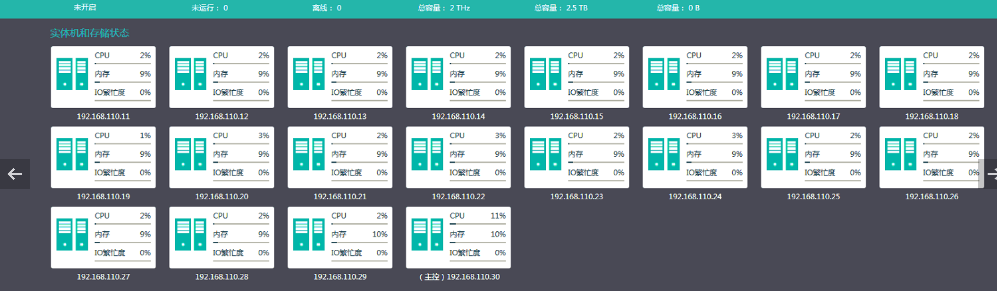
Check that the Cluster is normal:
844535b334e2798b44.png (118.93 KB)
Health Check normal;
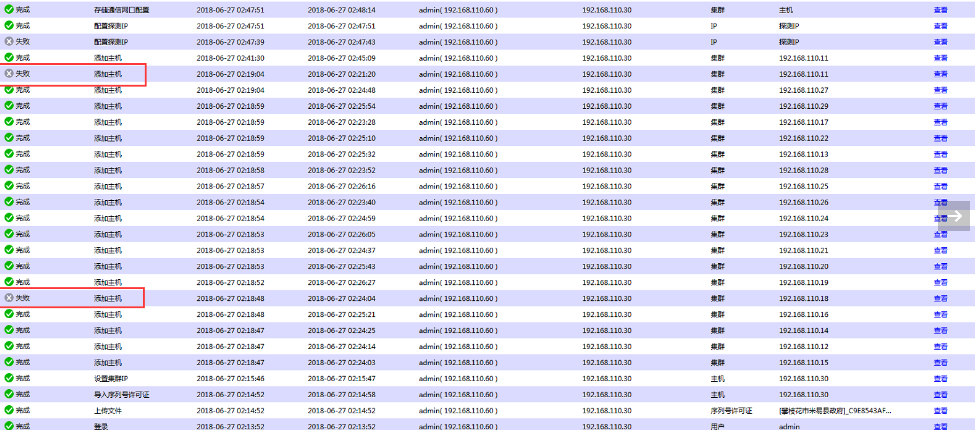
View the operation log:
787715b334e5748ffc.png (244.85 KB)
It was found that some Node failed to be added.
Root Cause
When Node is added to Cluster, network jitter may occur, causing failure and resulting in multiple Cluster on Node cluster storage host.
Solution
You need to remove the Node failed to be added from Cluster, restore it to factory settings, and then add it back to Cluster.
Suggestions and Summary
If this method cannot solve the problem, you need to contact technical support for processing.
Original Link
https://support.sangfor.com.cn/cases/list?product_id=33&type=1&category_id=15454&isOpen=true