
[acloud] p2v tool migration reports network configuration error, prompting that the subnet mask corresponding to IP (xxxx) failed to be obtained
Problem Description
When using the p2v tool for migration, a network configuration error is reported, prompting that the subnet Netmask corresponding to the IP (xxxx) has failed to be obtained.
Alarm Information
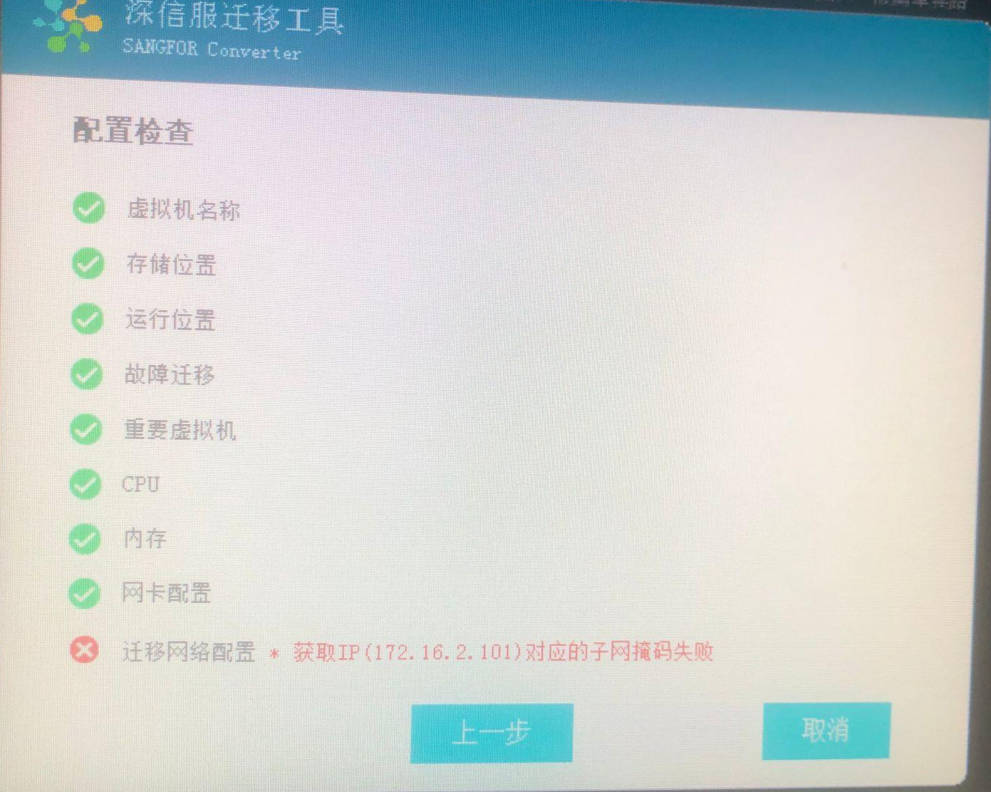
883625cc1afb138835.png (1.1 MB)
Solution
- Check and confirm that Netmask IP address are correct.
- Check and find that security software is turned on. Close or uninstall the security software and try again to find that it works normally.
Original Link
https://support.sangfor.com.cn/cases/list?product_id=33&type=1&category_id=15725&isOpen=true