
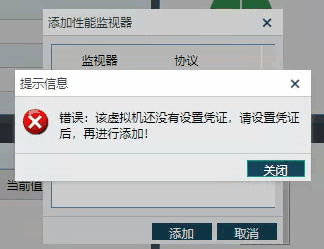
[aCloud] The monitoring center reports an error when adding performance monitoring to a Windows virtual machine, indicating that no credentials have been set for the virtual machine
Problem Description
The monitoring center reports an error when adding performance monitoring to a virtual machine, indicating that no credentials have been set for the virtual machine.
334975ca34e044c5d3.png (36.43 KB)
Solution
- Check that the network between the virtual machine network and the monitoring center is normal;
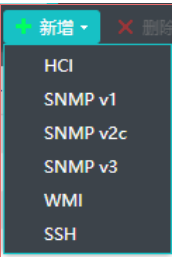
- Under Device Monitoring → Advanced Settings, select Credential Settings. The Credential Settings page pops up. Click Add and select WMI Credentials. WMI is the credential required to monitor Windows devices.
488215cb5fa0ccd143.png (17.05 KB)
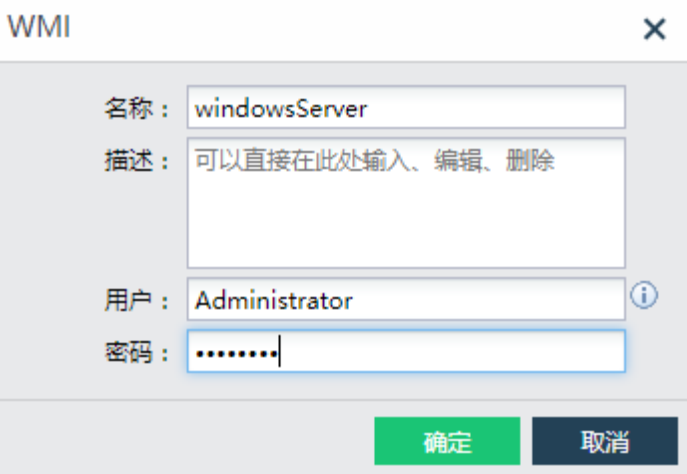
466635cb5fa5f839c4.png (65.12 KB) - After setting the credentials for the virtual machine, add the performance monitor successfully.
Original Link
https://support.sangfor.com.cn/cases/list?product_id=33&type=1&category_id=15714&isOpen=true