
[aCloud] The newly added Cluster in the cluster cannot recognize the external ISCSI storage.
Problem Description
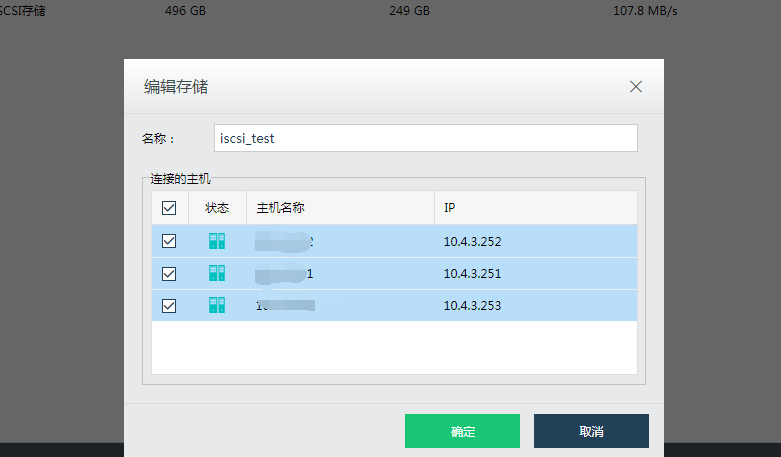
The new Node 10.4.3.254 that joined the cluster cannot be seen in the storage editor, so it cannot be added.
521295e79e7a5efe89.png (22.87 KB)
Process –
- Check if the virtual datastore has been mapped to the new node on the Virtual Datastore Node. If the new Node is not mapped, it cannot be added.
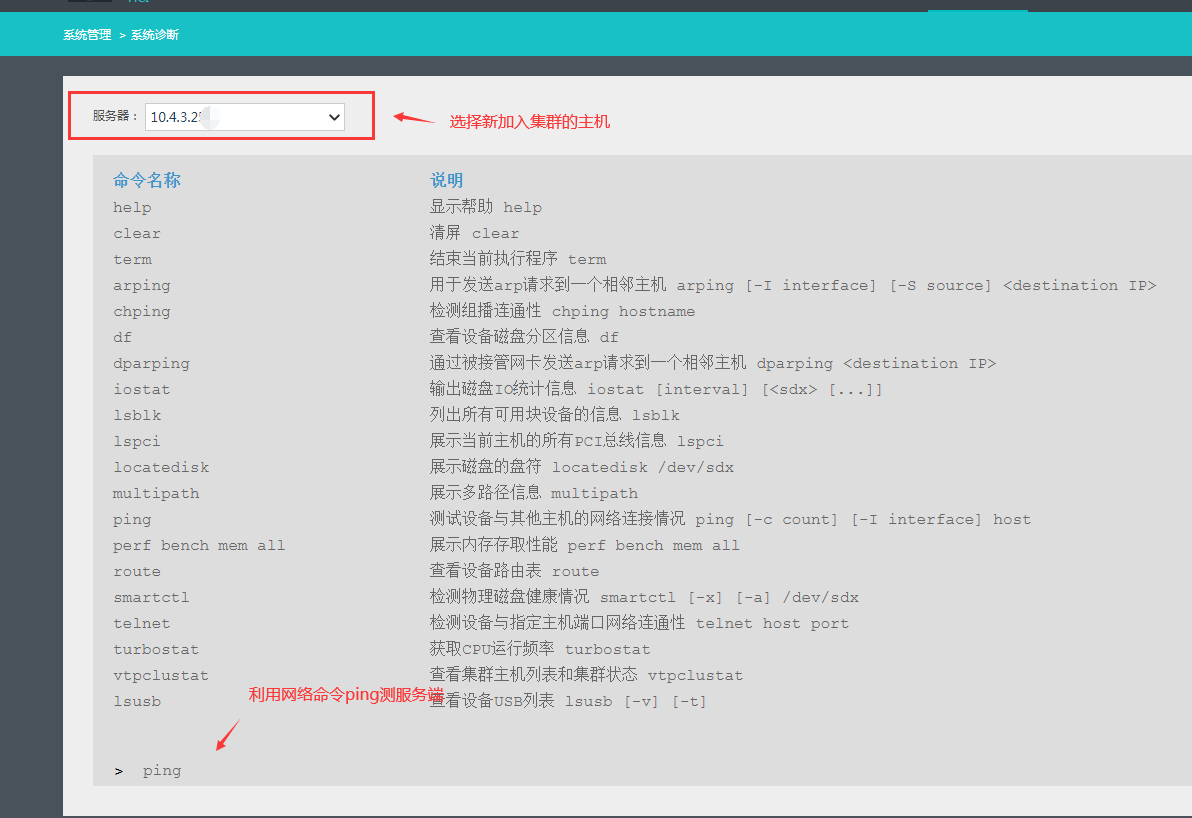
- Check whether the new Node and the storage server network are normal. Use the new Node to ping test the ISCSI storage server in "System Management"-"System Diagnosis". If it is not reachable, troubleshoot the intermediate network.
878495e79e8bdc89bf.png (77.43 KB) - Disconnect the network between the new Node and the storage end for five minutes (you can directly unplug the network cable connecting the new host to the storage end), wait for five minutes and then plug it back in. Adding Node to the storage is normal.
Solution
Interrupt the network connection between the new Node and the storage end, wait for five minutes, plug in the network cable and re-identify the storage.
Suggestions and Summary
When adding a new Node, if there is a similar issue with adding FC storage, you can troubleshoot it following the above steps 1 and 3.
Original Link
https://support.sangfor.com.cn/cases/list?product_id=33&type=1&category_id=15930&isOpen=true