
[aCloud] Unable to import VAF licensing/license Licensing/license key
Problem Description
The WEB interface of aCloud cannot directly input the licensing/license key for the next-generation firewall, and importing License key file also fails.
Alarm Information
Clicking to input the licensing/license Licensing/license key does not respond, prompting "Virtual Network component Not licensed"
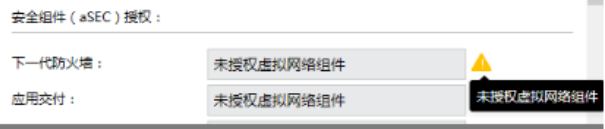
879705e7dd38dd53c0.png (35.22 KB)
Import License key file prompt: "The vNGAF Licensing/license key depends on the aNET Licensing/license key. Please check if aNET is not activated or has expired."
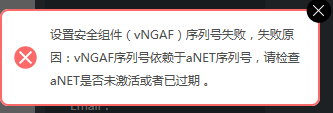
422895e7dd4fdd1091.png (7.62 KB)
Process –
In "System Management" – "Licensing/Licensing/license key" check, it was found that Network Virtualization (aNET) Not licensed
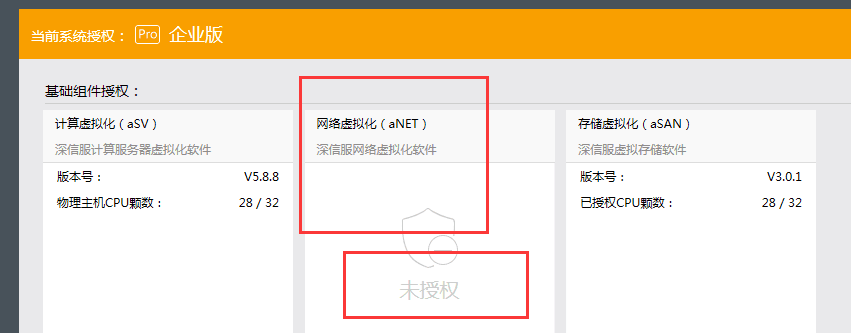
124395e7dd631b6798.png (27.06 KB)
Root Cause
Licensing/license key depends on the aNET Licensing/license key. When deploying virtual components, you need to enable Network Virtualization (aNET) authorization first before filling in the Virtual Network component authorization.
Solution
After enabling Licensing/license key for aNET, import the vNGAF Licensing/license key.
Original Link
https://support.sangfor.com.cn/cases/list?product_id=33&type=1&category_id=15932&isOpen=true