
[aCloud] Virtual machine performance optimization installation failed
Problem Description
After creating a new LINUX virtual machine, the customer needs to install the vmTools for virtual machine vmTools. However, when following the instructions and executing ./install.sh, it prompts that the file does not exist and cannot be installed.
Alarm Information

Effective Troubleshooting Steps
Please take a snapshot of the virtual machine before performing any operations.
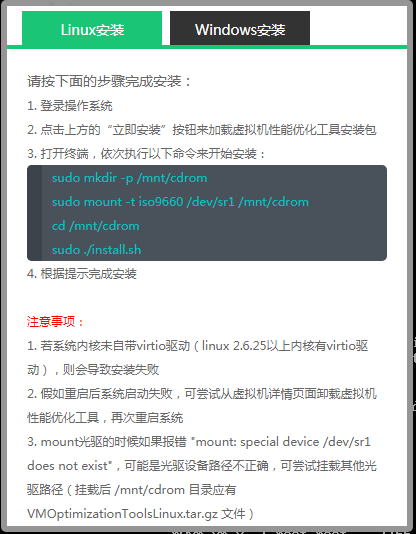
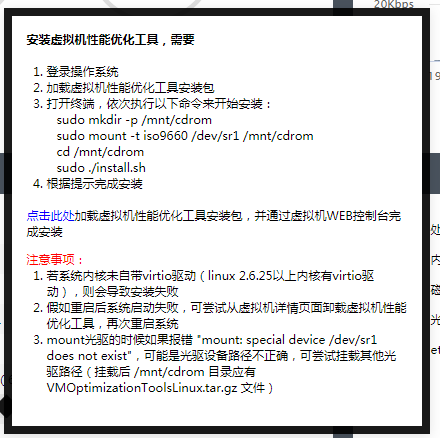
- Check the version of the client's LINUX virtual machine to see if it supports installing vmToolsvmTools

- Version higher than 2.6 can be installed.
- Check if the directory /mnt/cdrom is created.
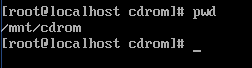
- Reinstall vmTools for virtual machine vmTools.

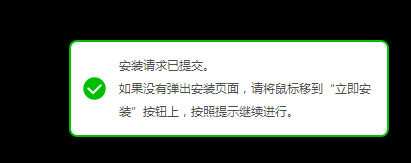
5. After seeing the prompt, go to the dev directory and check if there are multiple sr directories.
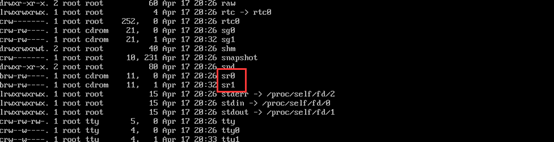
6. When using the mount command for mounting, mount the last sr1.

7. Prompt CD/DVD Read-only, mounted successfully.
8. Use the ll command to check if the CD/DVD mounted in the /mnt/cdrom directory is the one with the vmToolsCD/DVD
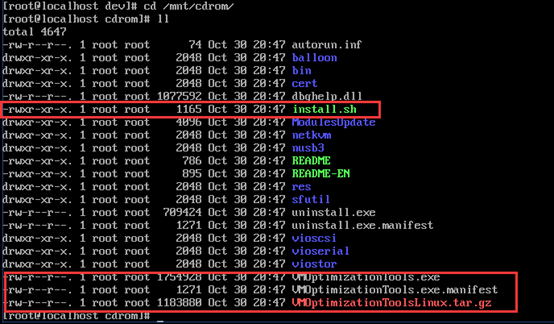
Check that there is an install.sh file and files starting with VM, confirm it is correct, and proceed with the installation.

9. Installation successful, restart the virtual machine.

Root Cause
In this problem handling, the core of the problem lies in the incorrect mounting of the CD/DVD when mounting the CD/DVD. To accurately determine if there is a correct CD/DVD, the main method is to check the contents of the mounted point after mounting, and an auxiliary method is to directly mount the last CD/DVD for additional verification.
Solution
After successfully reinstalling by accurately mounting the vmTools in the CD/DVD location, the criteria for determining how to do so is provided in the installation prompt. For some migrated or imported virtual machines, there may not be a CD/DVD in the virtual machine configuration. In this case, Medium mount sr0.
Suggestions and Summary
It is recommended to prioritize the issue of error when mounting intervention. It is also recommended that customers take a snapshot or backup before installation, especially for virtual machines that are being migrated or imported.
Original Link
https://support.sangfor.com.cn/cases/list?product_id=33&type=1&category_id=17587&isOpen=true