
[aCloud] When backing up a virtual machine with CDP, an error message appears: “The host where the Node is located cannot access the IO log storage”
Problem Description
When backing up a virtual machine through CDP, an error message appears: "The host where the Node is located cannot access the IO log storage"
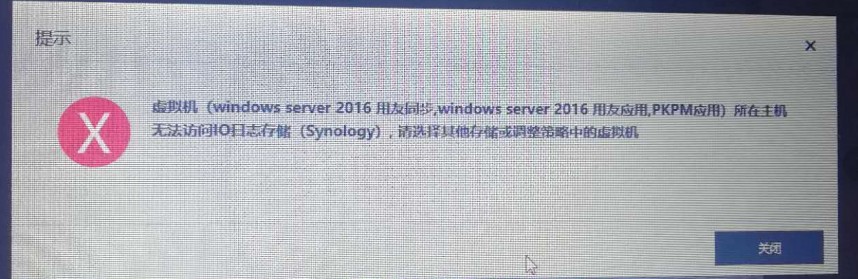
CDP.jpg (78.22 KB)
Alarm Information
The host where the virtual machine is located cannot access the IO log storage (Synology). Please select other storage and adjust the virtual machine in the policy.
Process –
After checking, it was found that the IO Activity Log Repository selected during CDP backup was an external iSCSI server, but the host where this virtual machine was located could not access this external iSCSI server.
Change the IO Activity Log Repository to virtual storage and the problem is solved.
Root Cause
The host where the virtual machine is located cannot access the IO Activity Log Repository
Solution
Change the storage location of the IO Activity Log Repository protected by CDP for the virtual machine to a location that can be stored on Node where the virtual machine is located.
Suggestions and Summary
None
Original Link
https://support.sangfor.com.cn/cases/list?product_id=33&type=1&category_id=15558&isOpen=true