
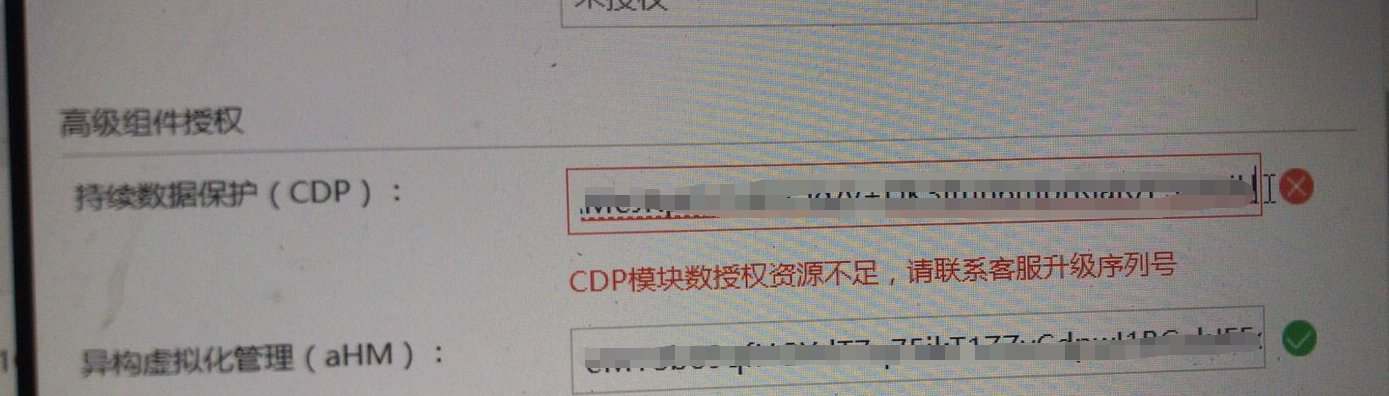
[acloud] When importing the CDP backup Licensing/license key, the message “Insufficient CDP module Licensed Resources, please contact customer service to upgrade Licensing/license key
Problem Description
The customer previously had a CDP backup license, but this time the number of licenses has been increased, so the new Licensing/license key needs to be imported;
When filling in the new CDP backup Licensing/license key on acmp, it prompts "Insufficient CDP module Licensed Resources, please contact customer service to upgrade the Licensing/license key"
Alarm Information
Process –
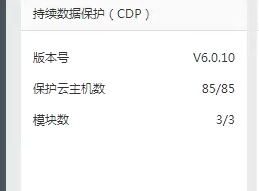
- Check the module number Licensing/license key the original serial number;
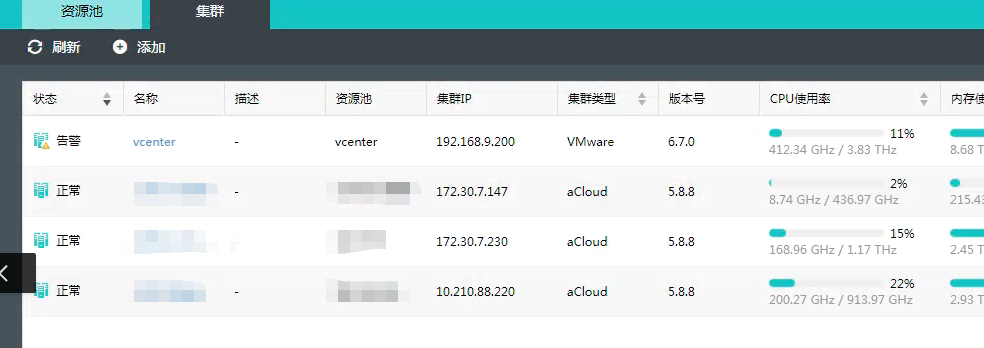
- Check that acmp has taken over three acloud Cluster;
Root Cause
acmp has taken over three acloud Cluster, so Licensing/license key needs to have three modules. If less than three are entered, an error will be reported.
Solution
Find the storage and transportation reopening Licensing/license key, and note that you need to open a Licensing/license key with three module numbers and indicate the version of acmp.
Original Link
https://support.sangfor.com.cn/cases/list?product_id=33&type=1&category_id=15906&isOpen=true