
[aCloud] When opening the SANGFOR Converter migration tool, the message “Sangfor migration tool installation failed” pops up
Problem Description
When you open a company's Converter migration tool, the prompt "Company's migration tool installation failed" appears, as shown below
Alarm Information
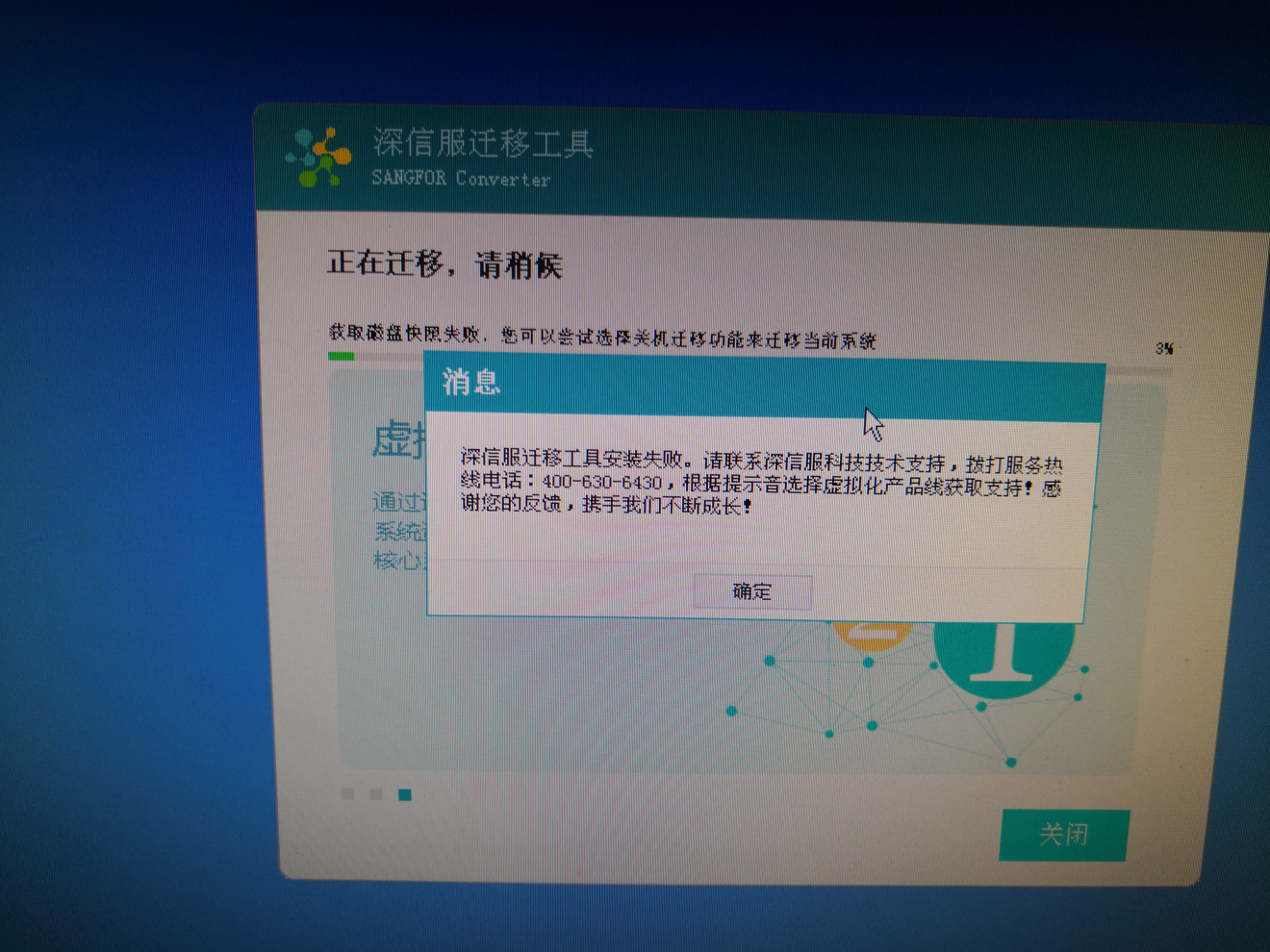
176605b2c627f2e350.png (2.27 MB)
Process –
Refer to Solution
Root Cause
The administrator does not have permission to install the migration tool
Solution
When installing, you need to log in to the system as an administrator, right-click a company's Converter migration tool, and select "Run as Administrator"
Original Link
https://support.sangfor.com.cn/cases/list?product_id=33&type=1&category_id=15424&isOpen=true