
[HCI-ANI] ANI authentication failed due to ANI not configuring a gateway
Problem Description
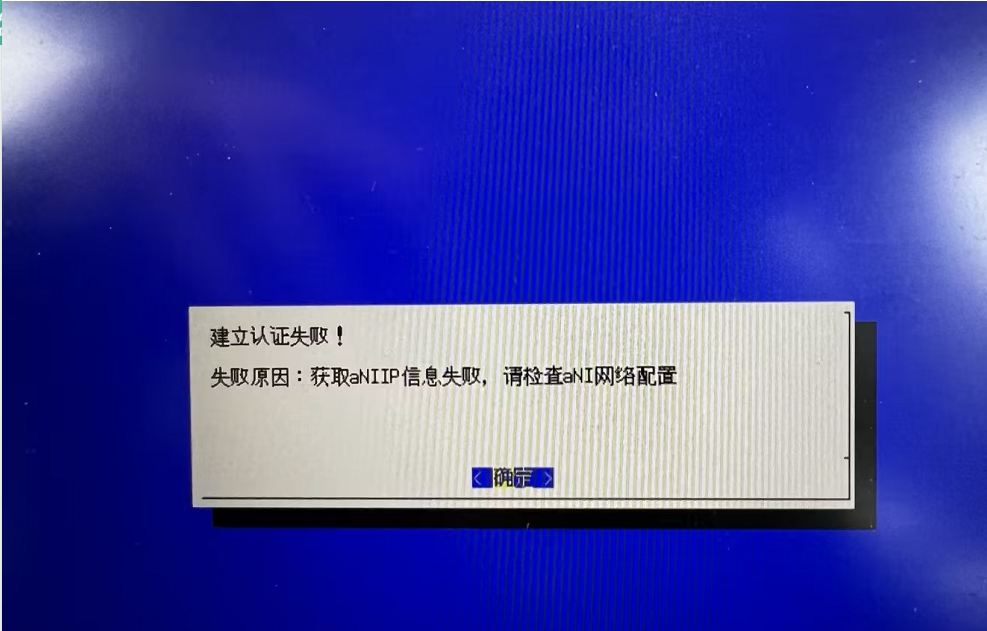
ANI authentication failed. Error: Failed to obtain ANI IP information. Please check the ANI network configuration.
Effective Troubleshooting Steps
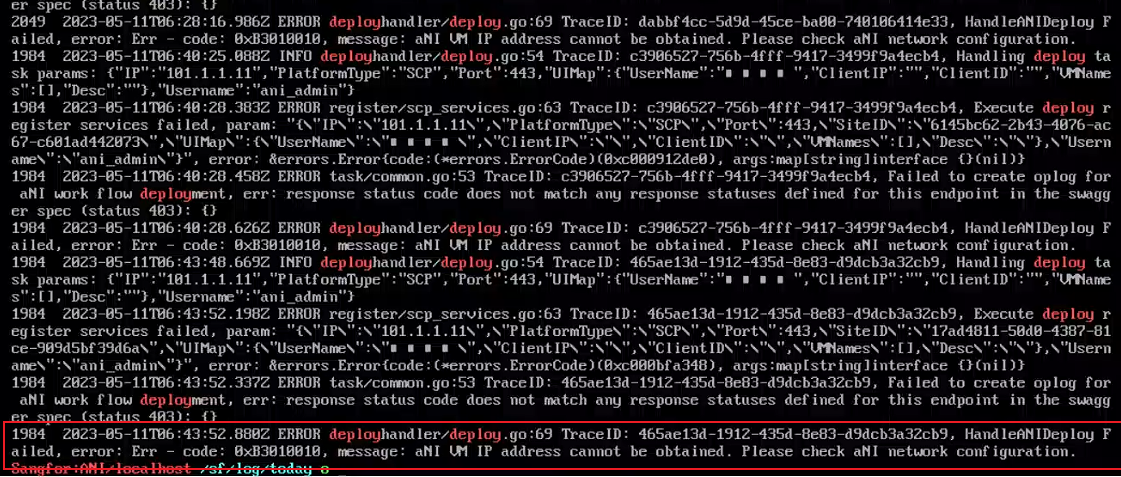
- Log in to the ANI backend and check the /sf/log/today/ani-service.log log to find that the IP information of ani failed to be obtained.
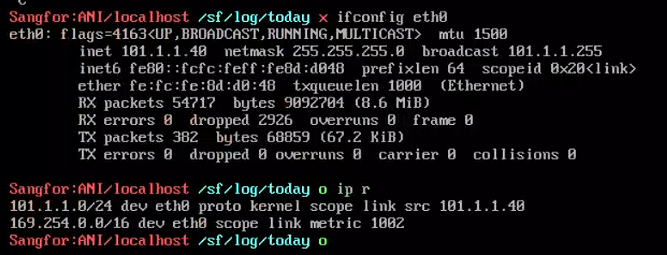
- Check the IP configuration of ani and find that the gateway is not configured. I have encountered a case where the deployment of asec failed because the gateway was not configured. I suspect that this is also the reason for ANI.
- Check the code internally to confirm that obtaining information requires obtaining a Gateway. After manually configuring the gateway, authentication is successful

Root Cause
ANI is not configured with a Gateway. Gateway information is required to establish authentication
Solution
Configure a gateway for ANI
Scope of Operation Impact
None
Original Link
https://support.sangfor.com.cn/cases/list?product_id=33&type=1&category_id=19361&isOpen=true