
[HCI] Recover Virtual Machine Data When Remounting External Storage
Issue Description
User have iscsi storage on Cluster 1, he wants to recover the storage data to Cluster 2.
Pre-requisite
- Make sure the storage has been deleted from cluster before remounting the iscsi storage.
- Make sure iscsi IQN configuration set correctly in order to mount on Cluster 2 successfully.
Handling Process
-
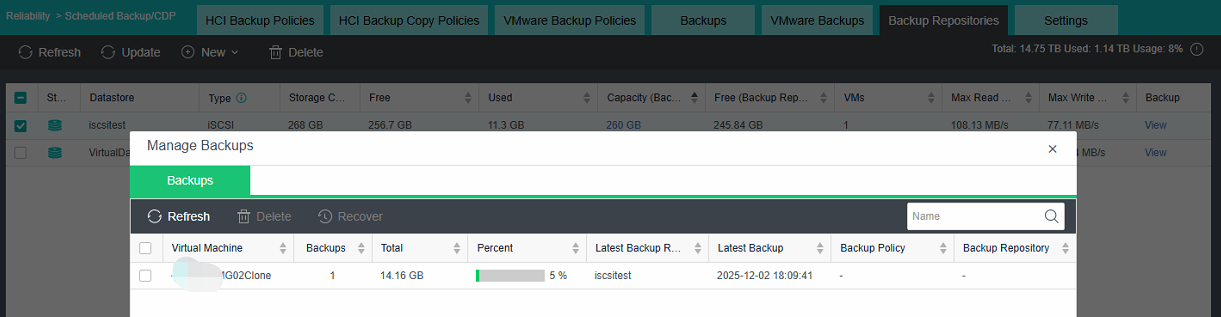
On Cluster 1, iscsi stored 1 VM backup as example below:
-
Delete the iscsi storage on Cluster 1. Do not tick the option "delete anyway".

-
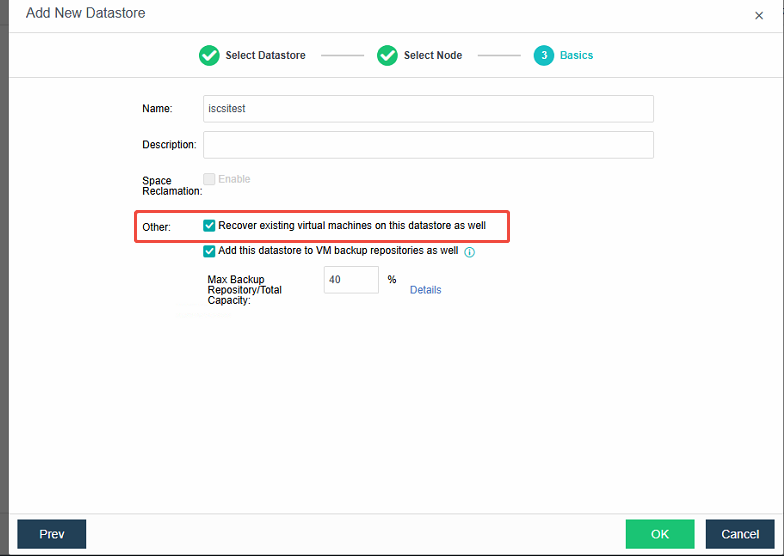
On Cluster 2, make sure the iscsi servers configuration has been properly set. Add new storage on Cluster 2. MUST tick the option: Recover existing virtual machienes on this datastore as well
-
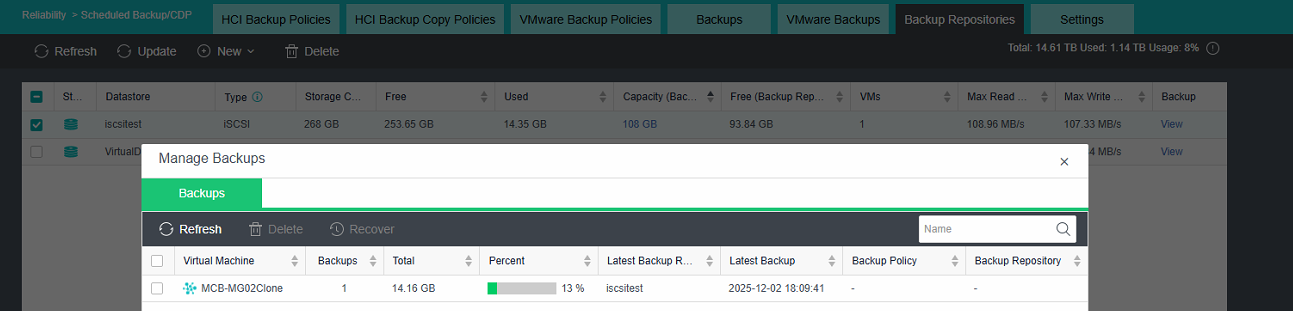
Once the storage added, you can check on Reliability > Backup/CDP > Backups and recover the VM backups.

-
As below:

Solution
If you would like to recover the storage on Cluster 1, perform the similar as above and you should see the backup is still available.
Refer to handling Process.