
[HCI-VN] After upgrading the 670R3 patch, a Node is disconnected from the storage network of other hosts, affecting services
Problem Description
The version is 670R3. After upgrading the col patch of version 670R3, the storage of a single Node is disconnected and a batch of virtual machines are Suspend, affecting the business.
Effective Troubleshooting Steps
1. The storage port is aggregated in the master-slave mode. The first-line feedback shows that the other switch is connected to the storage port's eth4 and eth5 independently. Try to disconnect eth5 to restore.
2. Analyze the kernel log. At 11:07:40, the patch upgrade was completed. The kernel log detected that the eth4 network port was down, and eth5 became the main network port. It was detected that there was traffic passing through eth5. It can be determined that the traffic has been forwarded through eth5, resulting in the inability to connect to other host storage networks.
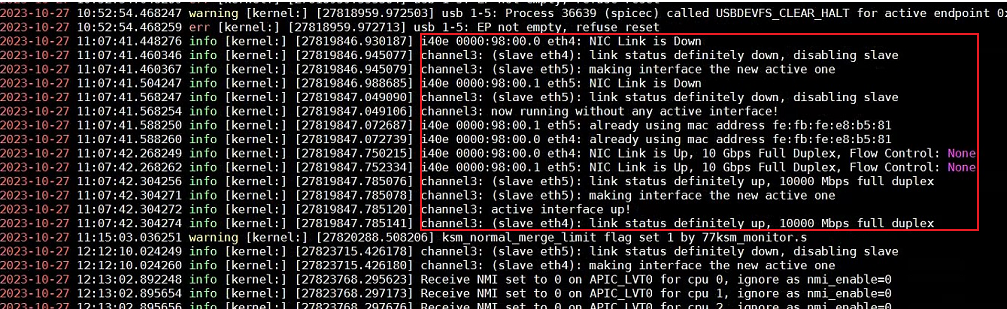
3. After disconnecting eth5 at 12:12, the eth4 network port was restored as the main network port, and the storage network returned to normal.
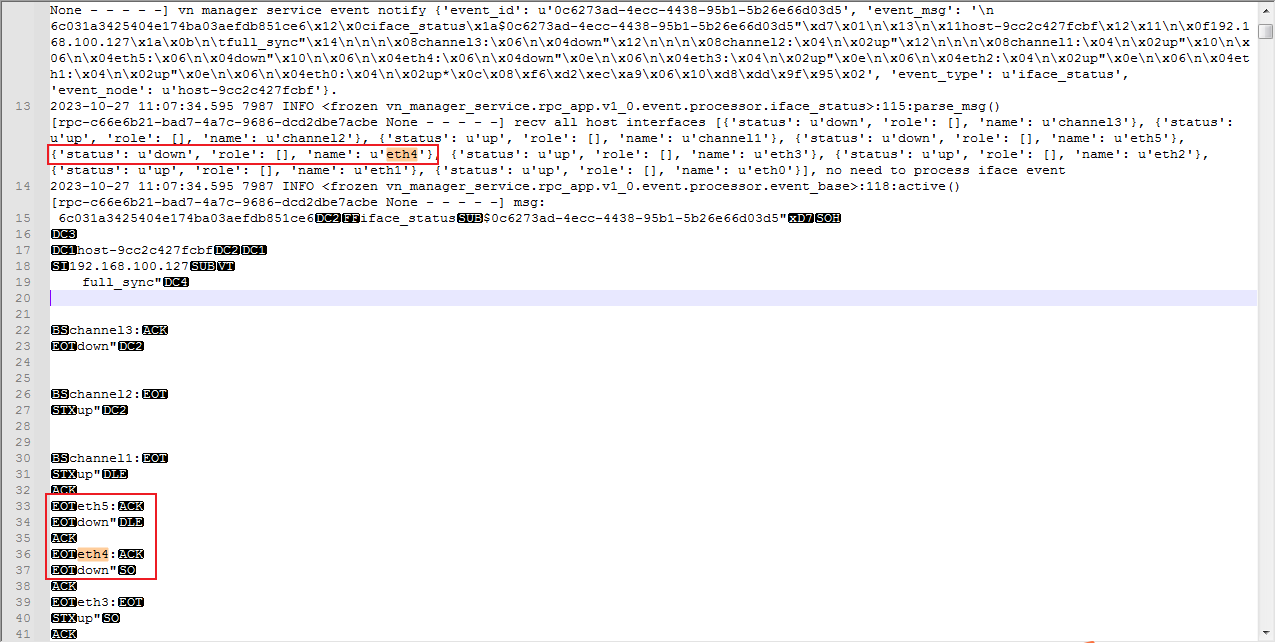
4. Check Node network management log and receive the event that Node port is down at 11:07:34.
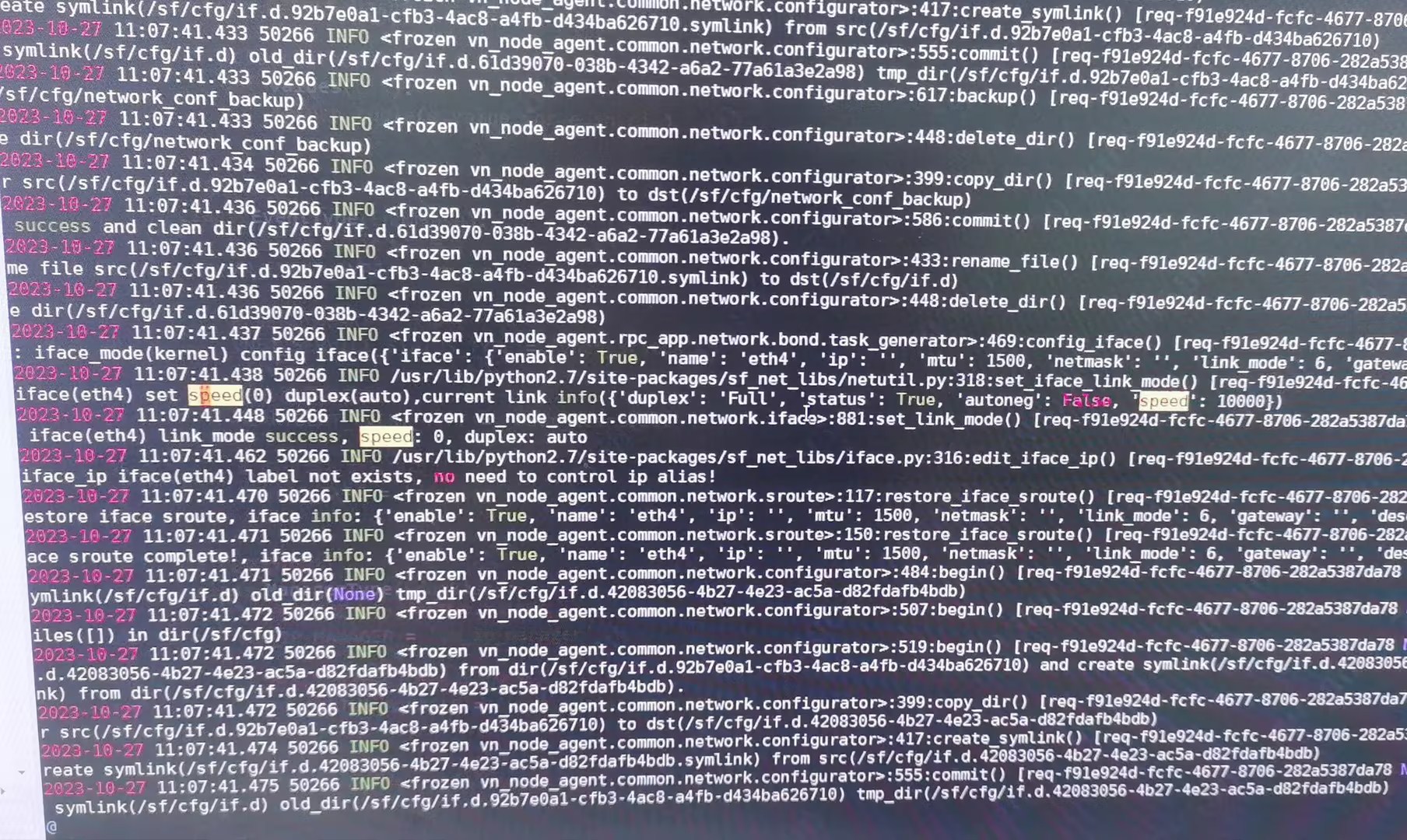
5. Check Node network service log. After the service is restarted, the network is rebuilt and the transfer rate is reset, causing the network port to go down/up.
Root Cause
When the storage network of the hyper-converged platform is connected to the switch, the platform storage network port is aggregated (active/standby mode), but the corresponding storage switches are not stacked (or MLAG), and there are no cascading lines between the switches.
After upgrading the optimization package, Node eth4 network port is up/down. Because the aggregation is in active/standby mode, the traffic is switched to the eth5 network port. Since there is no cascade line between the storage switches, the eth5 network port cannot communicate normally with the eth4 network port of other Node, causing the 129 Node storage to be offline and the virtual machine IO to be abnormally suspended.
The reason for the network down is a known issue in 670, which has been fixed in 680: Restarting the vn-node-agent-rpc service will set the transfer rate, causing the network port to go down
Solution
Solutions found during inspection before upgrading:
Confirm that the peer switch is not stacked (or MLAG), and there is no cascade line between the switches. If the peer switch is stacked or has a cascade line, skip the inspection and upgrade directly. If not, connect the two switches with a line and skip the inspection and upgrade.
Solution after the problem:
Disconnect eth5 in the background and switch the main network port to eth4 to solve the problem. It is recommended to adjust the storage switch and set up stacking or (MLAG) in the future, so that the business will not be affected by storage network fluctuations in the future.
Is this a temporary solution?
Enabled
Resolved in version 680 and later
Troubleshooting Content
Check the aggregate interface mode of the aggregation ports and the switch topology connection, and analyze the possible causes.
Original Link
https://support.sangfor.com.cn/cases/list?product_id=33&type=1&category_id=24776&isOpen=true