
[HCI-VN] Check the firmware version of the NIC that is taken over for versions 630 and later
Problem Description
The driver firmware version cannot be seen after the NIC takes over
Effective Troubleshooting Steps
- The driver firmware version cannot be seen for the taken over network port
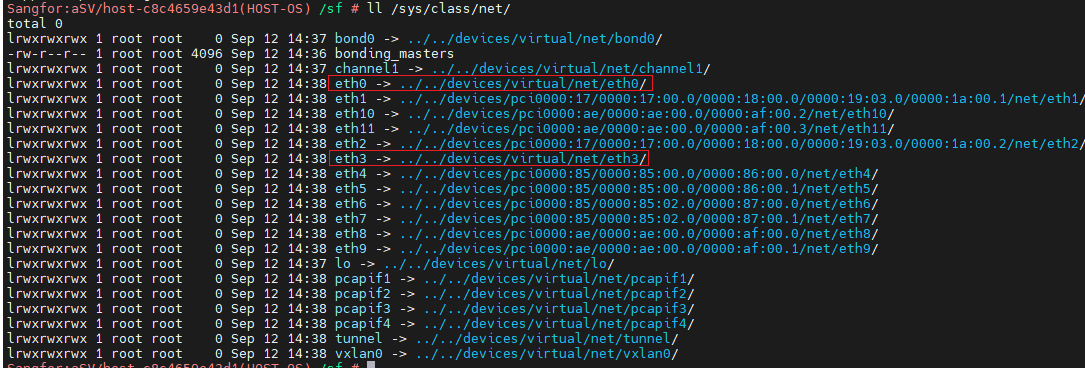
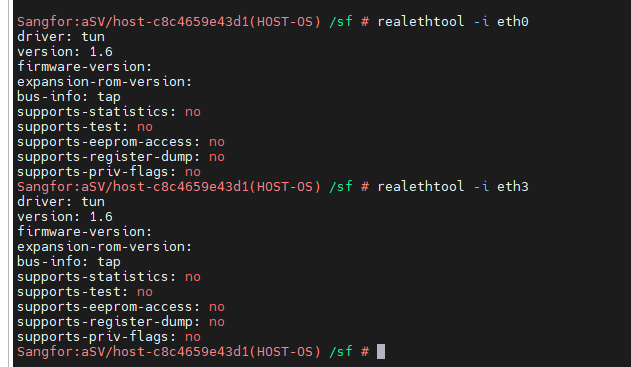
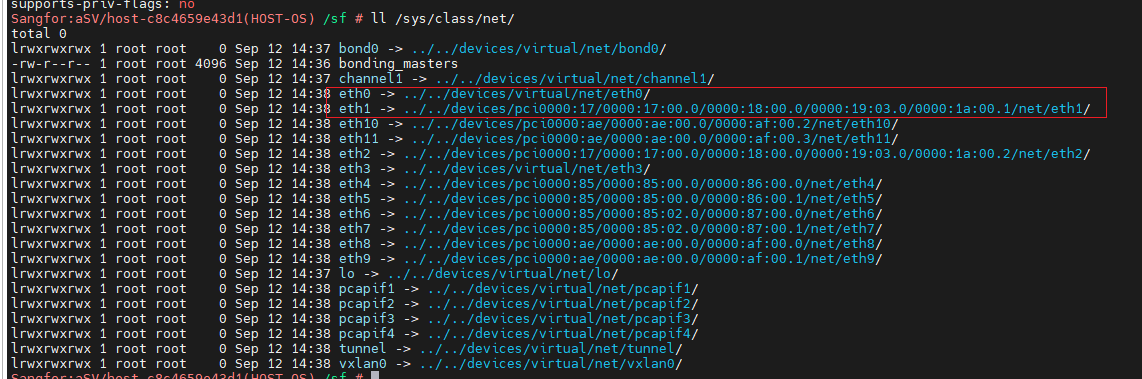
Before version 2.630, you can view other ports of the same NIC that have not been taken over. For example, if eth0 is taken over in the figure below, you can view eth1. If all ports of a card are taken over, you will not be able to see it.
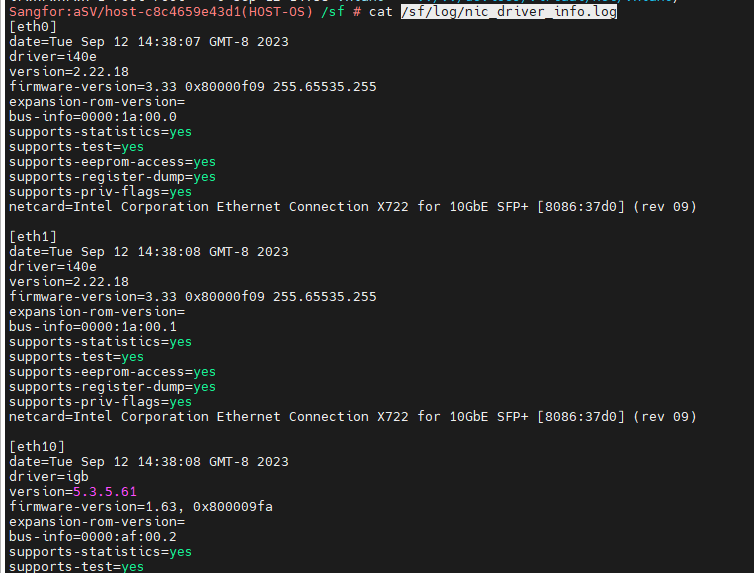
- For versions 630 and later, you can directly view the /sf/log/nic_driver_info.log file, which will record the driver firmware versions of all network ports when the host starts
Solution
Viewing log files
Original Link
https://support.sangfor.com.cn/cases/list?product_id=33&type=1&category_id=23603&isOpen=true